Lead UX/UI DesignerResponsive WebRetail / Beauty E-Commerce

ALL ABOUT YOU Platform
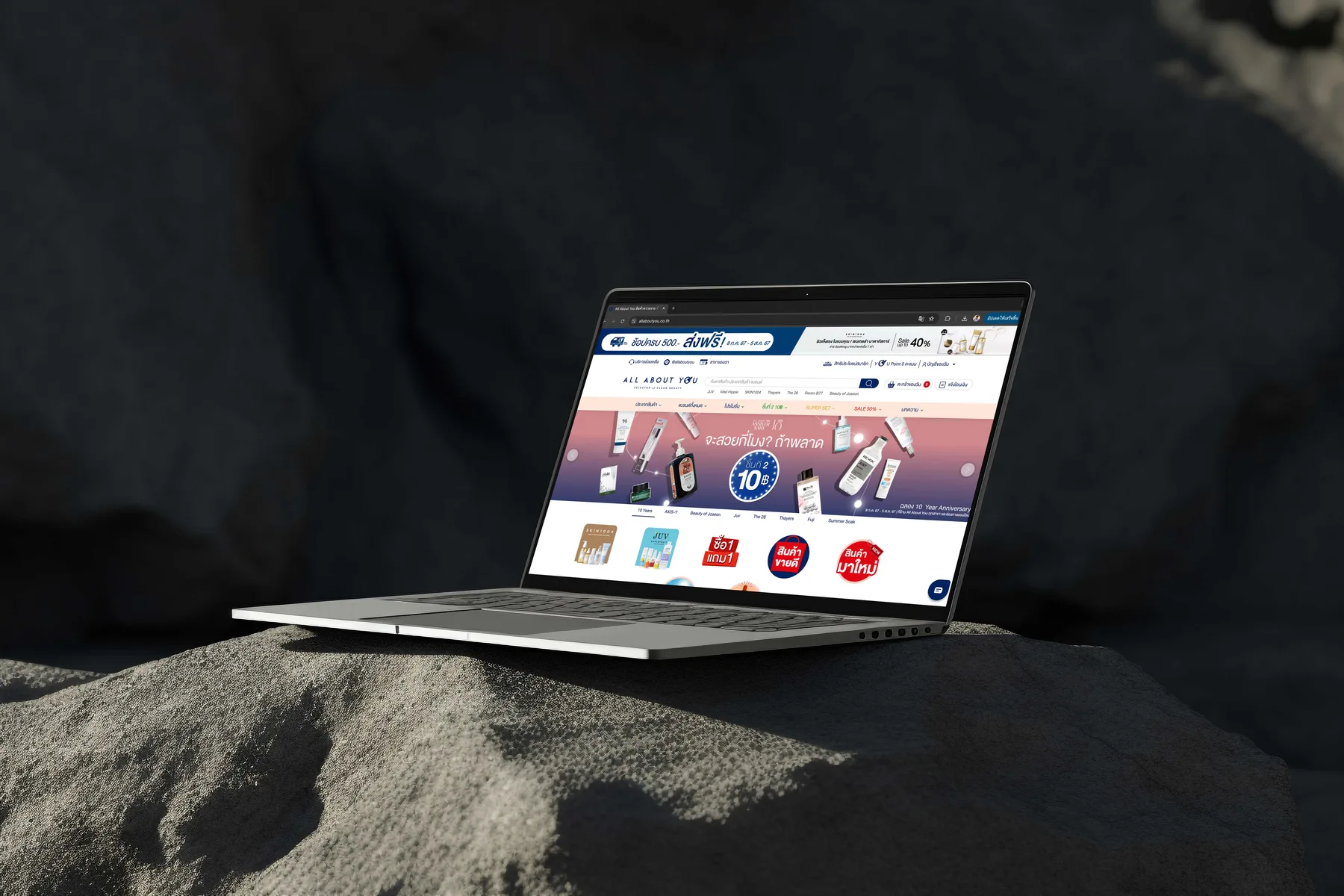
ALL ABOUT YOU CO., LTD. · 1 yr 4 mo · Mar 2021 – Jun 2022
ALL ABOUT YOU omnichannel skincare e-commerce and CRM platform
Executive Summary & Impact
Omnichannel Loyalty
Online and in-store
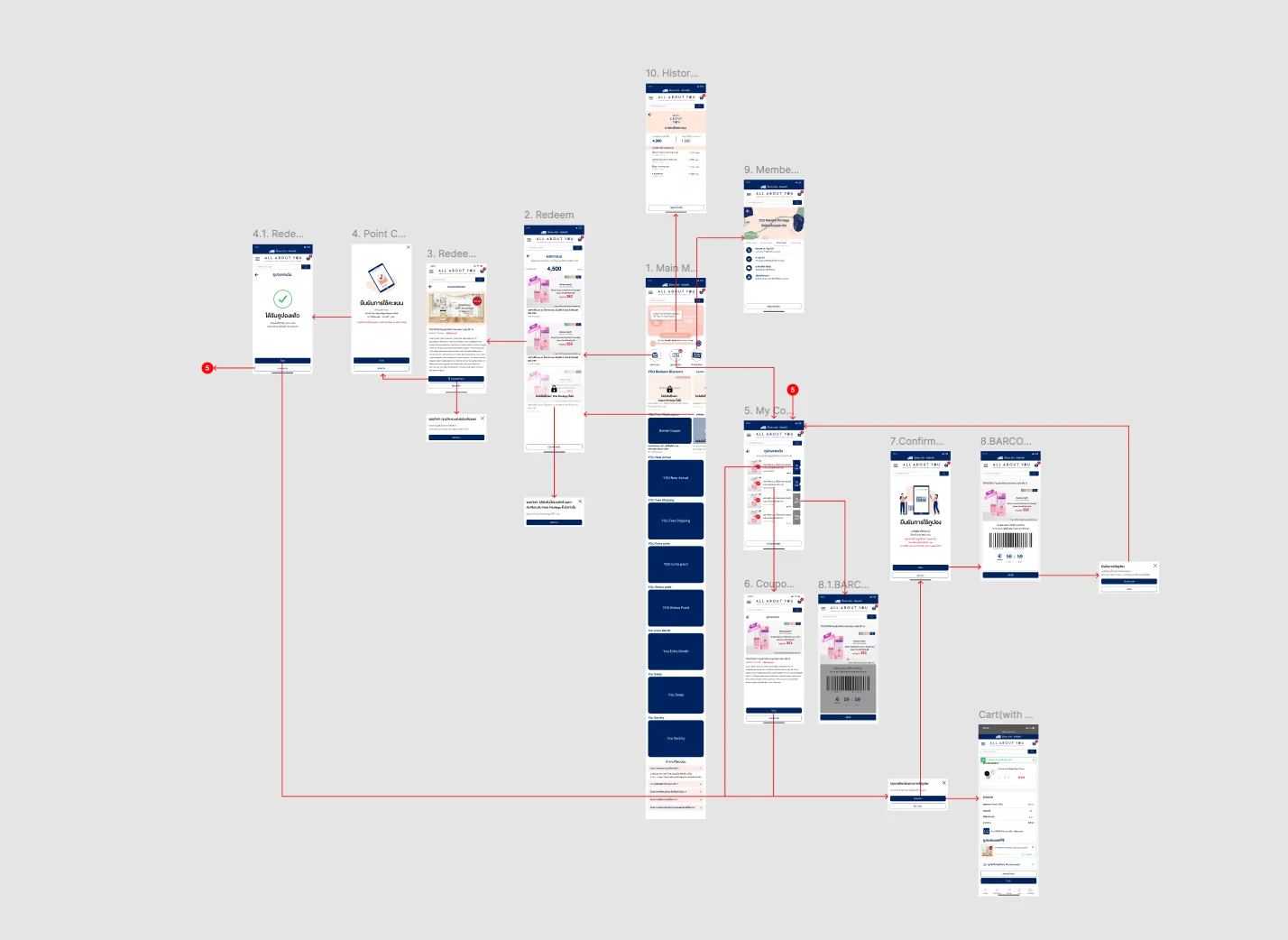
Points and coupons can be used at a branch through an in-store barcode, not only on the website.
Clear Redemption
Step-by-step rewards
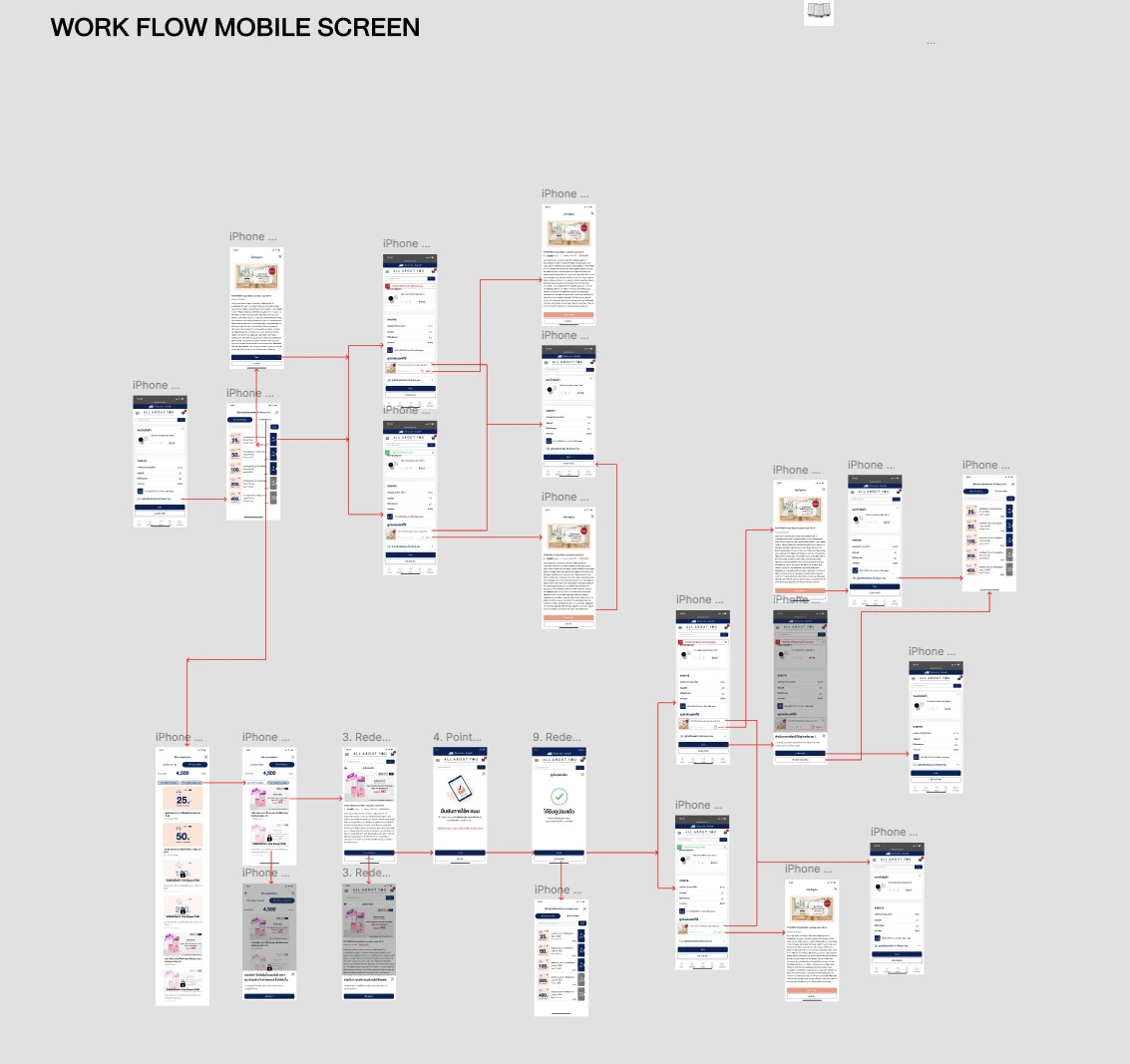
Redemption split into select, confirm and success, so members always see how many points a step spends.
Structured Shopping
Browse to checkout
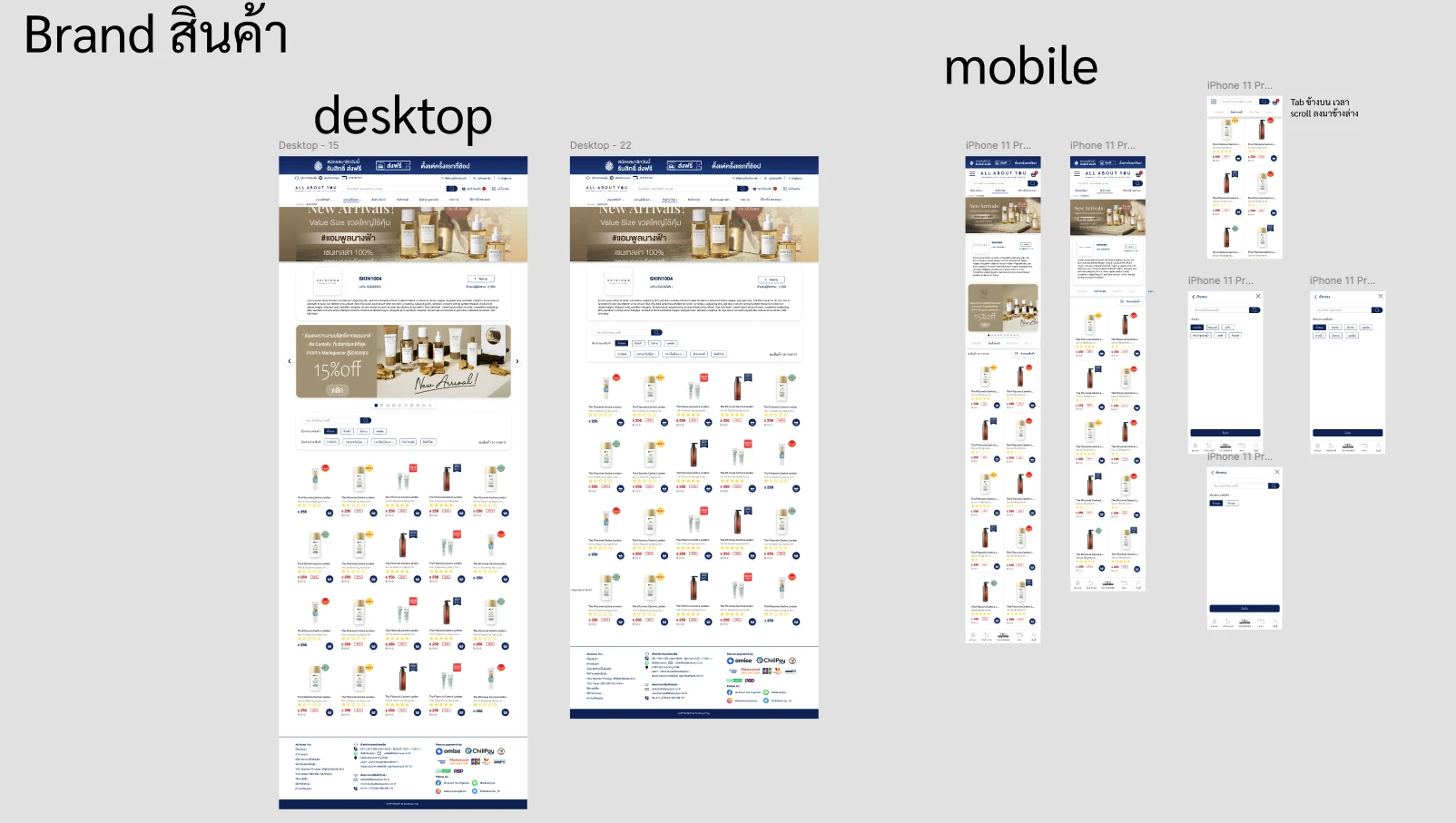
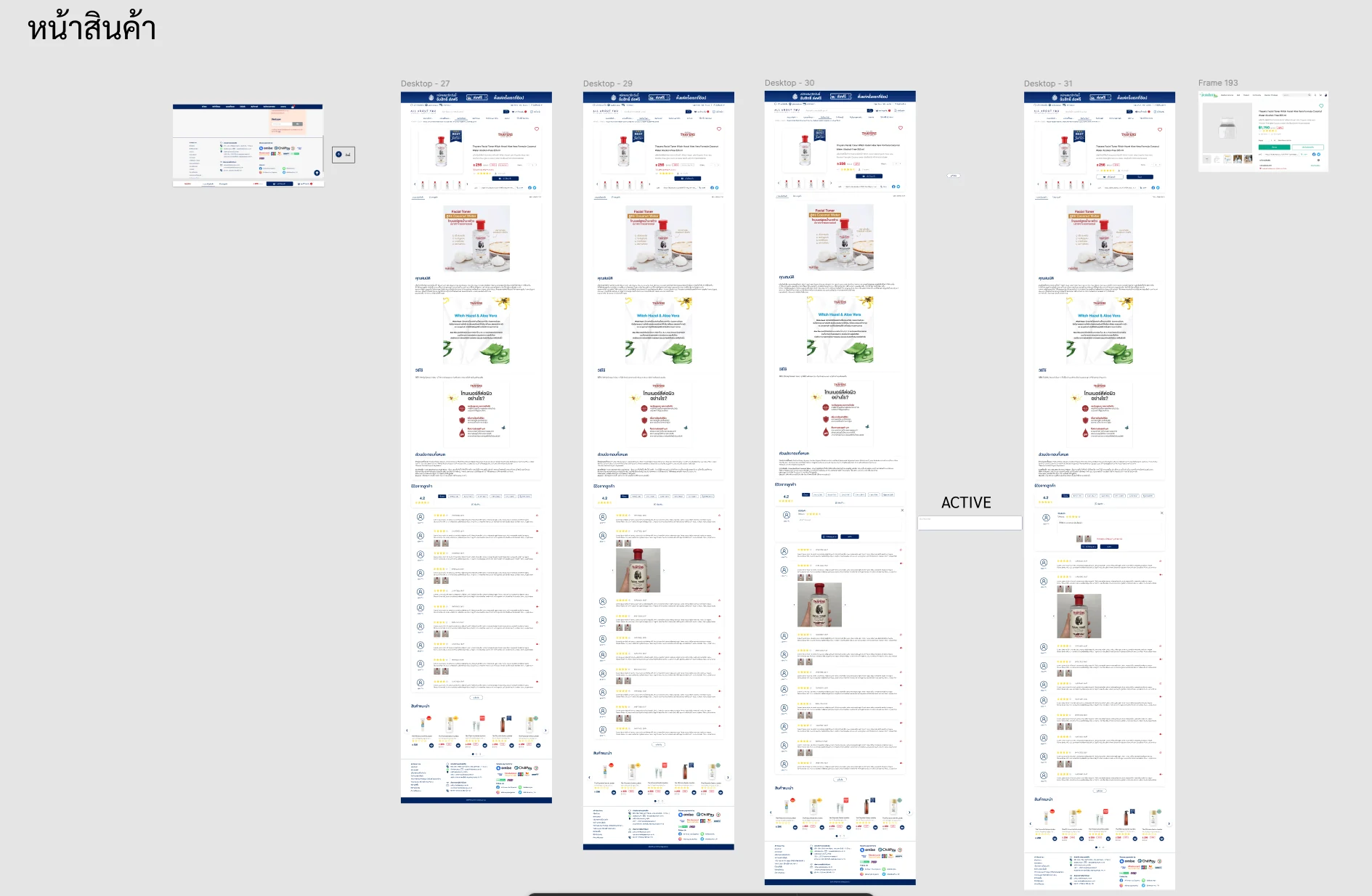
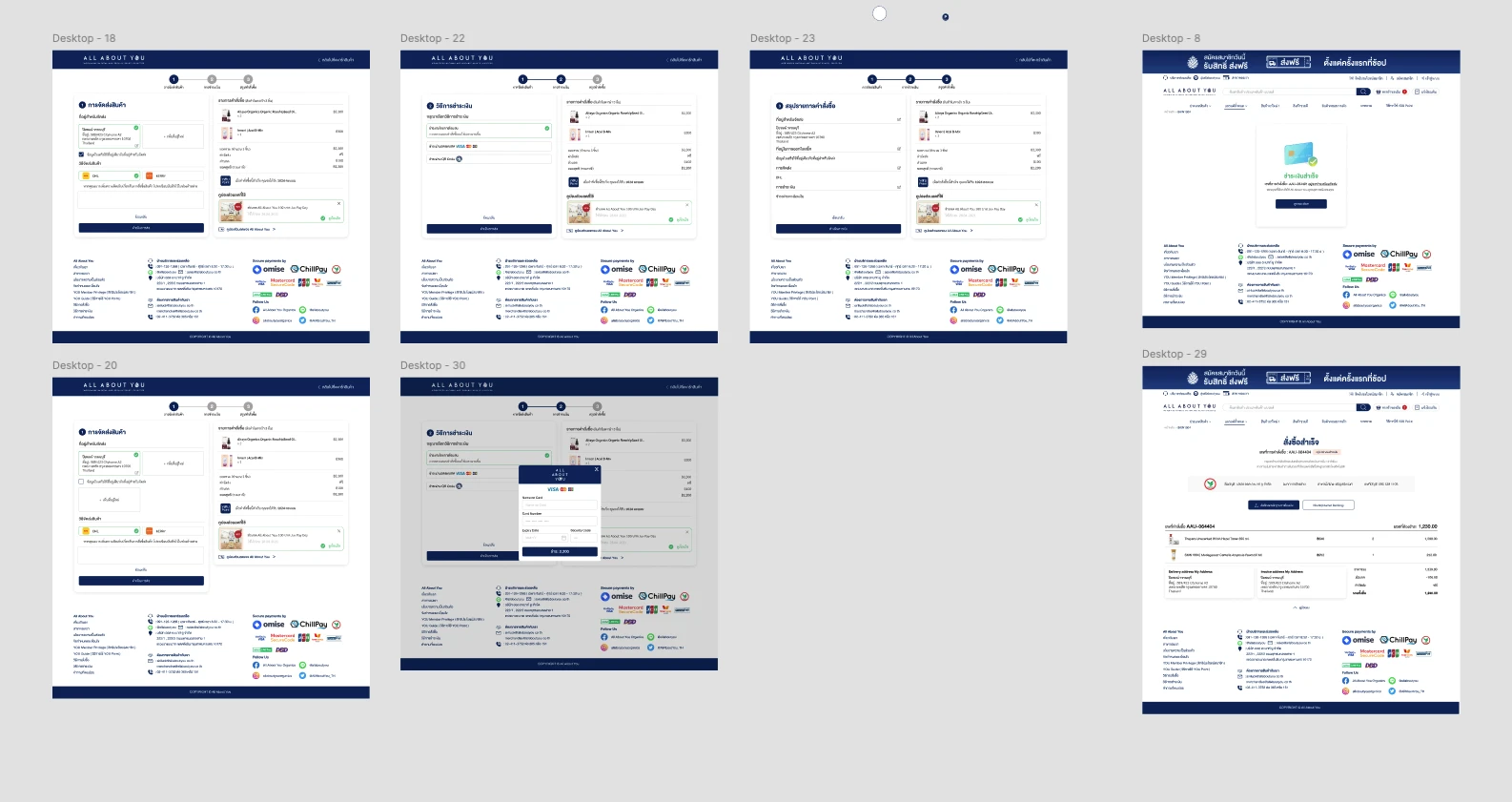
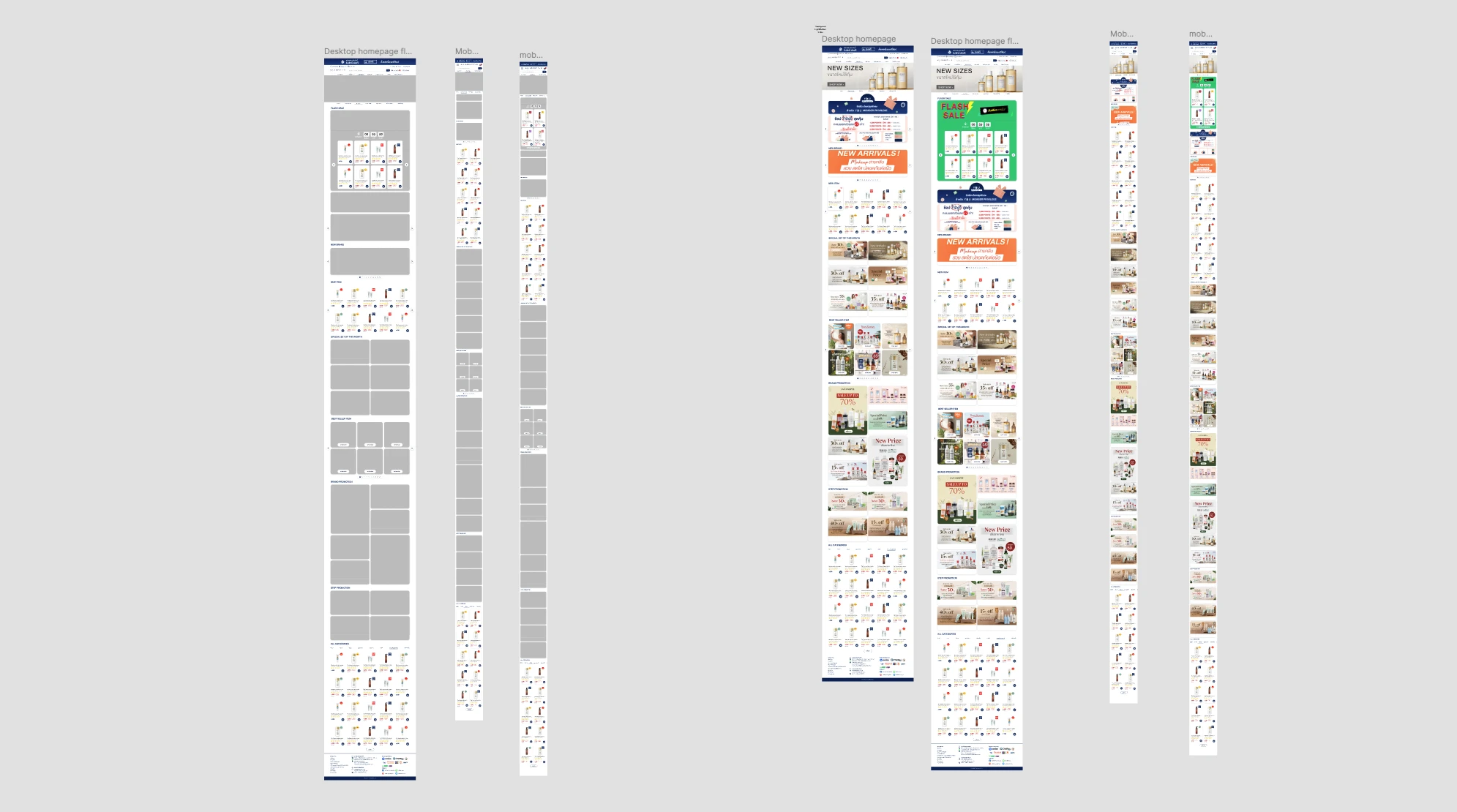
Merchandising, product detail and a three-step checkout planned on wireframes before visual design.

ALL ABOUT YOU is a skincare and beauty e-commerce platform with a membership programme shared between the website and physical branches. The design covers the shopping journey from homepage to checkout and the loyalty side of the product: points, rewards, coupons, member tiers and the in-store barcode that connects the two channels.

01 / Discovery & Context

Problem & Baseline

Members could collect points and coupons, but the website and the physical branches needed to feel like one programme. A balance earned online had to be usable in a shop, and redemption had to be clear about what it would cost before the member committed. On the shopping side, a large skincare catalogue needed to stay easy to browse on a phone, and checkout had to carry coupons and points without losing track of the total.

Two channels
The website and physical branches needed to share one membership, one points balance and one set of coupons.
Redemption cost
Members needed to know how many points a reward would spend before confirming it.
Long catalogue on mobile
Browsing many brands and products on a phone risked losing the filters and the category context.
Checkout with rewards
Coupons and points had to be applied during checkout without hiding the order total.
02 / Architecture & UX System

Key Design Decisions

01
In-Store Barcode for Online Rewards
Designed a barcode screen for coupons and member benefits, so a balance or coupon held online can be used at a physical branch. It is the screen that connects the two channels.
02
Redemption in Clear Steps
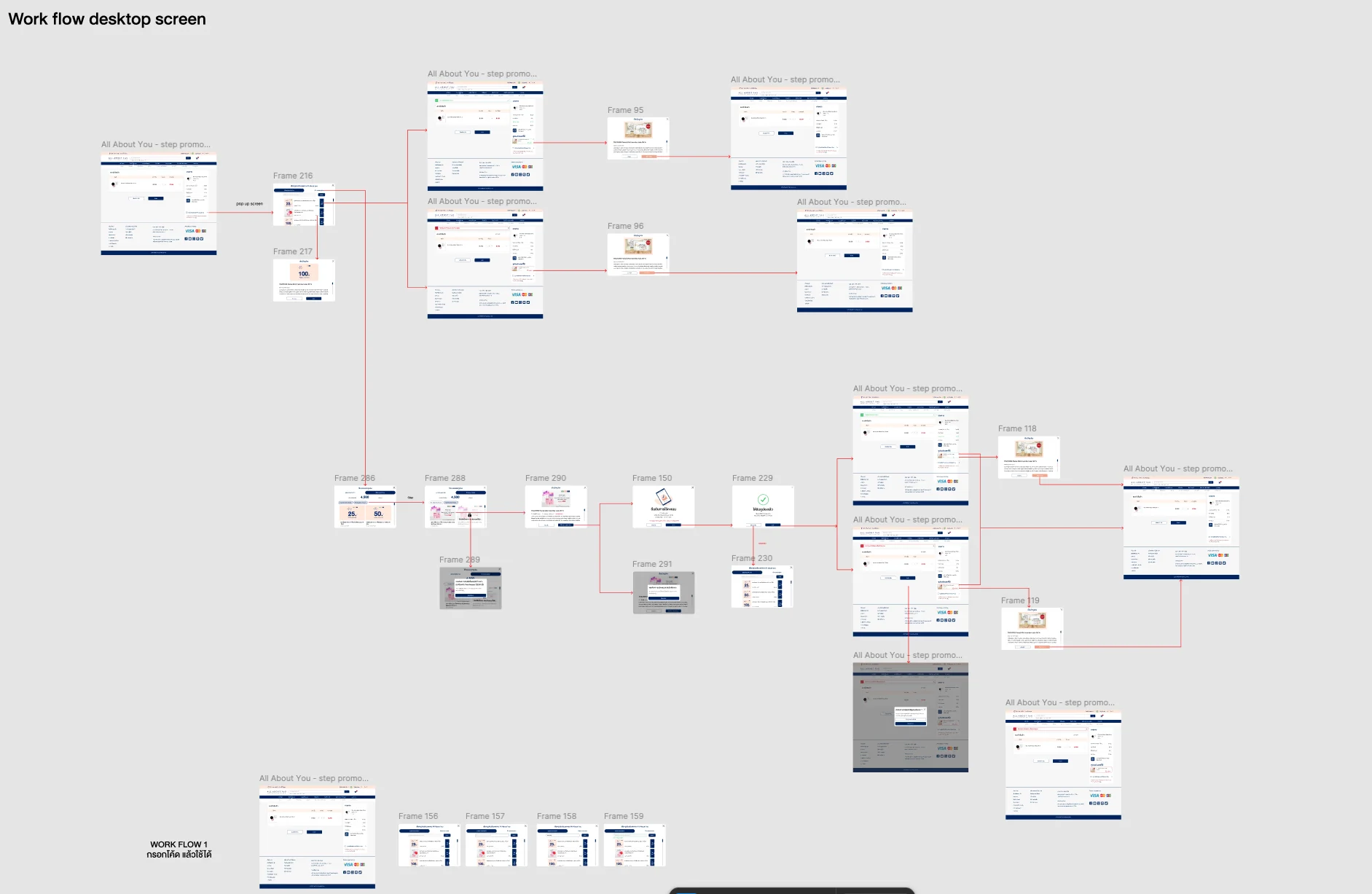
Split reward redemption into select reward, confirm points and success, rather than one stacked screen, so the member always knows how many points a step will spend.
03
One Hub for Membership
Brought the points balance, reward redemption, the coupon wallet, the member tier card and points history together under one membership menu.
04
Browsing Built for a Long Catalogue
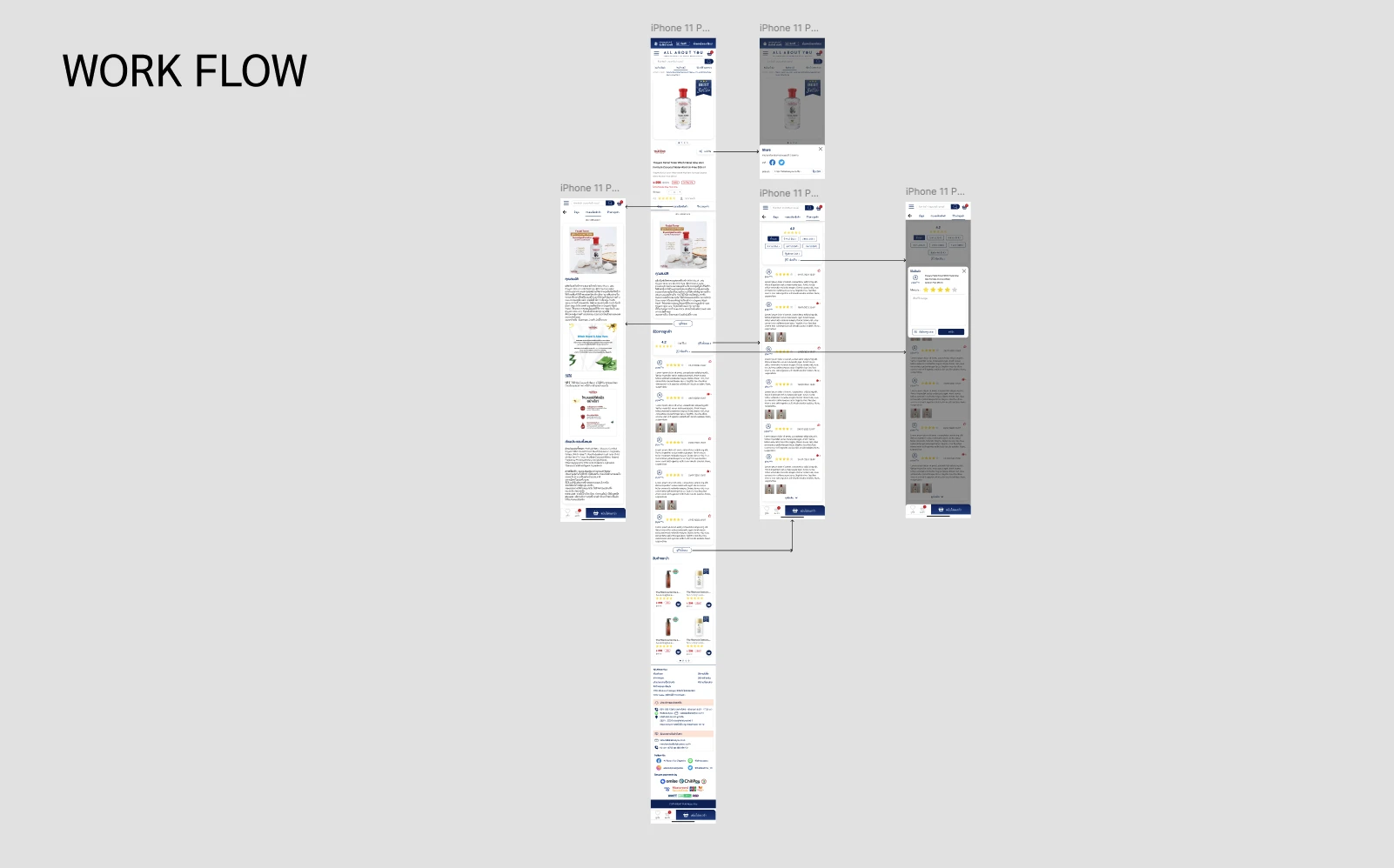
On mobile the filter set moves into a full-screen sheet and the category tabs stay pinned while the product grid scrolls, so browsing a long catalogue never loses the filters.
05
Checkout That Keeps the Total in View
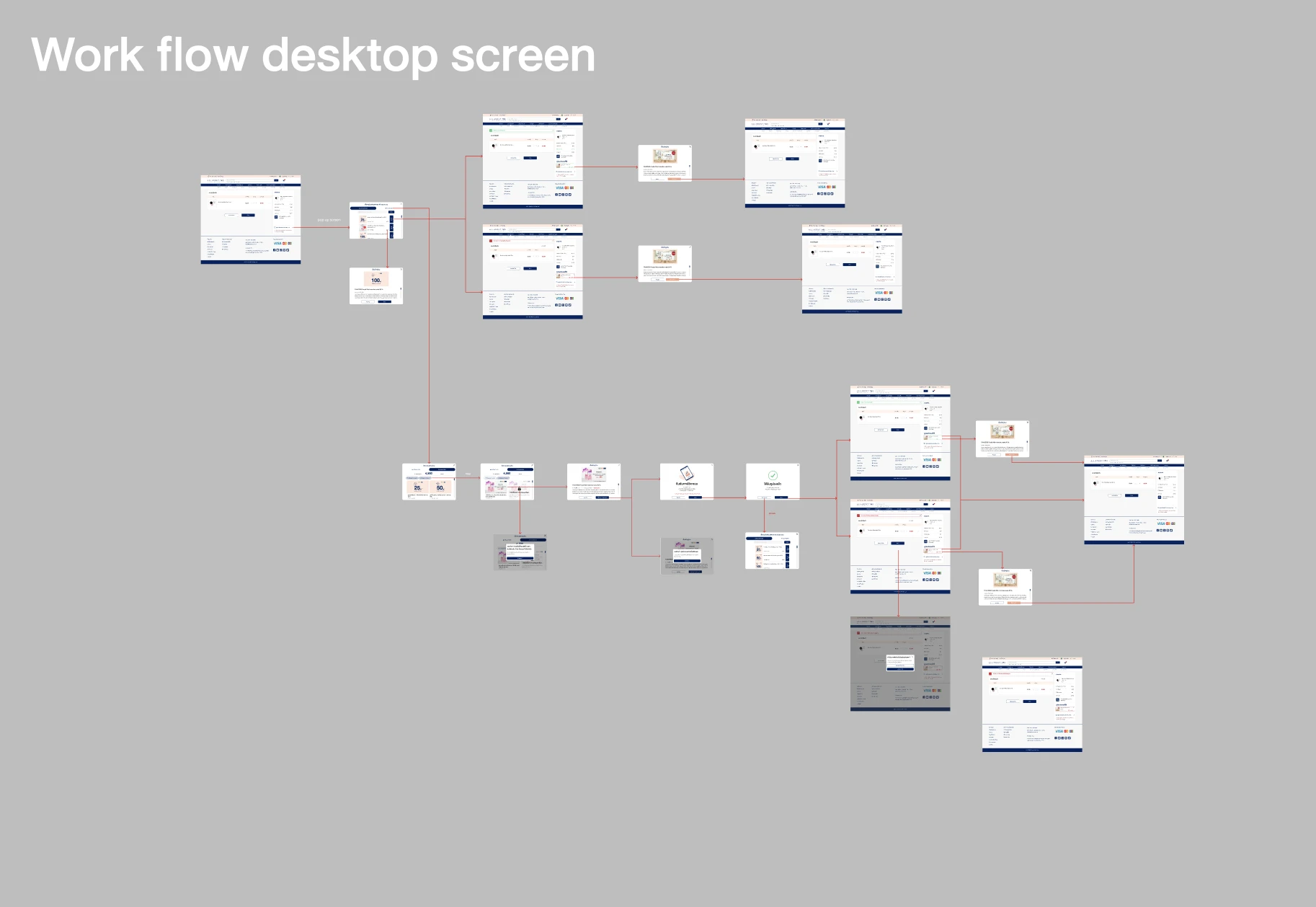
A three-step progress header covers shipping, payment and order summary, with the cart held in a persistent side panel, and the coupon and points branches, including a failed redemption, drawn as their own paths.
03 / Verification & Evidence

Outcomes

AreaBeforeAfterOutcome
Online & in-store rewardsRewards earned online needed a way to be used in a shopIn-store barcode for coupons and member benefitsBetter connected
Reward redemptionPoint cost needed to be clear before confirmingSelect, confirm and success as separate stepsClearer
MembershipPoints, rewards, coupons and tier needed one homeOne membership menu with balance, redemption, coupon wallet, tier card and historyOne place
Mobile browsingA long catalogue had to stay browsable on a phoneFull-screen filter sheet and pinned category tabsEasier to browse
CheckoutCoupons and points had to fit into checkoutThree-step checkout with a persistent cart panelMore structured
04 / Retrospective

What I Learned

→

An omnichannel promise is only as real as the screen that carries it into the shop. For this programme, that screen was the in-store barcode.

→

Showing the cost of a reward at each step, rather than on one dense screen, made redemption something members could check before committing.

→

Settling the merchandising hierarchy on wireframes first meant layout debates were resolved before visual design, not on finished UI.