Senior UX/UI DesignerBack OfficePropTech / Smart Building

Area 22 IOT Management
HAPPY THREE CREATION CO., LTD. · 7 mo · Aug 2023 – Feb 2024
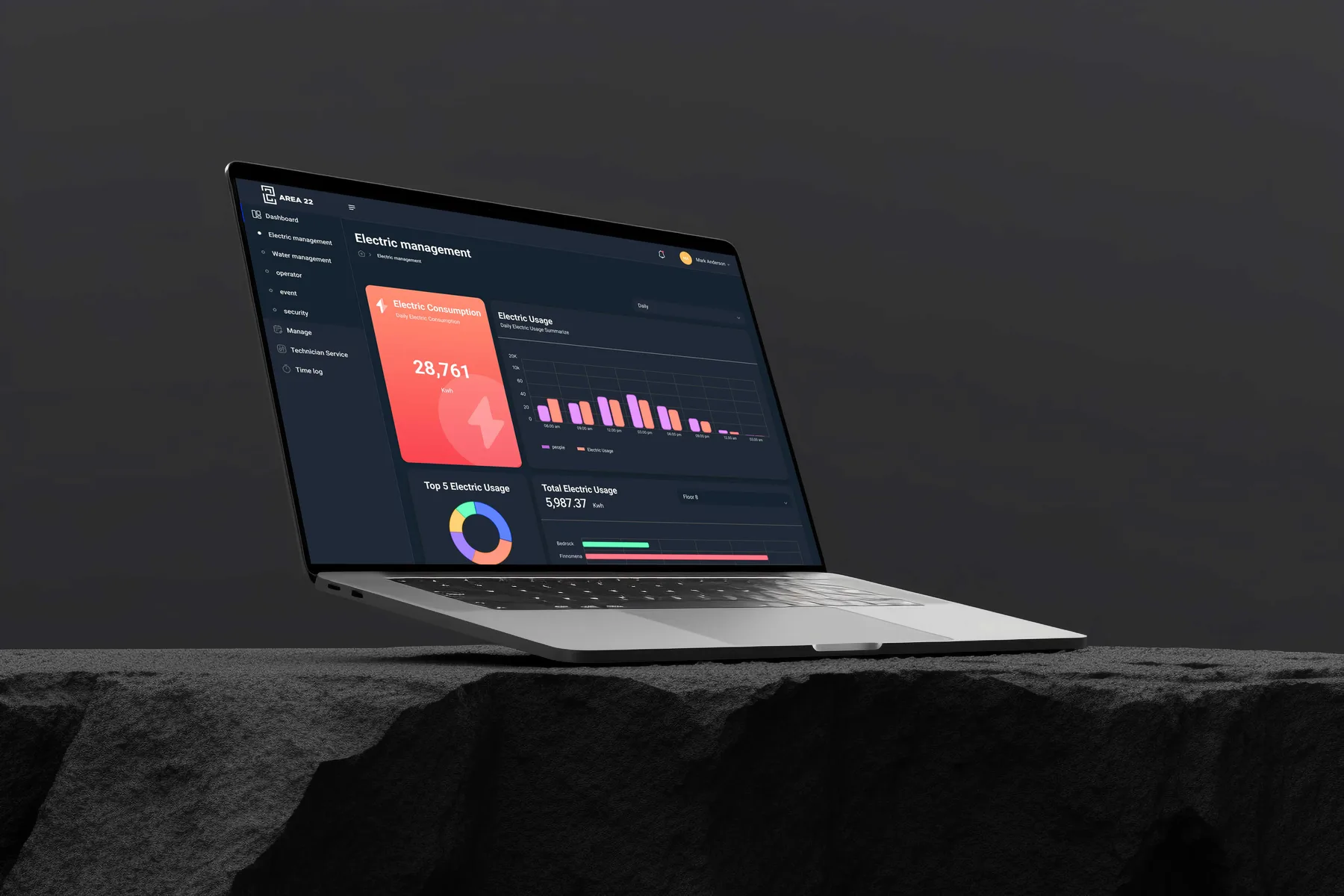
Area 22 electricity dashboard on a laptop, with total consumption, usage over time and the floors that use the most
Executive Summary & Impact
Three Roles
Admin, technician, owner
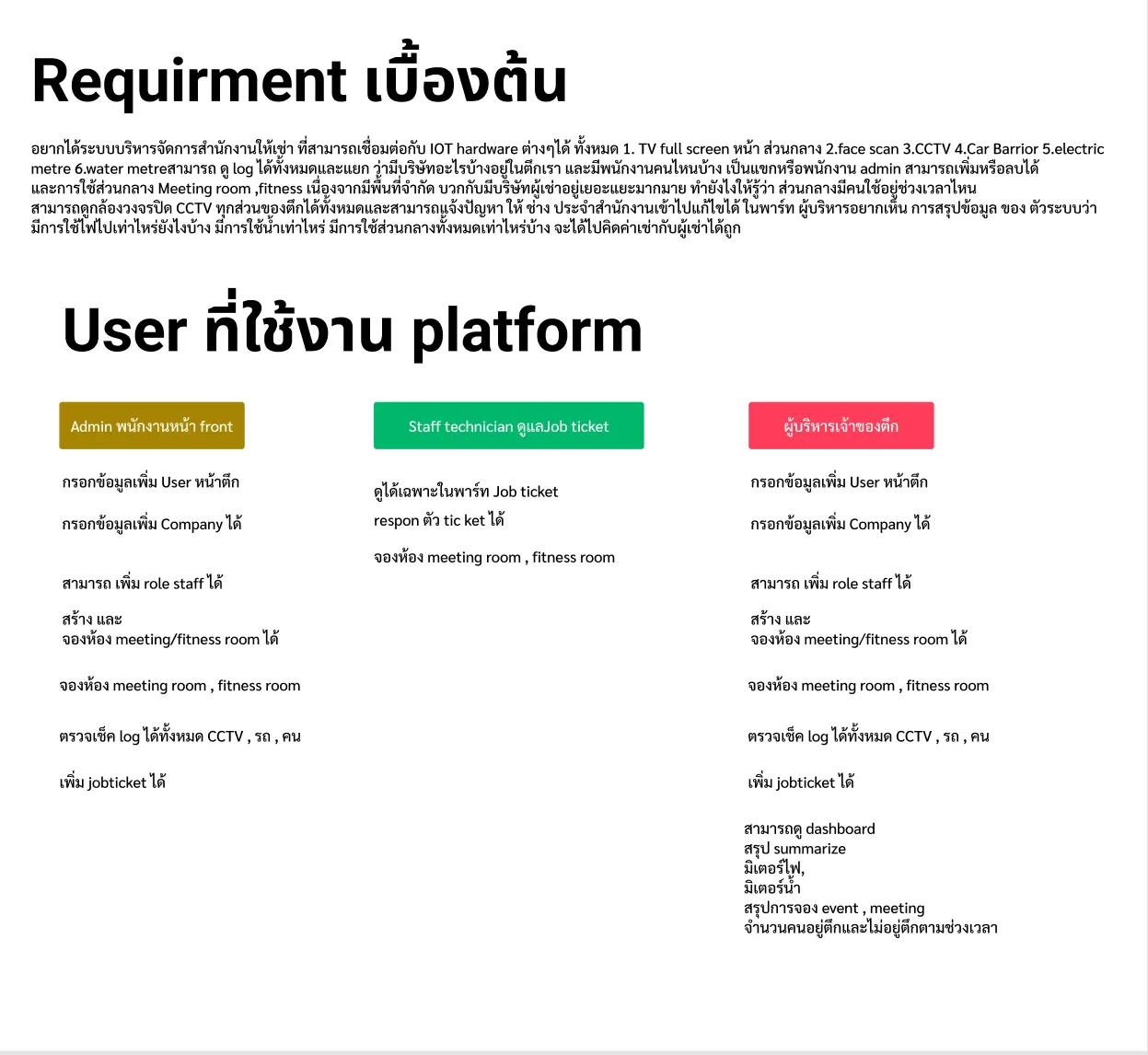
The front desk runs daily operations, technicians see only their job tickets, and the owner also gets the dashboards.
Room Signage
A screen by every door
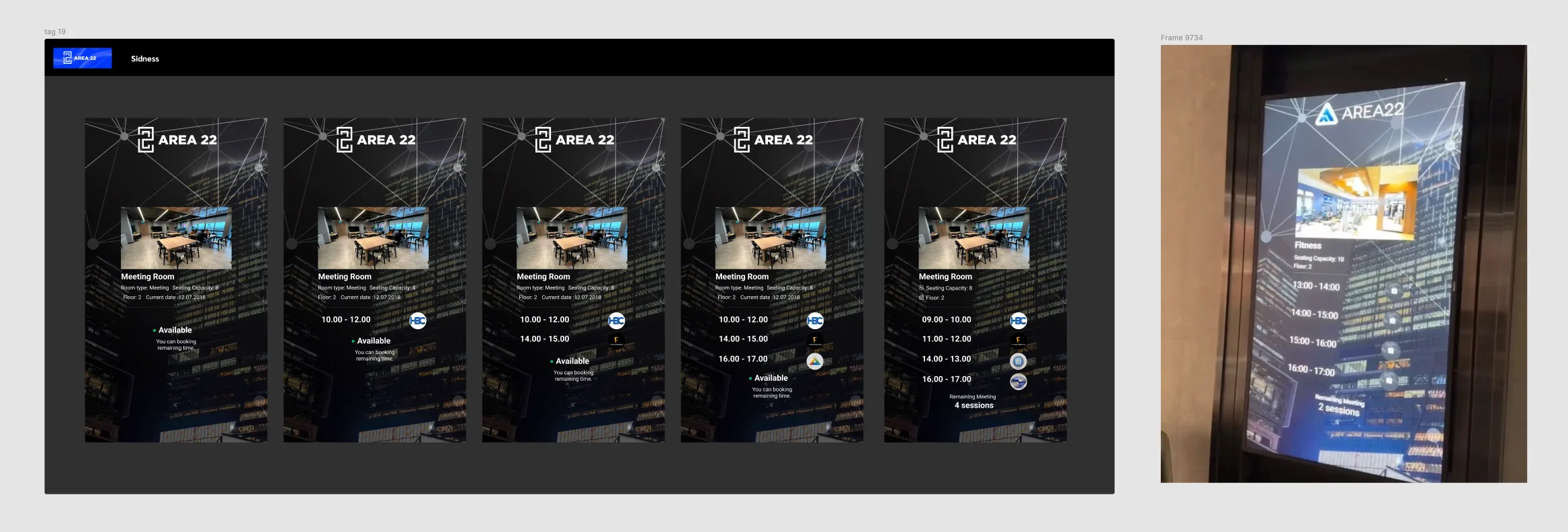
Each meeting room's screen shows the day's bookings with tenant logos, whether the room is free now and the sessions left.
Usage Dashboards
Meter readings for billing
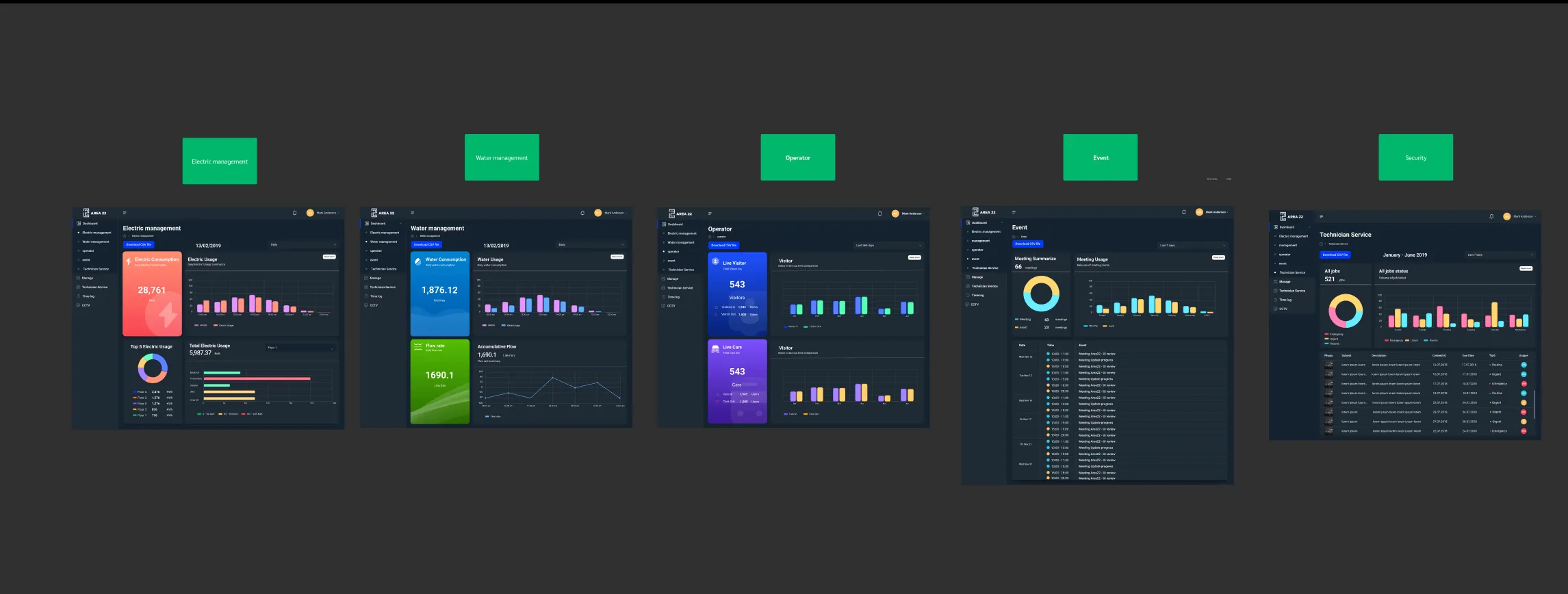
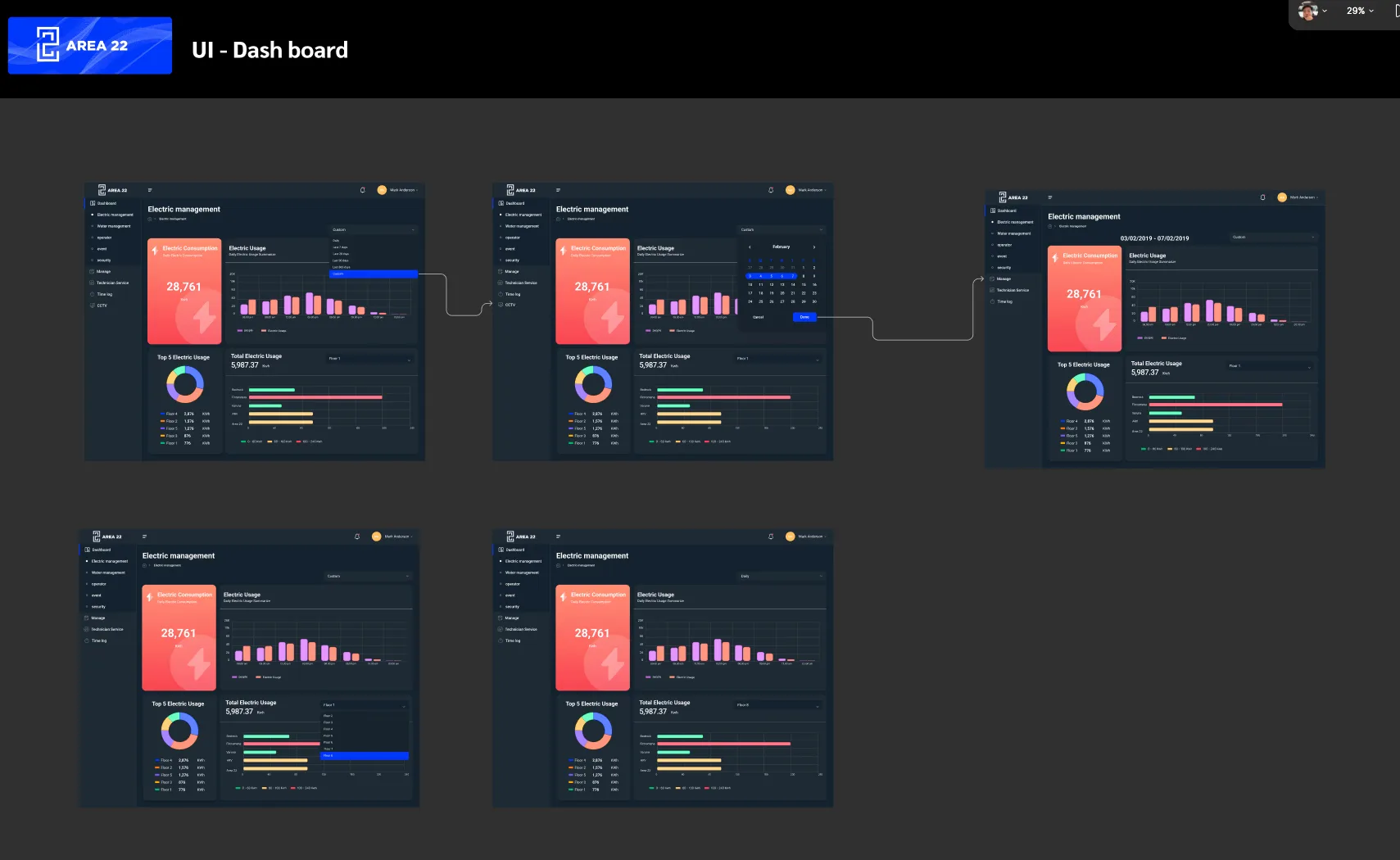
Electricity, water, visitors, cars, events and jobs, from a day up to a year, filtered by floor and exported as CSV.

Area 22 manages a building of rented offices and the hardware in it: the screen in the common area, face scan, CCTV, the car barrier, and the electricity and water meters. The design splits the platform between the front-desk admin, the technicians and the building owner, puts a screen by each meeting room door, and turns meter readings into dashboards the owner can use to bill tenants.

01 / Discovery & Context

Problem & Baseline

A building of rented offices shares its entrance, meeting rooms, fitness room and car park between many tenant companies, and its hardware, face scan, CCTV, the car barrier and the electricity and water meters, all had to come together in one place. The owner wanted one system to log who came and went, manage the shared rooms in limited space, route tenants' problems to the in-house technicians, and summarise electricity, water and room use so tenants could be billed correctly.

Many devices
Face scan, CCTV, the car barrier and the meters each had to feed one system.
Shared, limited rooms
Many tenant companies shared a small number of meeting and fitness rooms.
Three roles
The front desk, the technicians and the owner needed different access to the same data.
Billing by usage
The owner needed electricity, water and room use summarised to charge tenants correctly.
02 / Architecture & UX System

Key Design Decisions

01
Structure Built Around Roles
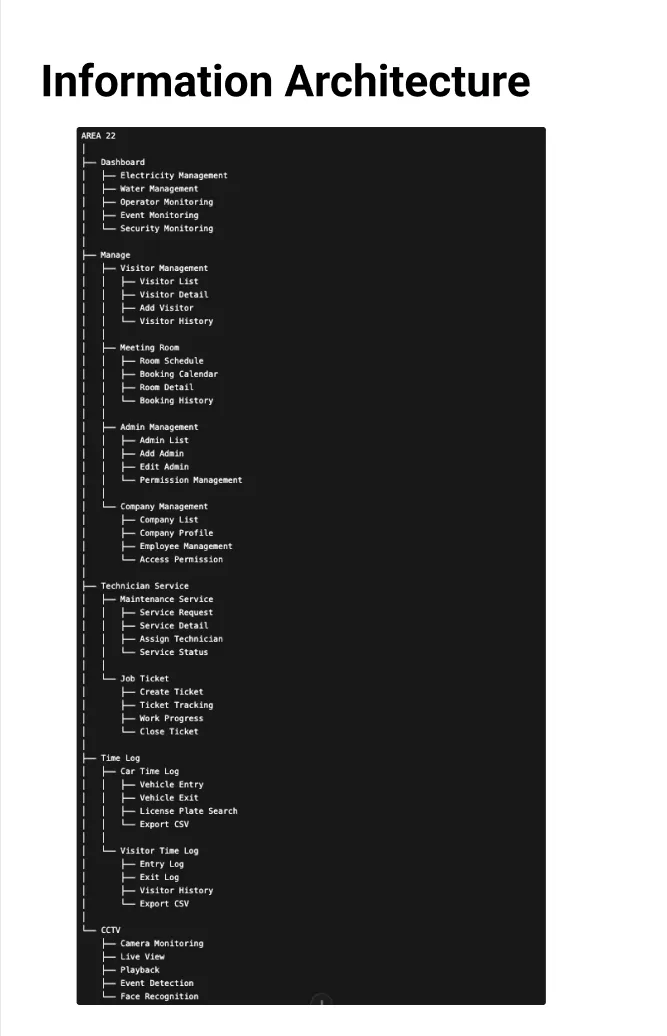
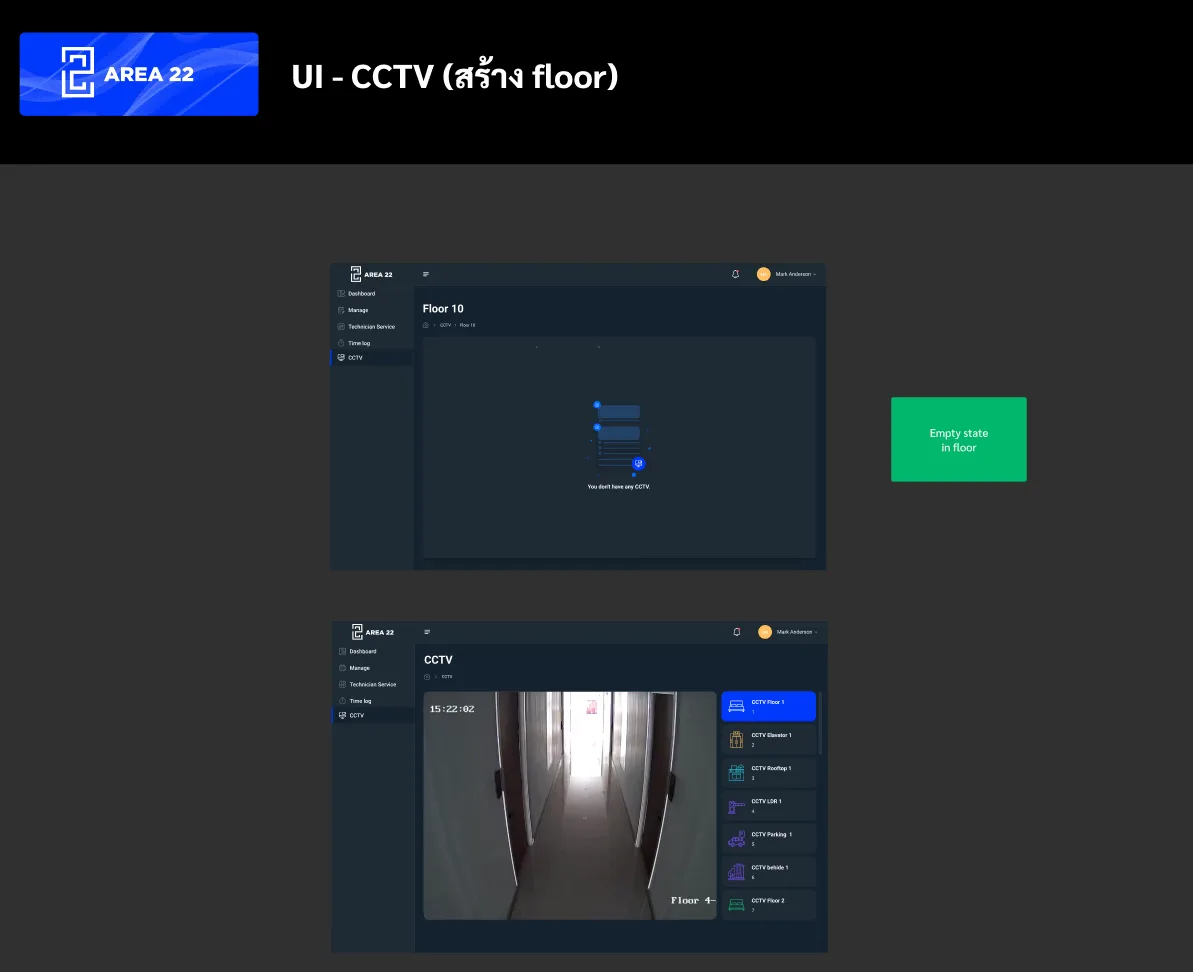
Organised the platform into Dashboard, Manage, Technician Service, Time Log and CCTV, with permissions per role, so a technician sees only job tickets and the owner sees the dashboards.
02
Room Booking With Signage at the Door
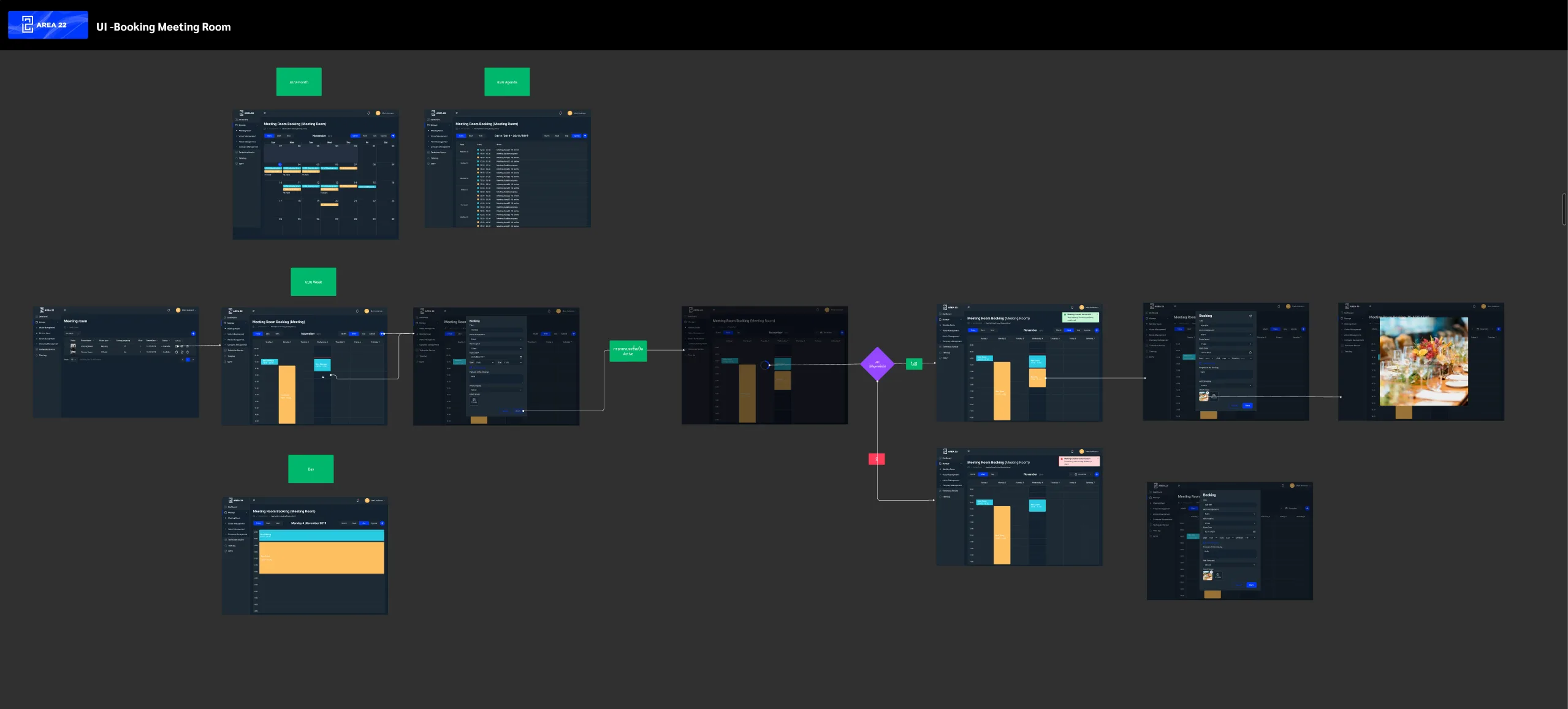
Booking runs in month, week, day and agenda views and checks the slot before confirming, and a portrait screen by each room shows the day's bookings, tenant logos and the sessions left.
03
People and Vehicles on Record
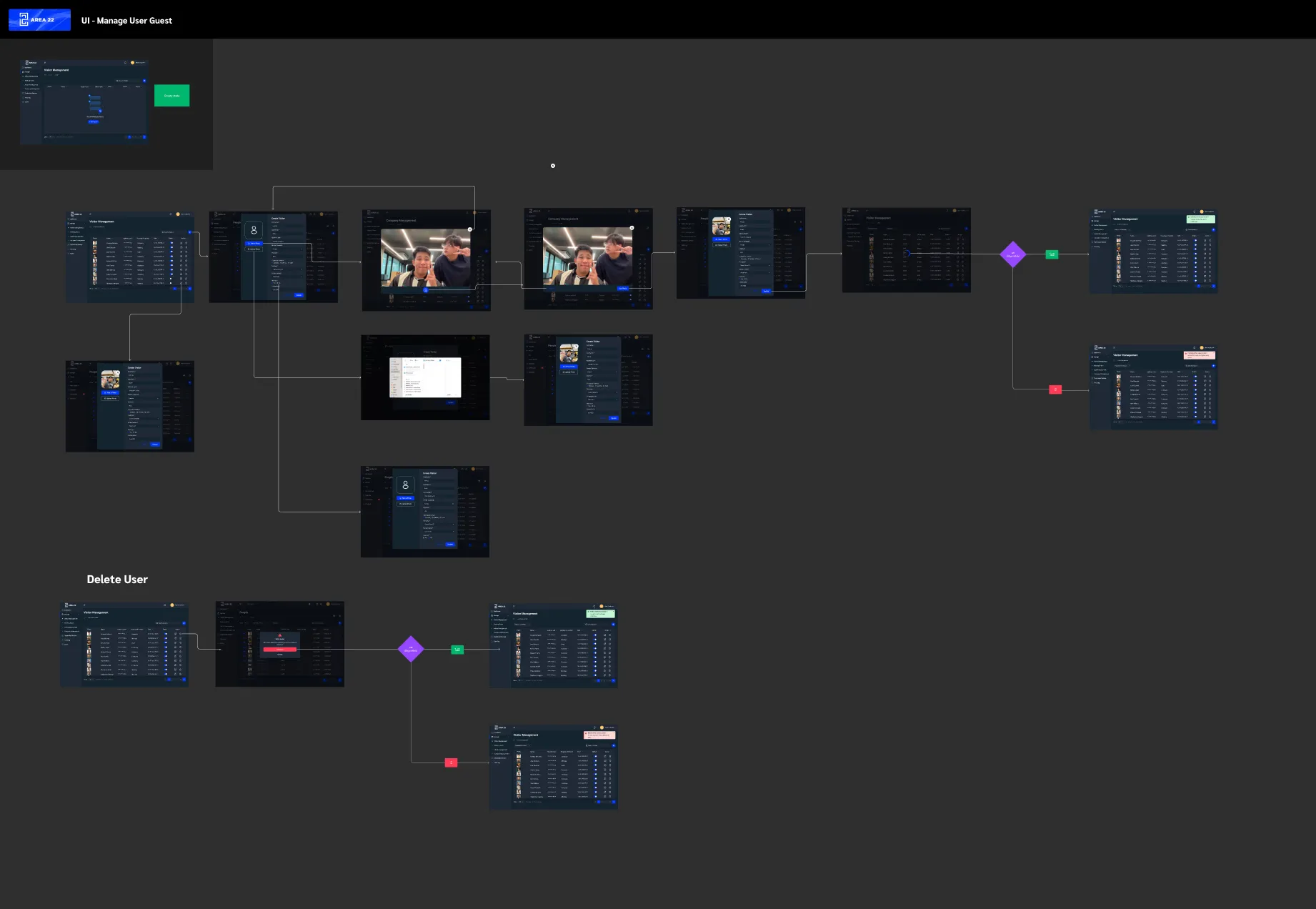
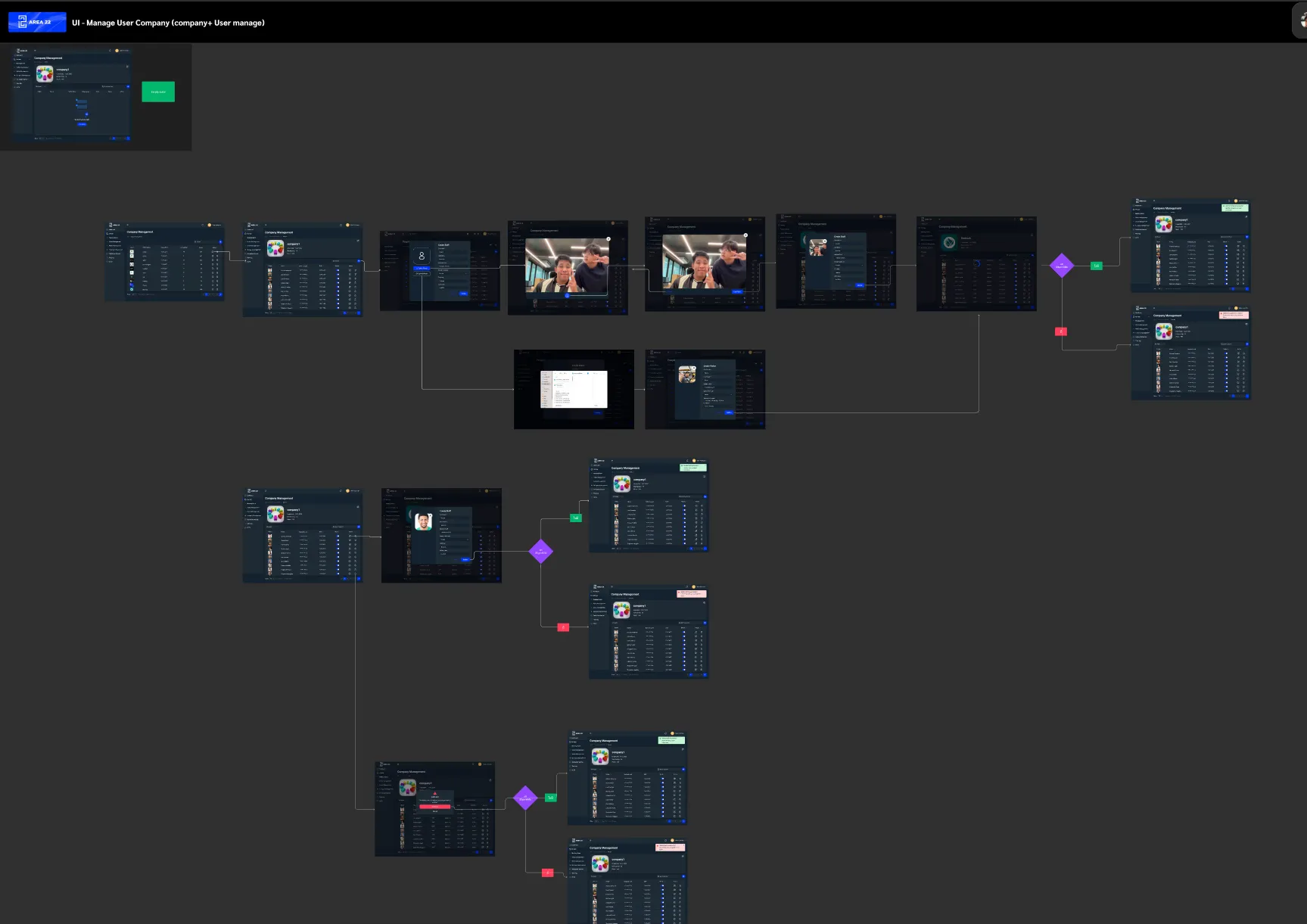
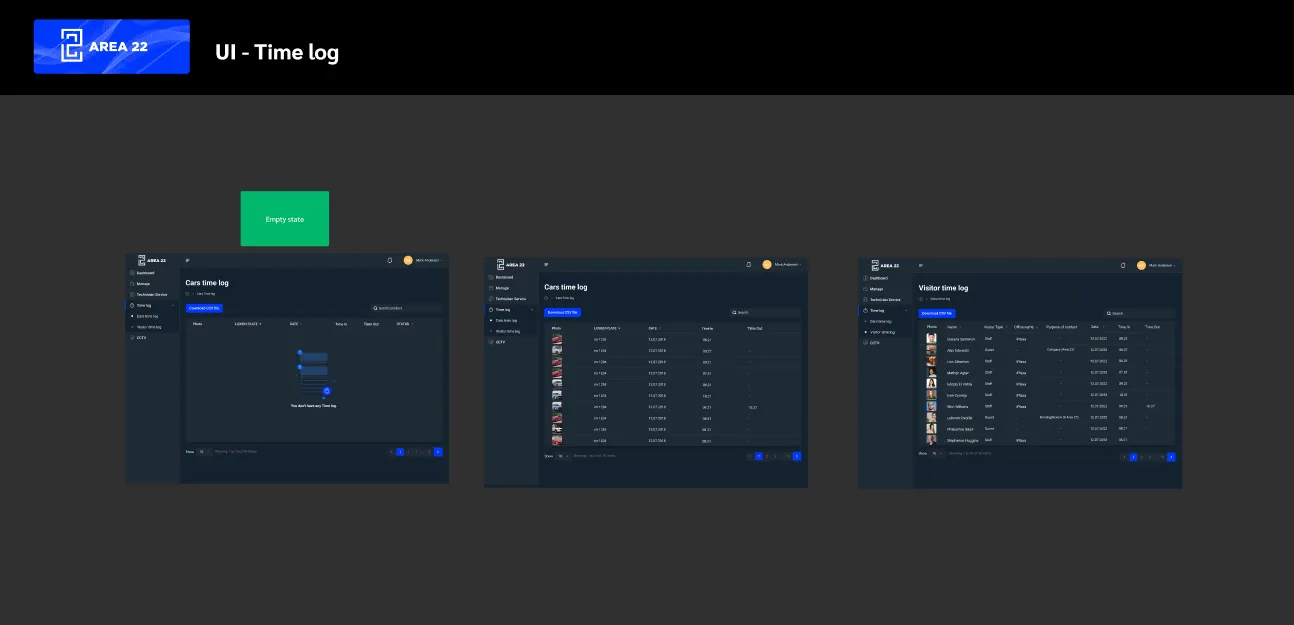
Visitors and staff are registered with a photo from the camera or a file, and the time logs list vehicles by licence-plate photo and visitors by type and purpose, with times in and out and a CSV export.
04
Job Tickets for the In-House Team
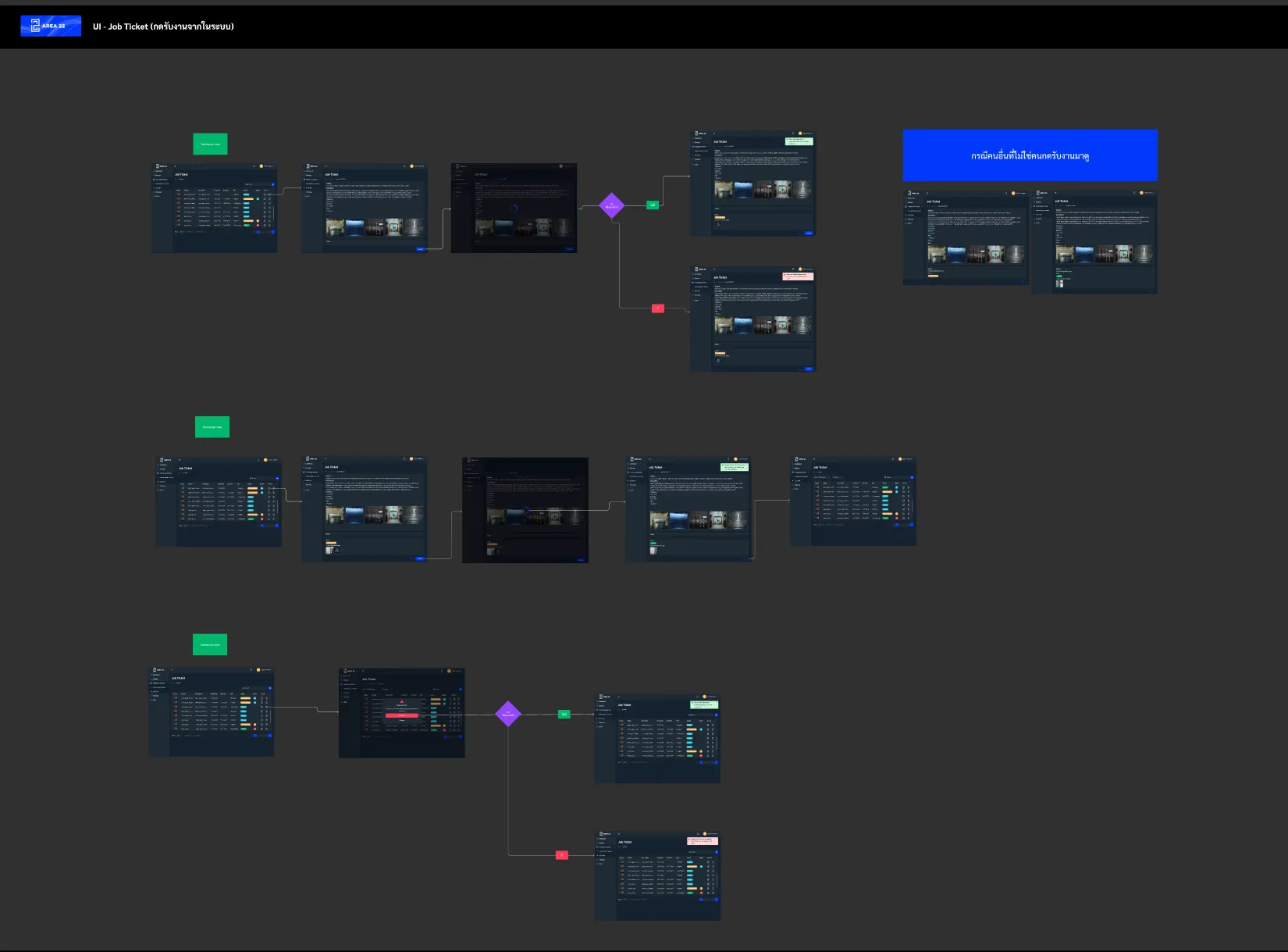
Technicians accept a job from its ticket and update its progress, anyone who did not accept it sees a separate view, and an admin can delete a ticket after confirming.
05
Dashboards for Billing
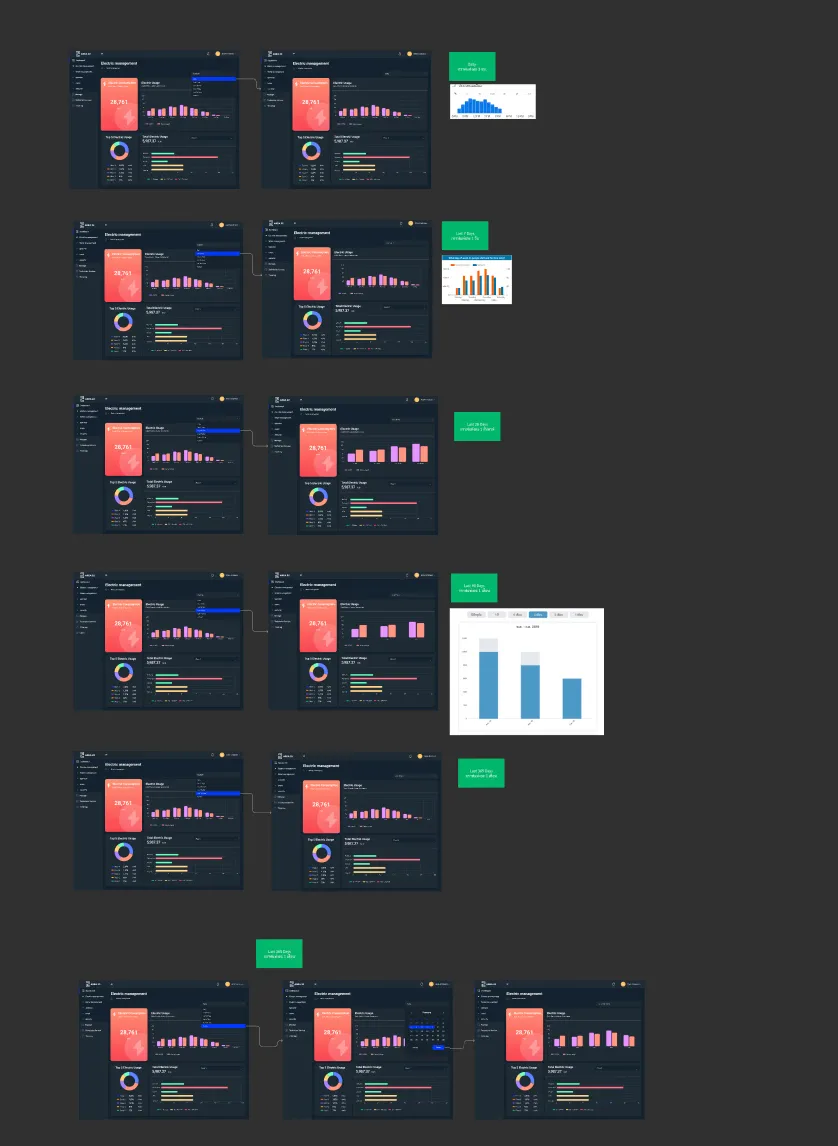
Electricity, water, operator, event and technician dashboards each have a CSV download; the range runs from a single day up to a year or a custom period, with bars grouped more coarsely as it grows, and usage filters by floor.
03 / Verification & Evidence

Outcomes

AreaBeforeAfterOutcome
Building hardwareFace scan, CCTV, barrier and meters needed one placeOne back office with dashboards, time logs and CCTVOne system
Shared roomsLimited rooms shared by many tenantsCalendar booking with an availability check and a screen by each doorVisible
AccessThree roles needed different views of the same dataPermissions per role; technicians see only job ticketsRole-based
MaintenanceTenants' problems needed a route to the techniciansJob tickets that technicians accept and updateTracked
BillingUsage needed summarising for tenant billsMeter dashboards by range and floor, exported as CSVExportable
04 / Retrospective

What I Learned

→

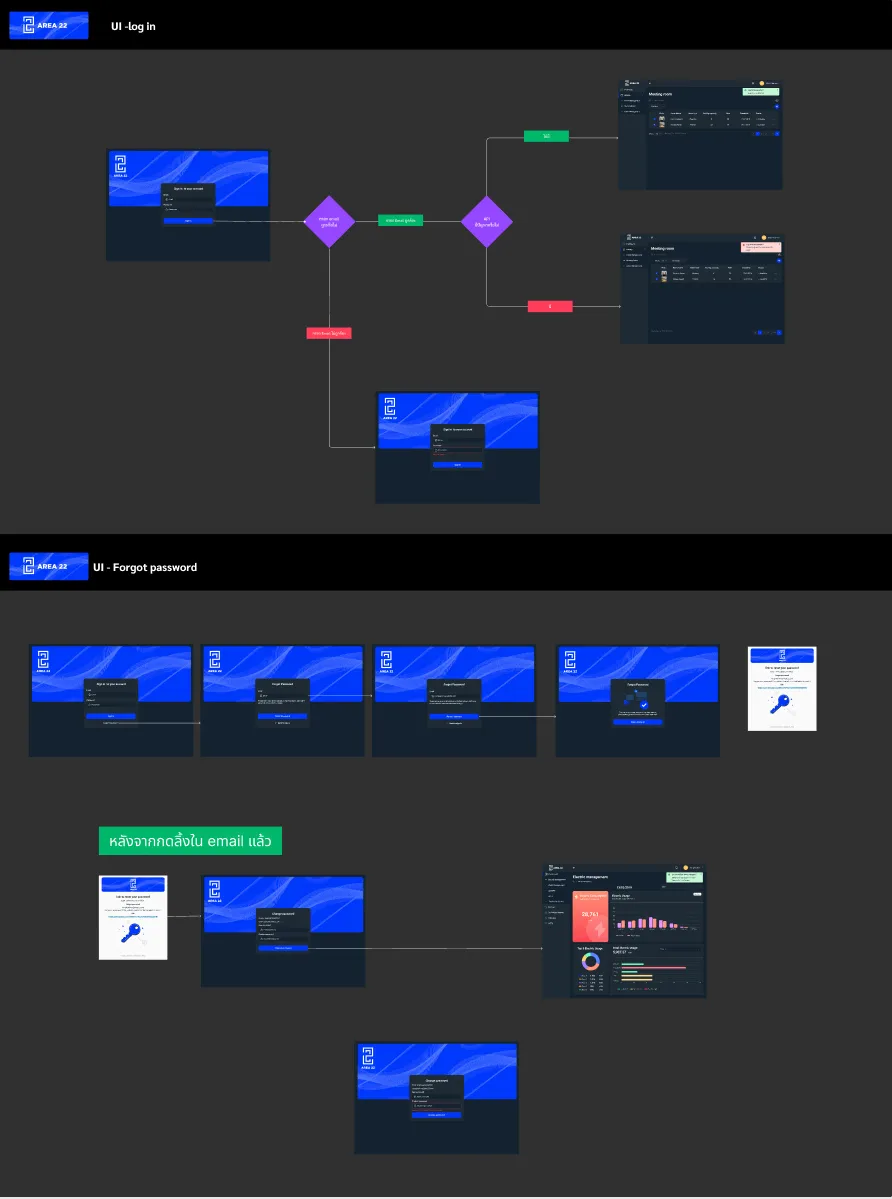
Starting from the three roles, front desk, technician and owner, decided the structure: each module exists because one of them needs it, and the permissions follow the same split.

→

The meeting-room screens showed that a back office does not end at the browser; the same booking data had to read at a glance on a door.

→

Setting date ranges for the dashboards meant deciding how the bars group at each range; otherwise a year of readings is unreadable and a single day too coarse.