Senior UX/UI DesignerResponsive Web ApplicationLegal Tech / Document Automation

Contractable

BEURDEV CO., LTD. · Apr 2024 – Jul 2024
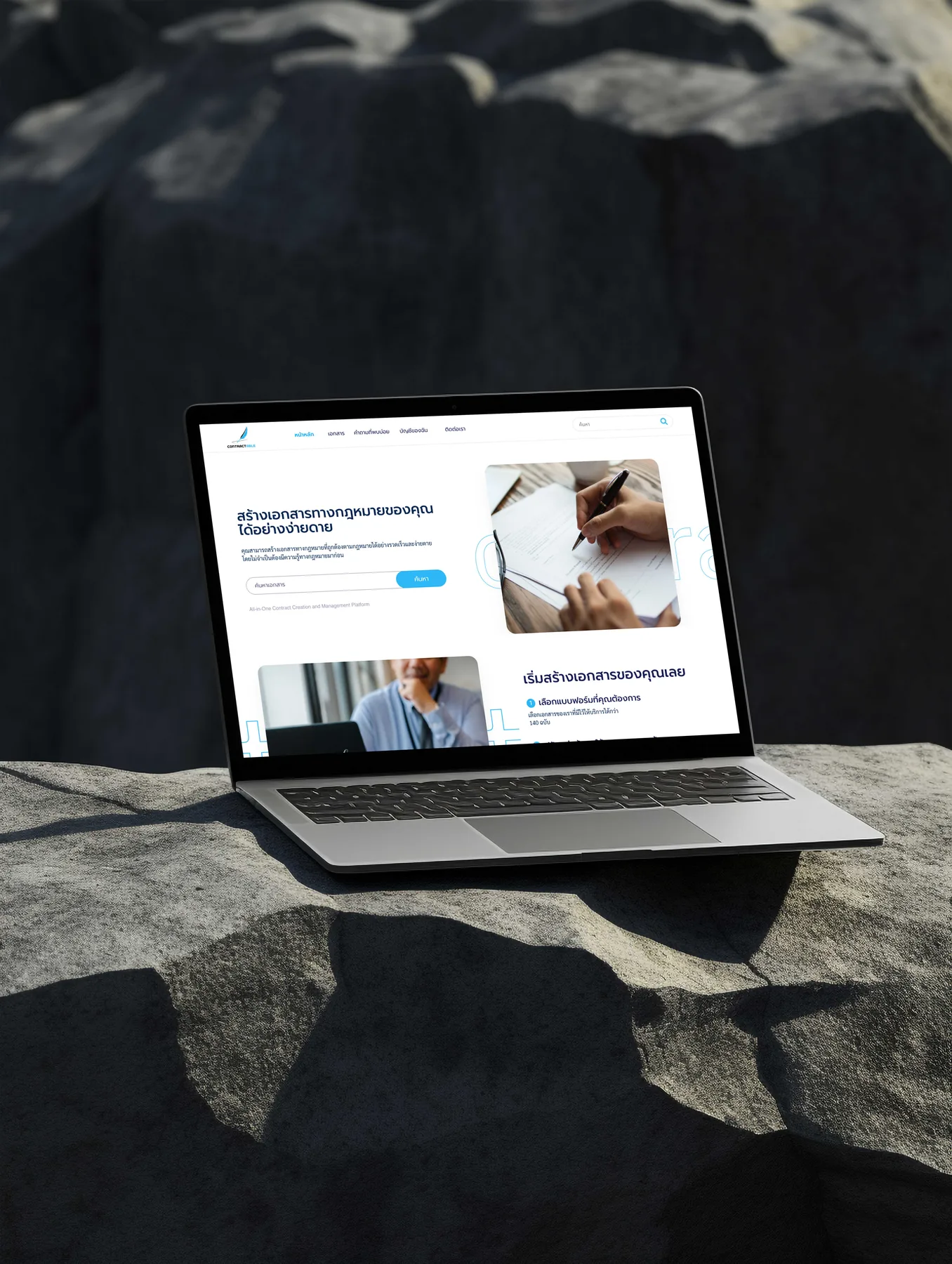
Contractable Thai legal document platform — template catalogue, guided form and live document preview
Executive Summary & Impact
Visibility
Visibility of system status
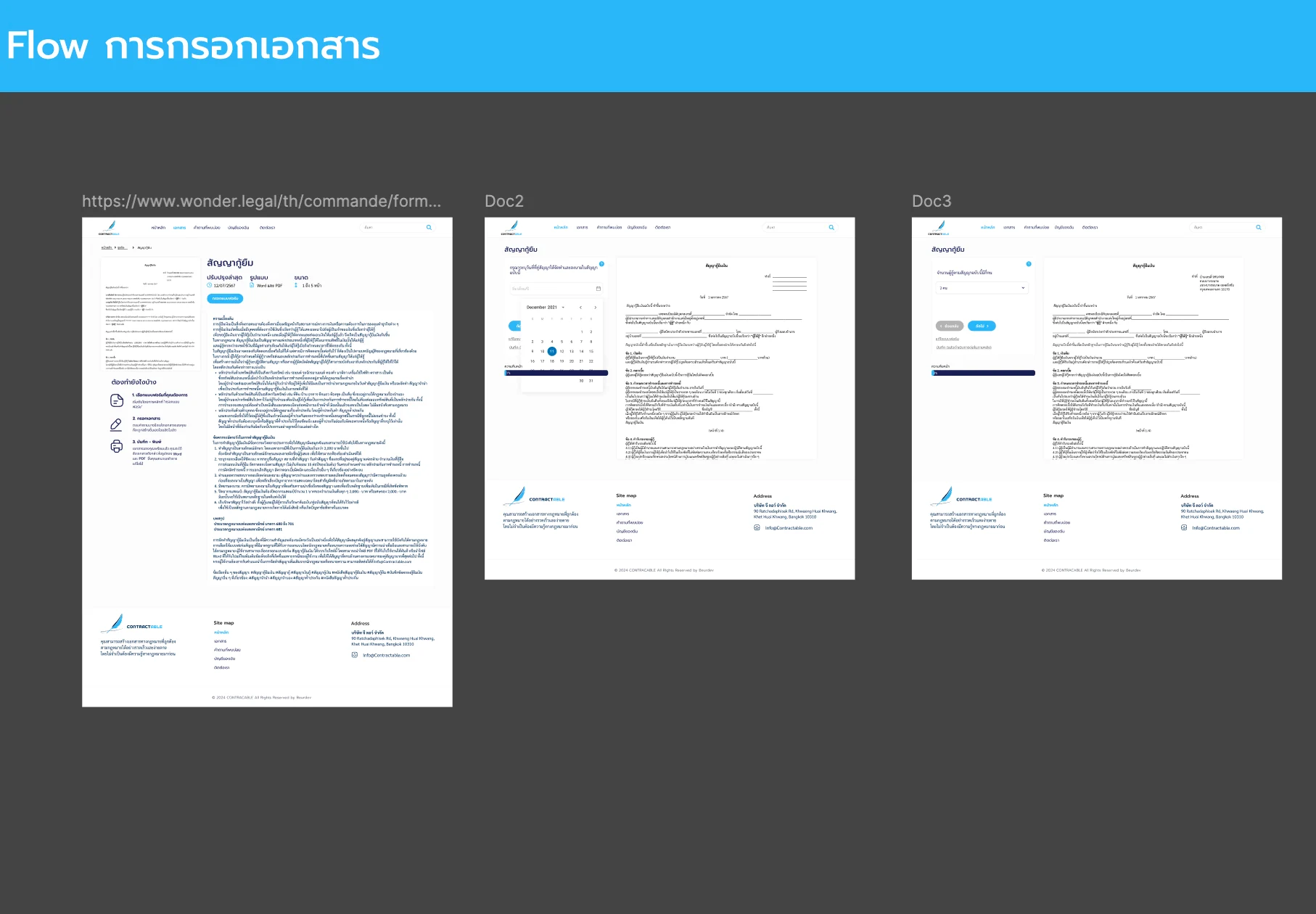
live preview writes each answer into the document
Real-world
Match between system and the real world
templates grouped by situation, not legal terms
Guidance
Help and documentation
each template says what happens next before the form

A self-service platform for producing standard legal documents, designed for a non-lawyer who cannot judge a contract's wording on their own. The design makes the output visible while it is being written, frames each template in the user's own situation, and keeps finished documents in the user's hands. Each decision below is tied to the usability heuristic it serves.

01 / Discovery & Heuristic Gaps

Problem & Usability Gaps

Someone producing a routine contract without a lawyer cannot tell which clauses a document needs or whether the wording holds up. Read against the heuristics, the usual routes failed them: a downloaded template hid what each blank would turn into, so the result was only visible once it was finished; template lists were named in legal vocabulary rather than in the situation the user was in; and nothing explained what the process would ask of them before they started.

Output hidden
a blank template showed nothing of the finished document
Legal vocabulary
templates named in legal terms, not the user's situation
No guidance
nothing said what the process would ask for before it began
02 / Architecture & UX System

Design Decisions by Heuristic

01
Visibility of system status
The Document Writes Itself Beside the Form
The fill-in screen puts the guided questions on the left and the contract on the right, with a progress bar underneath. Each answer appears in the document as it is entered, so the user can check the wording they are producing and always knows how much of the form is left.
02
Match between system and the real world
Templates Grouped by the User's Situation
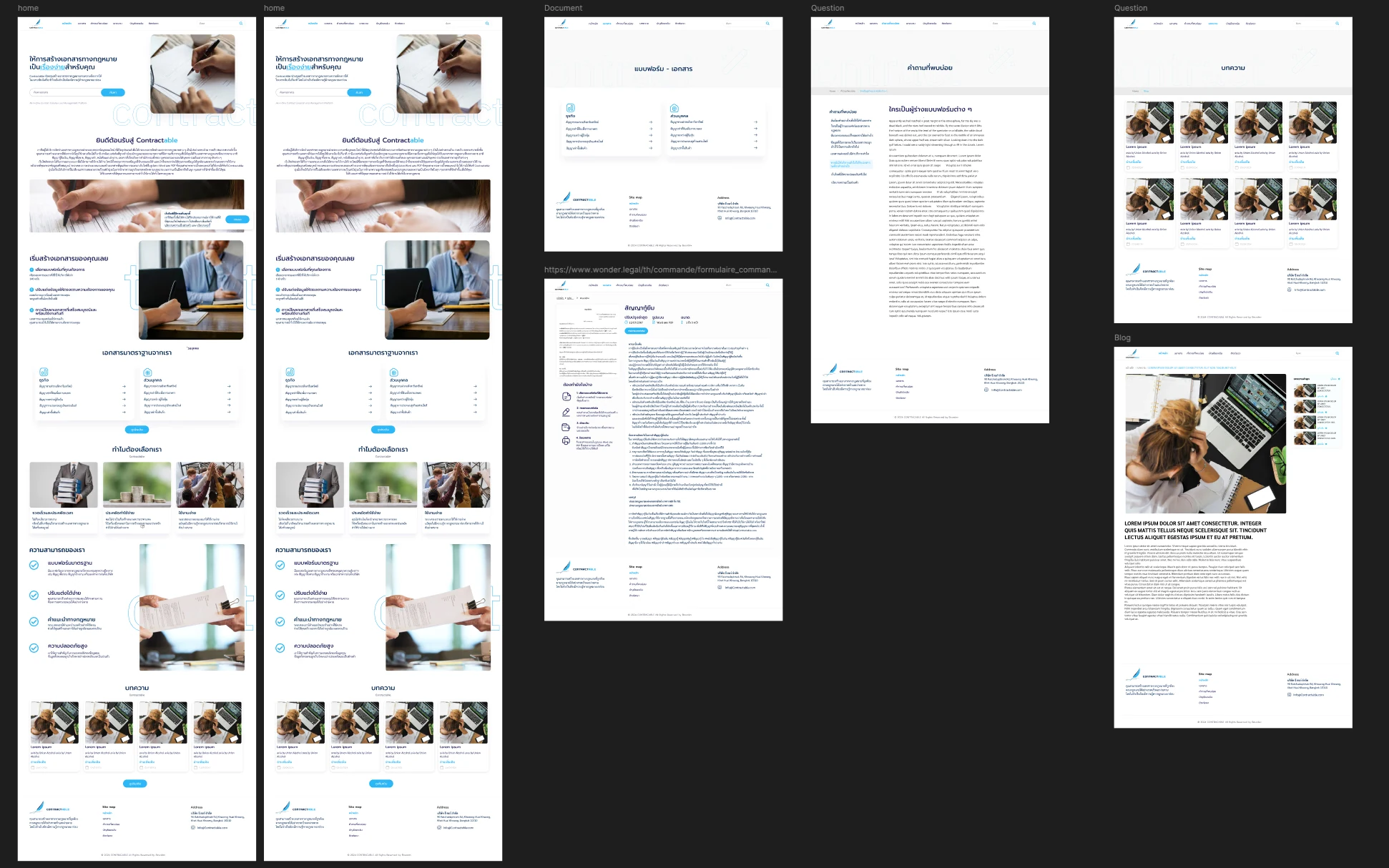
The catalogue splits documents into business and personal before any legal vocabulary appears, and the homepage leads with a search box rather than a pitch. A user identifies their situation in their own terms first, which is where a list of legal document names loses them.
03
Help and documentation
Each Template Explains Itself First
Every template page states what the document is, when it was last revised, its format and length, and the four steps ahead, with an FAQ on the public site behind it. The questions a first-time user has before investing time in a form are answered before the form begins.
04
User control and freedom
Documents and Account in the User's Hands
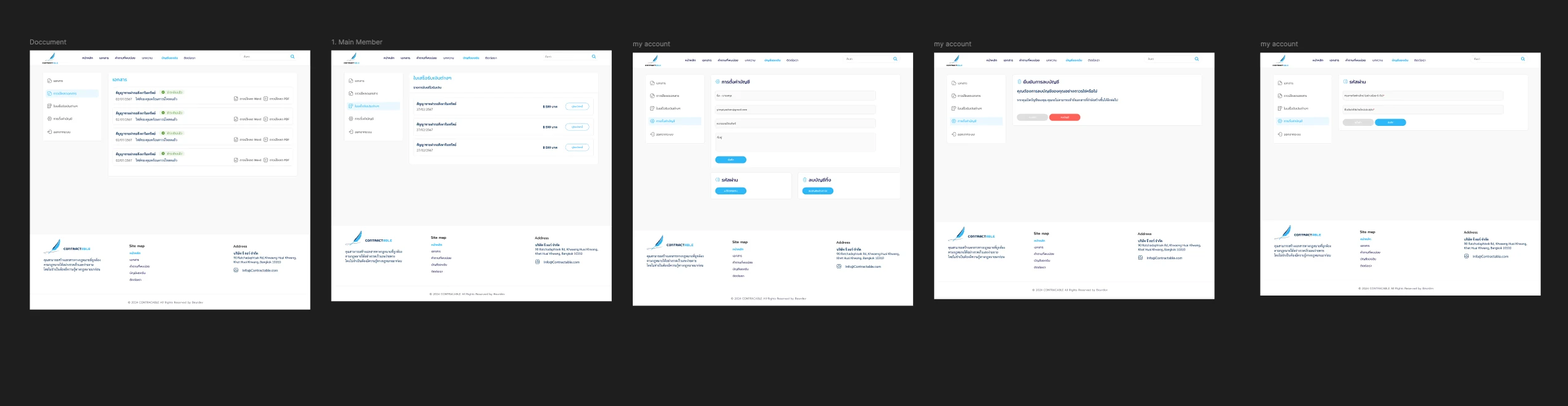
The member area keeps finished documents with their status and a Word or PDF download, alongside receipts, profile settings, password change and account deletion. A user can fetch a document again, check a receipt or close the account without asking anyone.
03 / Verification & Evidence

Before & After by Heuristic

HeuristicBeforeAfterChange
VisibilityWording unseen until downloadRendered live beside the formVisible
Real-worldTemplates in legal vocabularySplit by business and personal, search firstRelatable
GuidanceNo explanation before the formRevision date, format and four steps up frontExplained
ControlOne-time downloadDocuments, receipts and account settings keptRetained

"A form that hides its output asks the user to trust it; a form that writes the document in front of them lets the user check it. For someone without legal training, being able to check is the feature."

— Design rationale · Contractable
04 / Retrospective

Design Learnings

→

Showing the output while it is being produced is the strongest form of system status: it replaces reassurance with something the user can verify.

→

Letting people choose by situation before they meet specialist vocabulary is a real-world match that a single list of document names cannot provide.

→

Each template page answers what a first-time user asks before committing to a form: what the document is, how long it runs and what the steps are. Answering those up front is help that costs the user nothing to read.