UX/UI DesignerResponsive WebPropTech / Real Estate

Embark Real Estate Platform
Embark Real Estate · 4 weeks · May 2024
Embark neighborhood-centric real estate brokerage platform
Executive Summary & Impact
Neighbourhood First
Browse by area
Neighbourhood entry points on the homepage and a map view in search, for buyers who start from where they want to live.
Progressive Disclosure
Dense listings, opened on demand
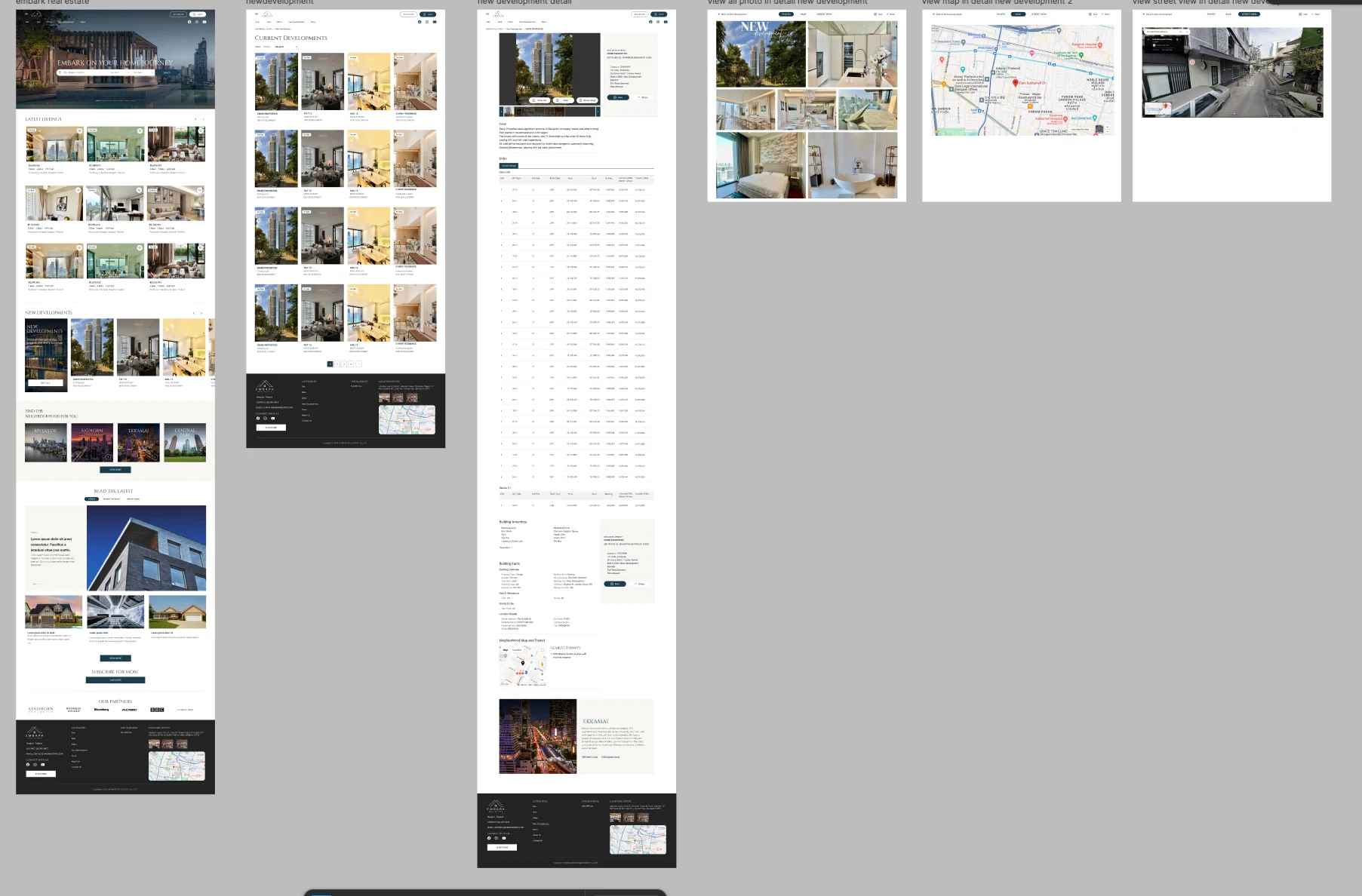
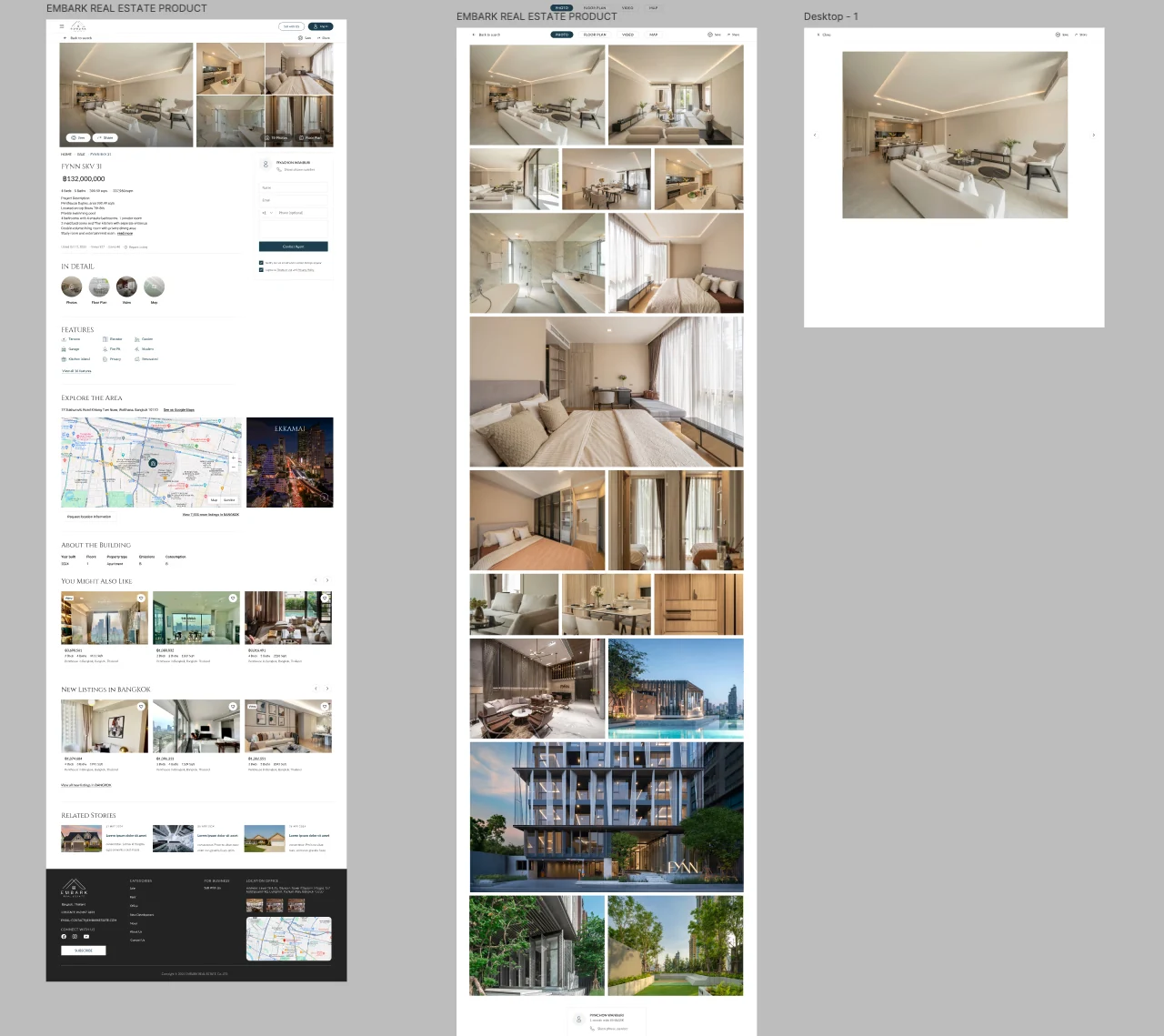
Photos, floor plan, video and map open in their own views, so the page leads with the information a buyer decides with.
Contact in Context
Enquiry beside the listing
The agent contact form stays beside the property, so a buyer can study it without losing the path to enquire.

Embark is a real estate brokerage platform for premium residential property. The design makes the neighbourhood a first-class way into the listings, keeps location and media on the property page, and holds the enquiry form beside the listing so a buyer never has to leave it to make contact.

01 / Discovery & Context

Problem & Baseline

Buying property is a decision about location as much as about the unit itself, but listings usually lead with specifications and leave the surroundings to be researched elsewhere. New developments add another layer of dense data, unit tables, building facts and media, that can overwhelm a page. And because a property search runs for months, the platform needed a way to bring a buyer back when matching stock appeared.

Location as context
Buyers needed to understand the area around a property, not only its specifications.
Dense project data
New developments carry unit tables, building facts and media that could overwhelm a single page.
Contact path
Enquiring needed to stay available while a buyer studied photos, plans and the map.
Long search cycle
A property hunt can run for months, so buyers needed a way to be brought back when new listings matched.
02 / Architecture & UX System

Key Design Decisions

01
Neighbourhood as a Way In
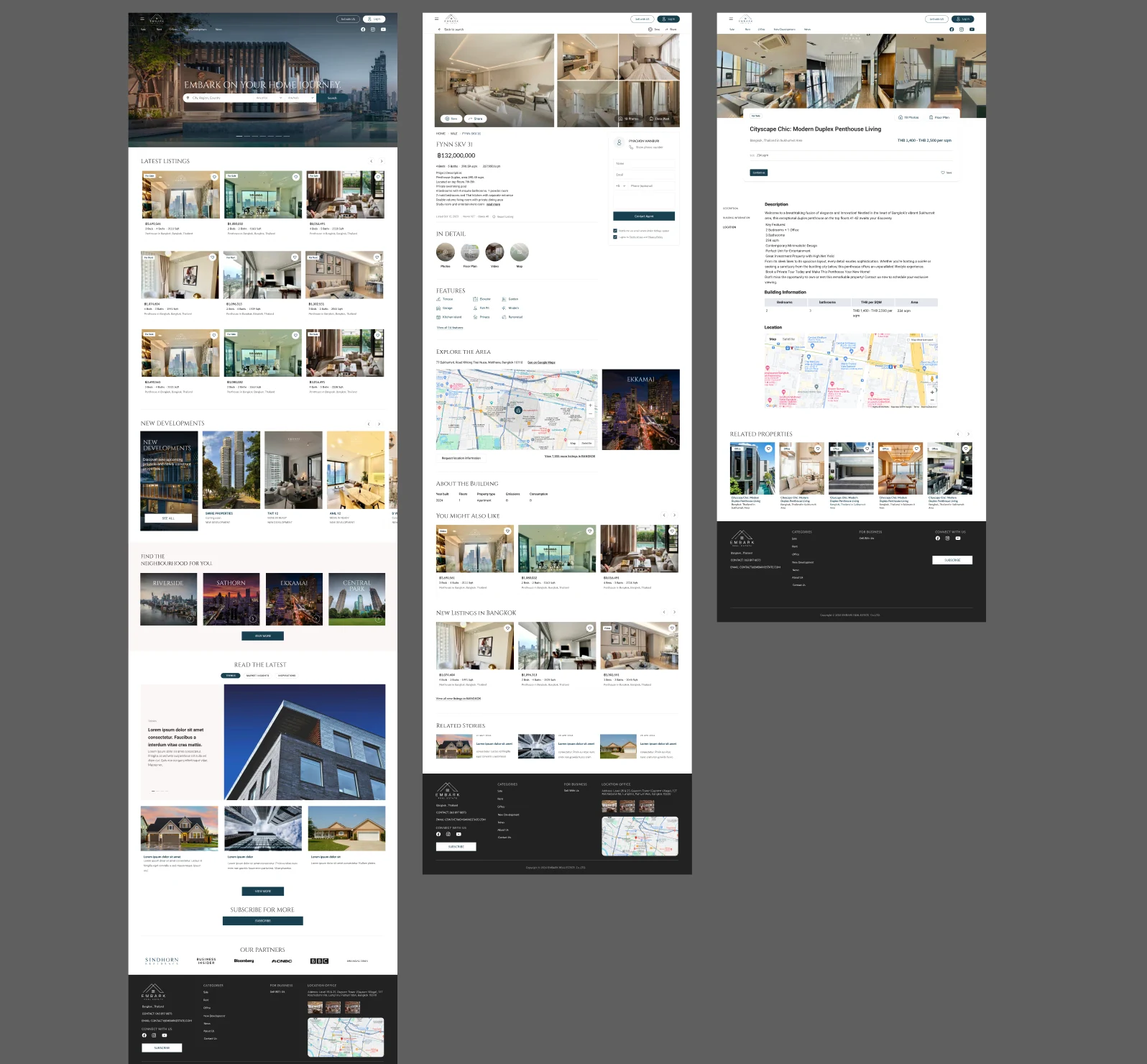
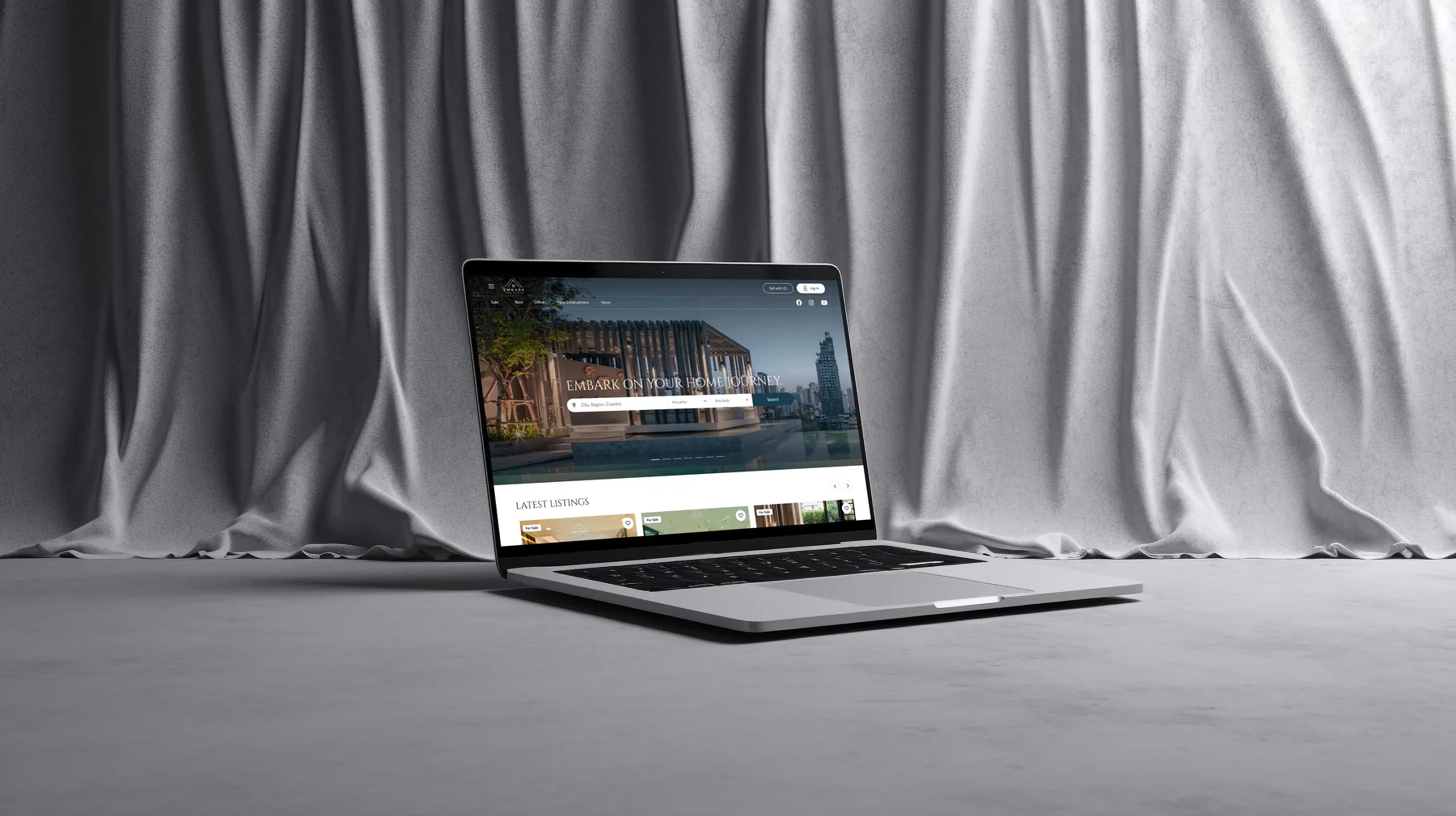
Placed 'Find the Neighbourhood for You' on the homepage as a first-class path, with area cards leading into listings, and added an 'Explore the area' map to the property page.
02
Search by List or by Map
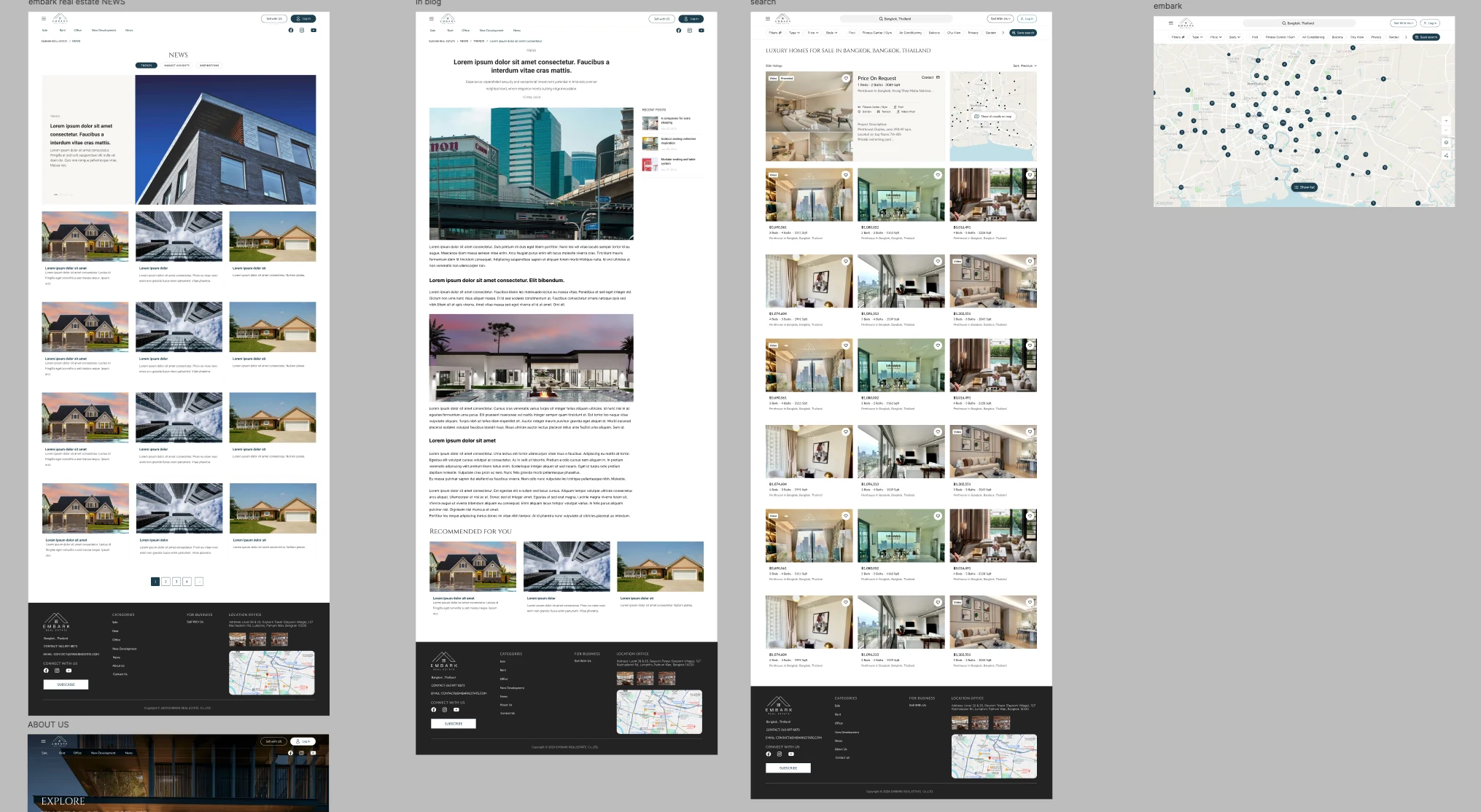
Designed search as a split view, with results beside a live map of clustered pins, plus a map-only mode for buyers who search by area first.
03
Media and Data Opened on Demand
Photos, floor plan, video and map open from a switcher into their own views, and new-development pages lead with the unit table and building facts, so each page opens on the decision-making information.
04
Enquiry Pinned Beside the Listing
The agent contact form stays beside the listing content, so a buyer can study the property and its media without losing the path to enquire.
05
Saved Searches That Bring Buyers Back
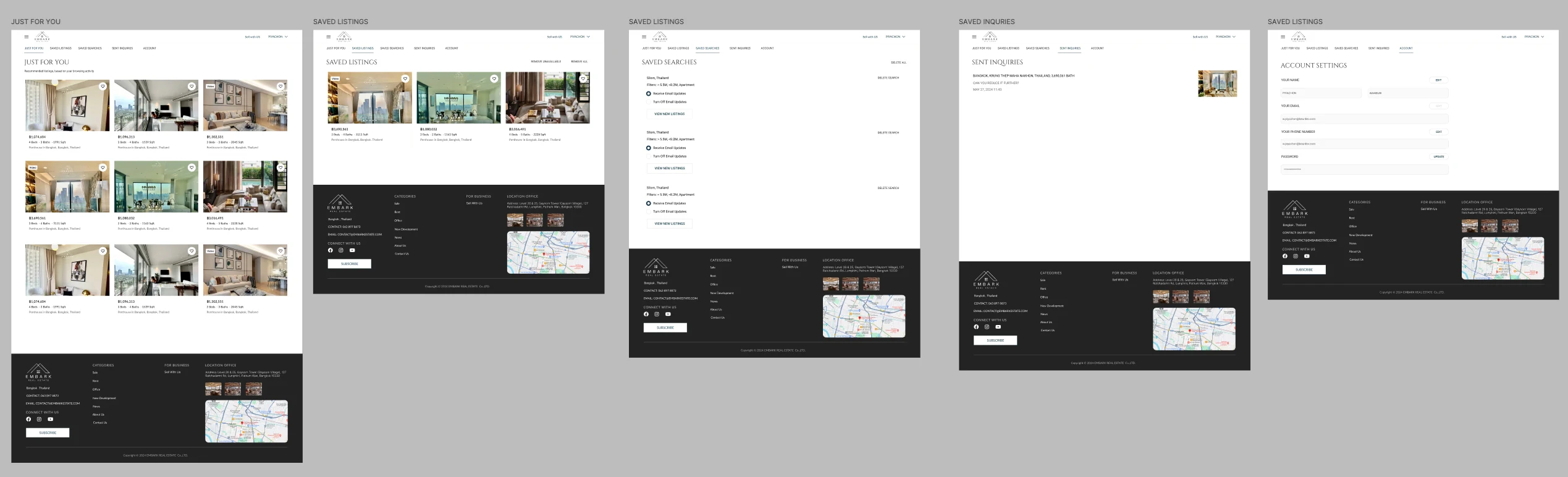
The account area holds saved listings, saved searches with per-search email alerts, sent enquiries and recommendations, so a search that runs for months can pick up again when new stock matches.
03 / Verification & Evidence

Outcomes

AreaBeforeAfterOutcome
Neighbourhood researchLocation context sat outside the listingArea entry points on the homepage and an area map on the listingMore connected
SearchResults and location viewed separatelySplit list and map view, plus a map-only modeMore flexible
Listing detailDense data and media competed on one pageMedia and building data opened on demandMore focused
Agent enquiryContact needed to stay available while browsing mediaEnquiry form pinned beside the listingAlways in reach
Return visitsLong searches needed a way to resumeSaved searches with email alertsEasier to resume
04 / Retrospective

What I Learned

→

For property, location is part of the product, so the neighbourhood belongs in the main navigation rather than inside a filter.

→

Progressive disclosure worked best when the page opened on the information a buyer decides with and moved media into its own views.

→

Keeping the contact path beside the content mattered more than making it loud; a buyer should never have to leave a listing to ask about it.