UX/UI DesignerMobile App + Web CMSSmart Agriculture / AgriTech
Kanna Application & CMS
VARUNA CO., LTD. (ARV / PTTEP) · 1 yr 3 mo · June 2022 – Aug 2023
Design Process & Workflow
From Field Research to Launch
From field research in Nakhon Phanom and a design system, through drawing plots on the map, weather, projects, activity records and the back-office CMS, to launch.
Step 01
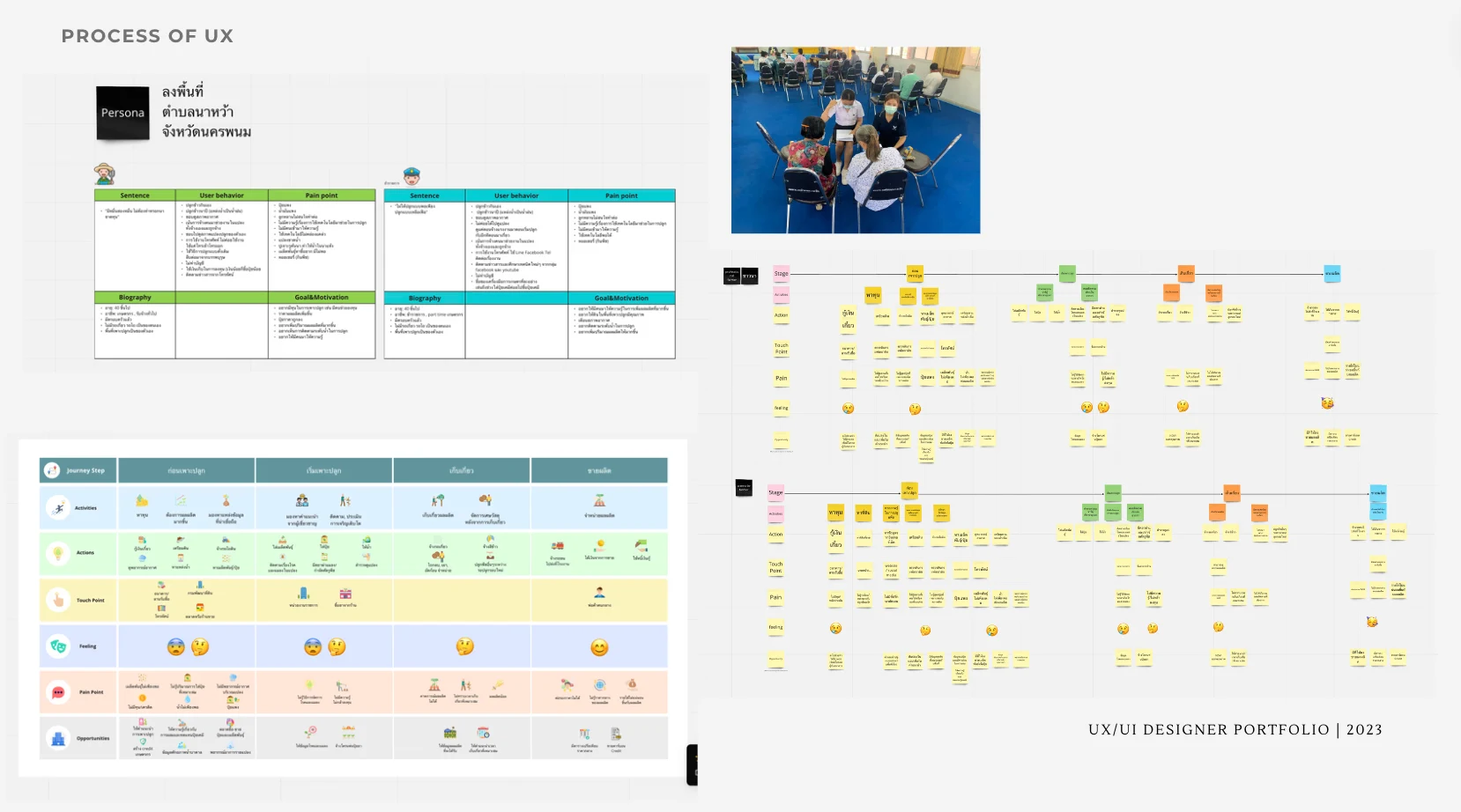
Field Research in Nakhon Phanom
The research started in the field, with interviews in Na Wa sub-district of Nakhon Phanom. Two personas came out of it, each written up with a typical quote, behaviour, pain points, background and goals. A journey map then followed the season from preparing the land through planting and harvest to selling the crop, recording at each stage the actions, touchpoints, feelings, pain points and opportunities.
Step 02
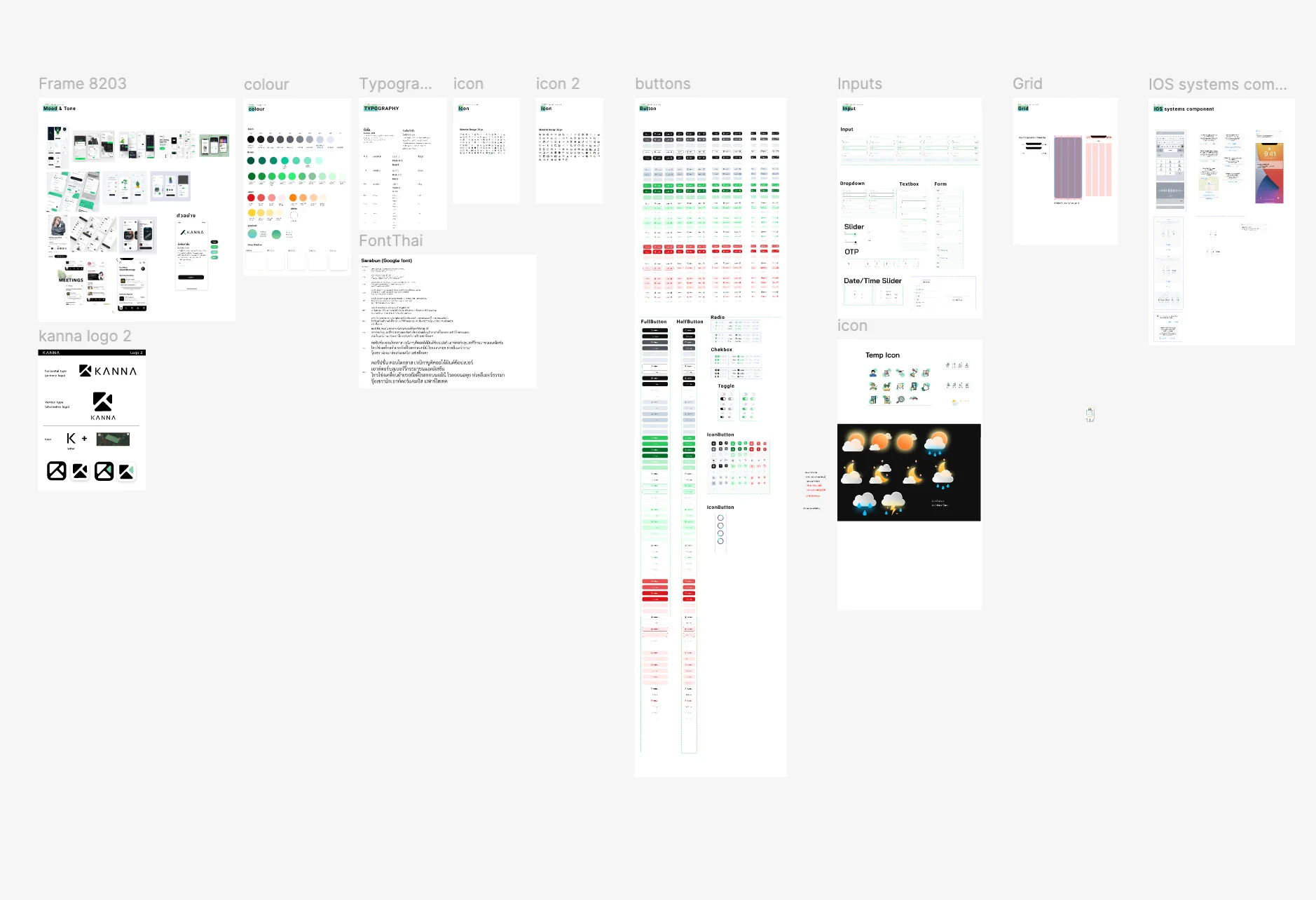
Design System Foundation
One board sets the system: the mood and tone, the colour palette, type with Sarabun for Thai, two icon sets, buttons in full and half width with radio buttons, checkboxes, toggles and icon buttons, inputs from dropdowns and text fields to a one-time-code field and a date and time slider, the grid, the iOS system components, a set of weather icons, and the KANNA logo in its horizontal and vertical versions.
Step 03
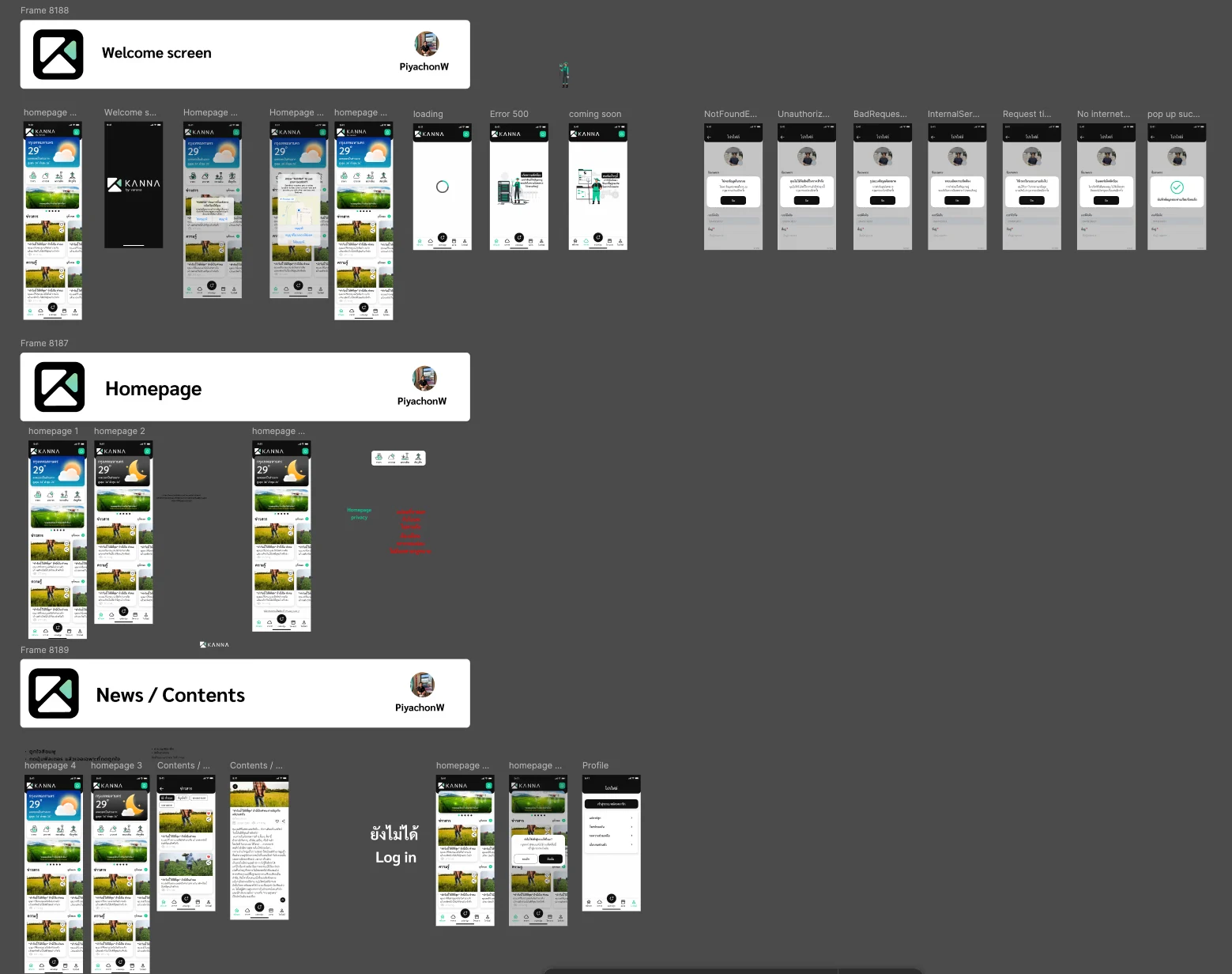
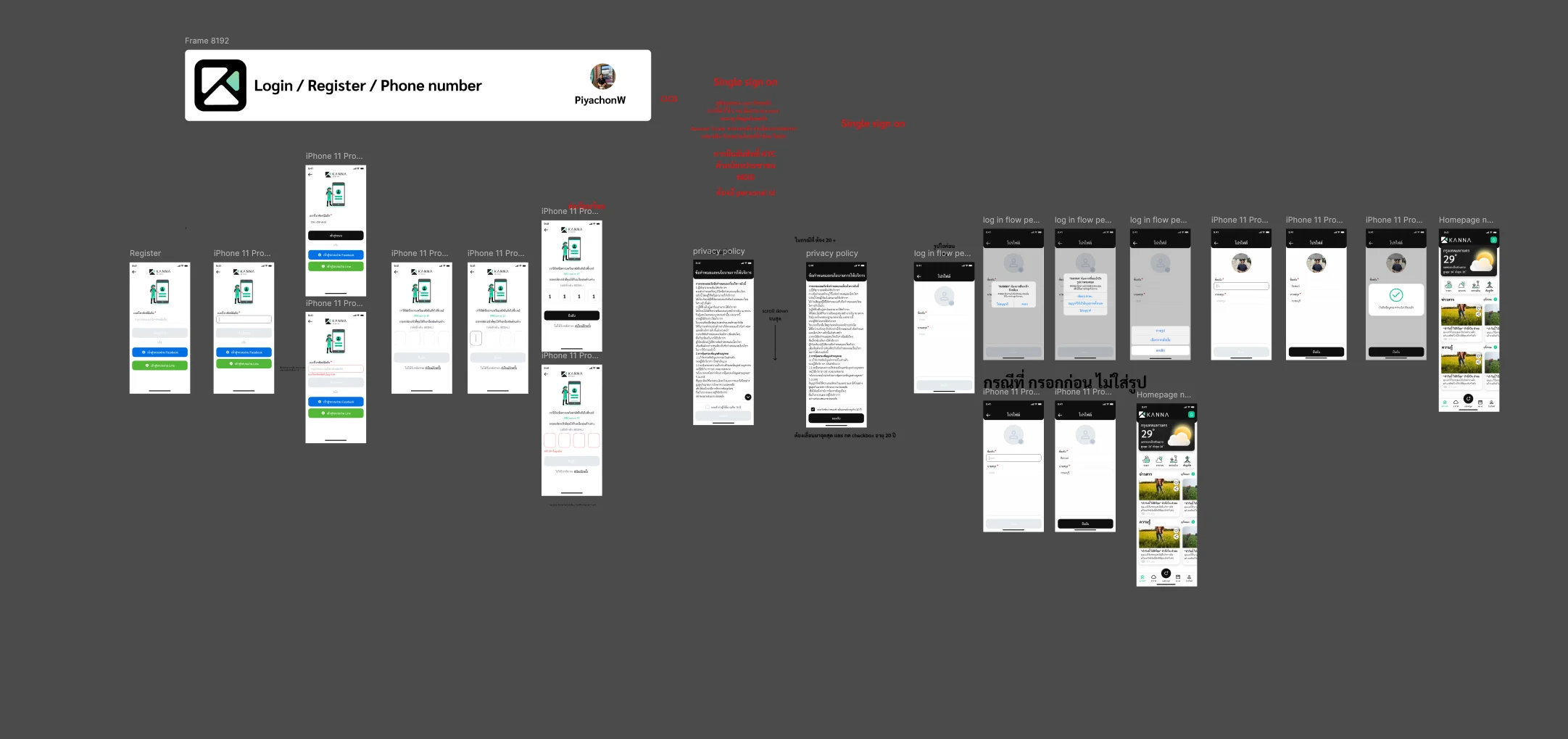
Welcome, Home and System States
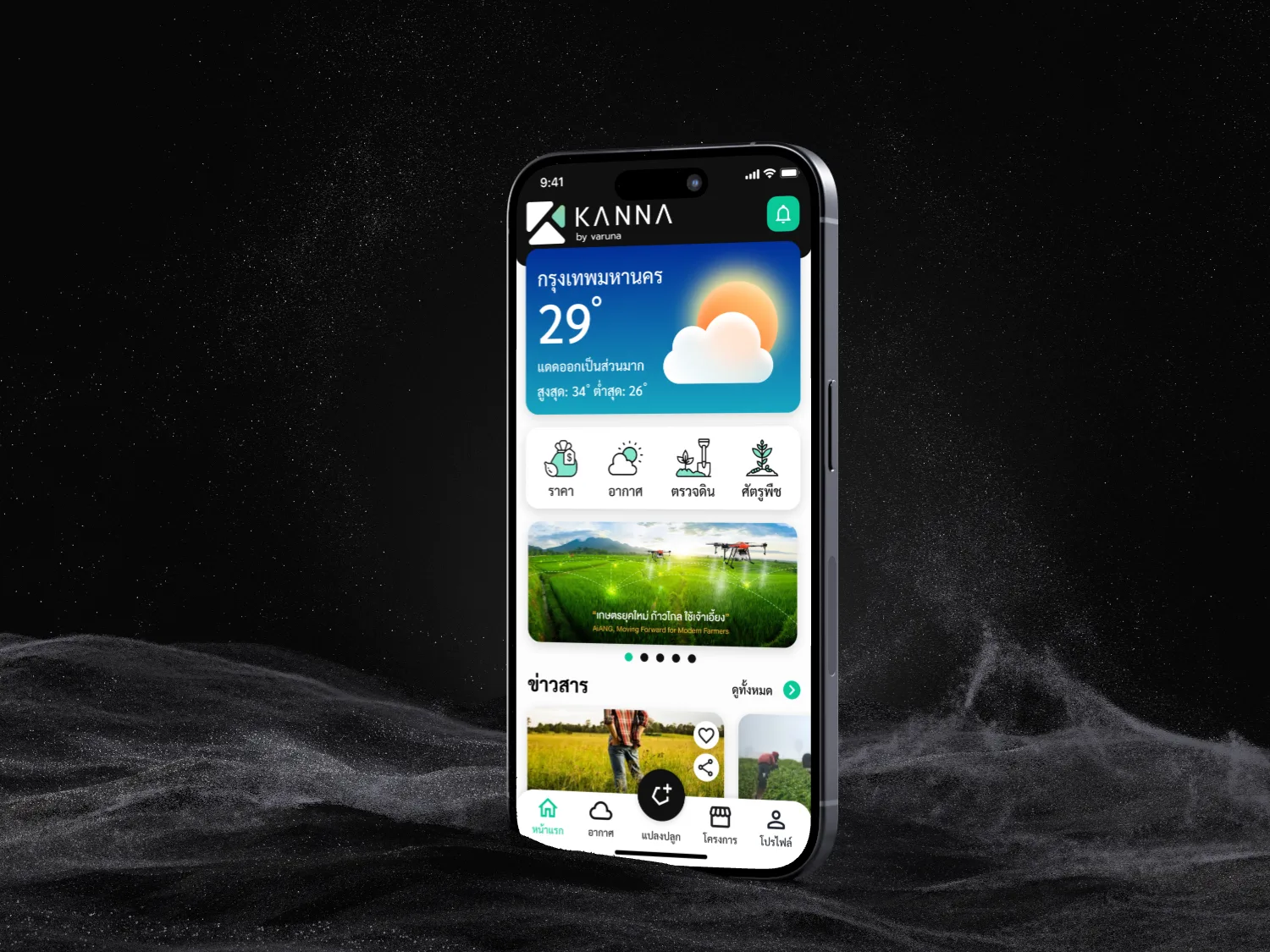
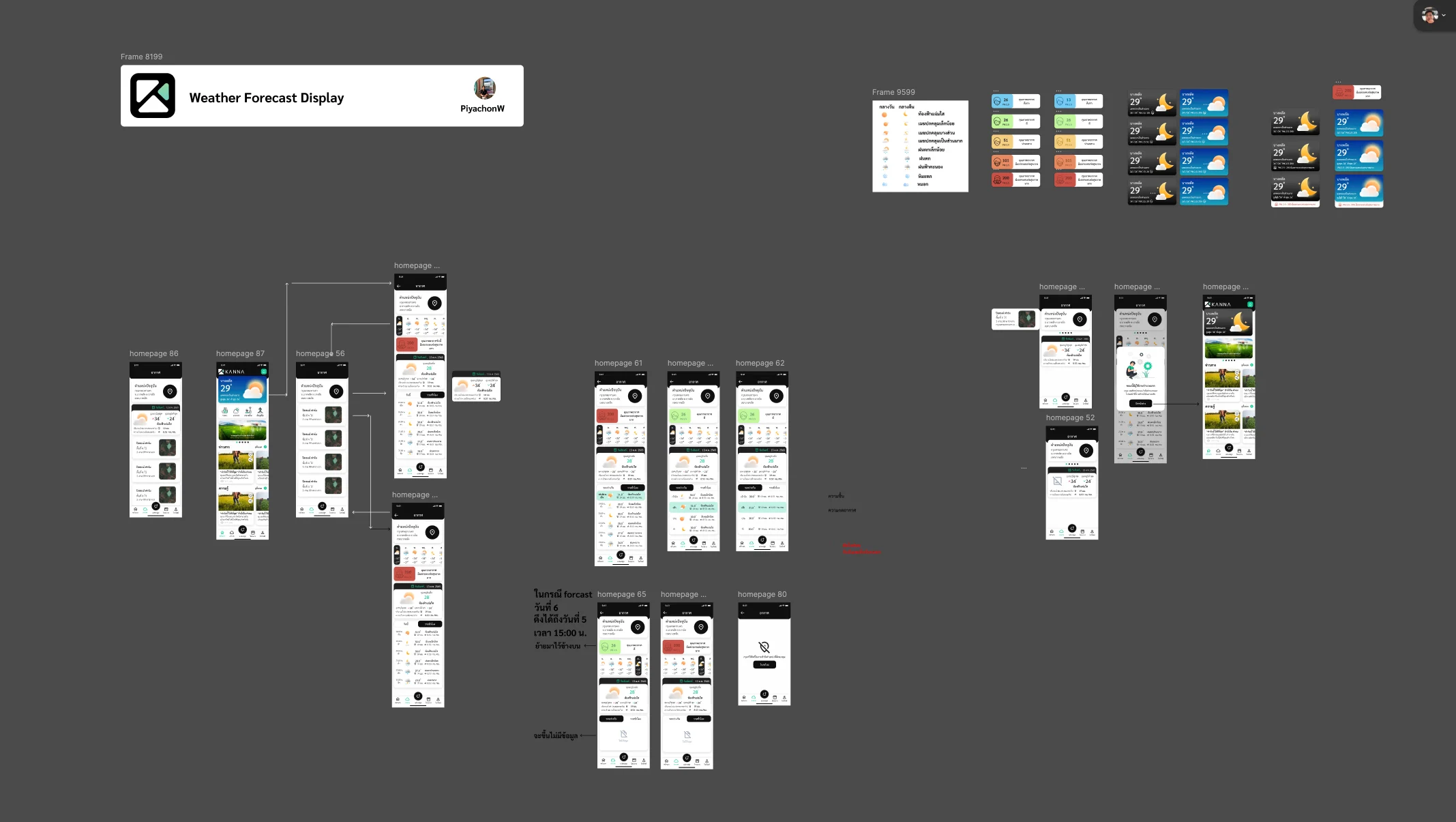
The welcome screen opens on the logo, and the home page leads with the local weather, then a row of shortcuts and the news and knowledge feeds. Every failure the app can meet was drawn as its own screen, not found, unauthorised, bad request, server error, request timeout and no internet, along with loading, a coming-soon page, a success message, and the home page as it appears before signing in.
Step 04
Sign-Up by Phone Number
Registration runs on a phone number with a one-time code, including the screen for a wrong code, beside buttons for signing in with another account. The privacy policy is read through to the end and accepted with a checkbox before the user goes on, and the profile step was drawn both with and without a photo.
Step 05
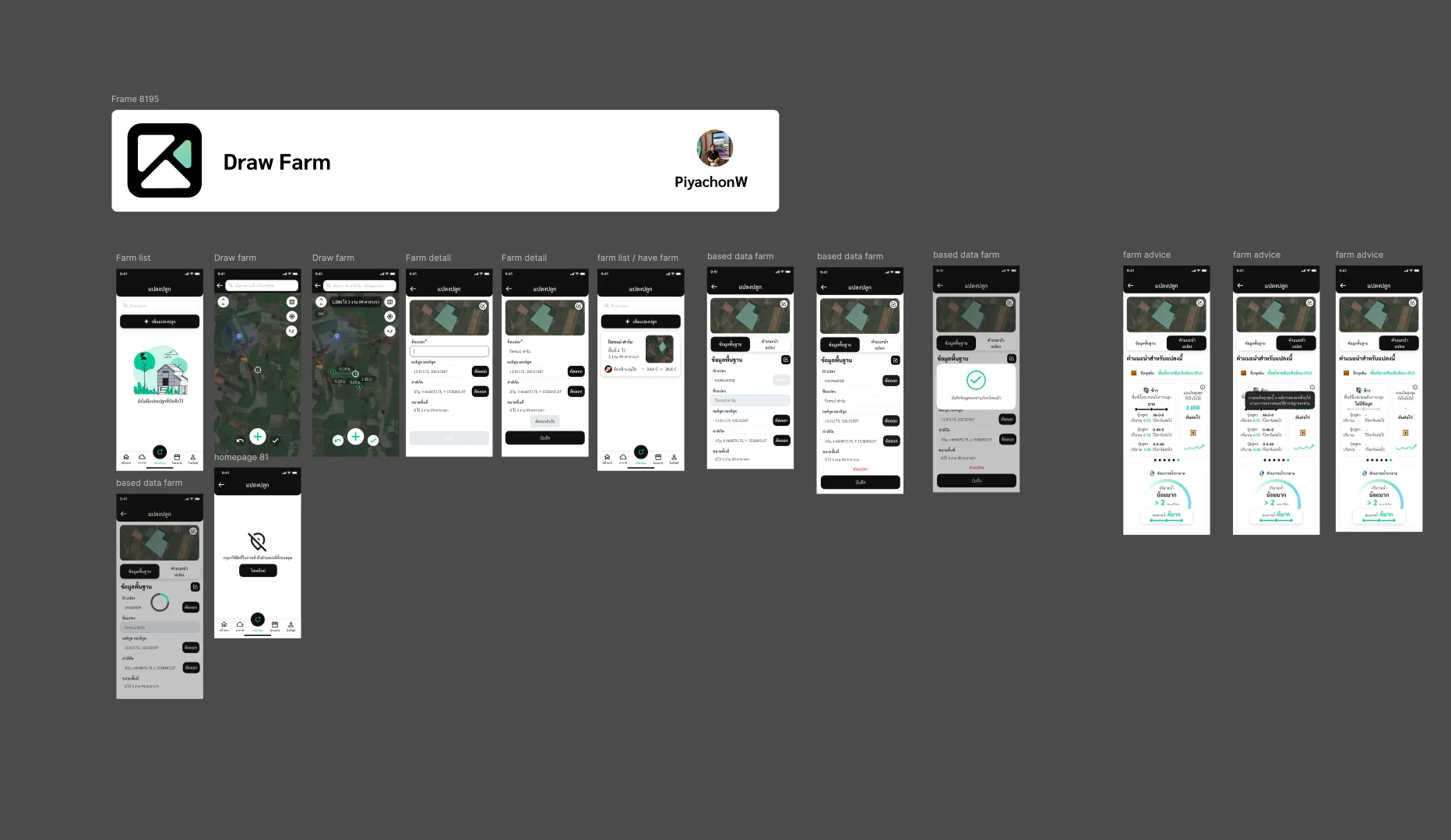
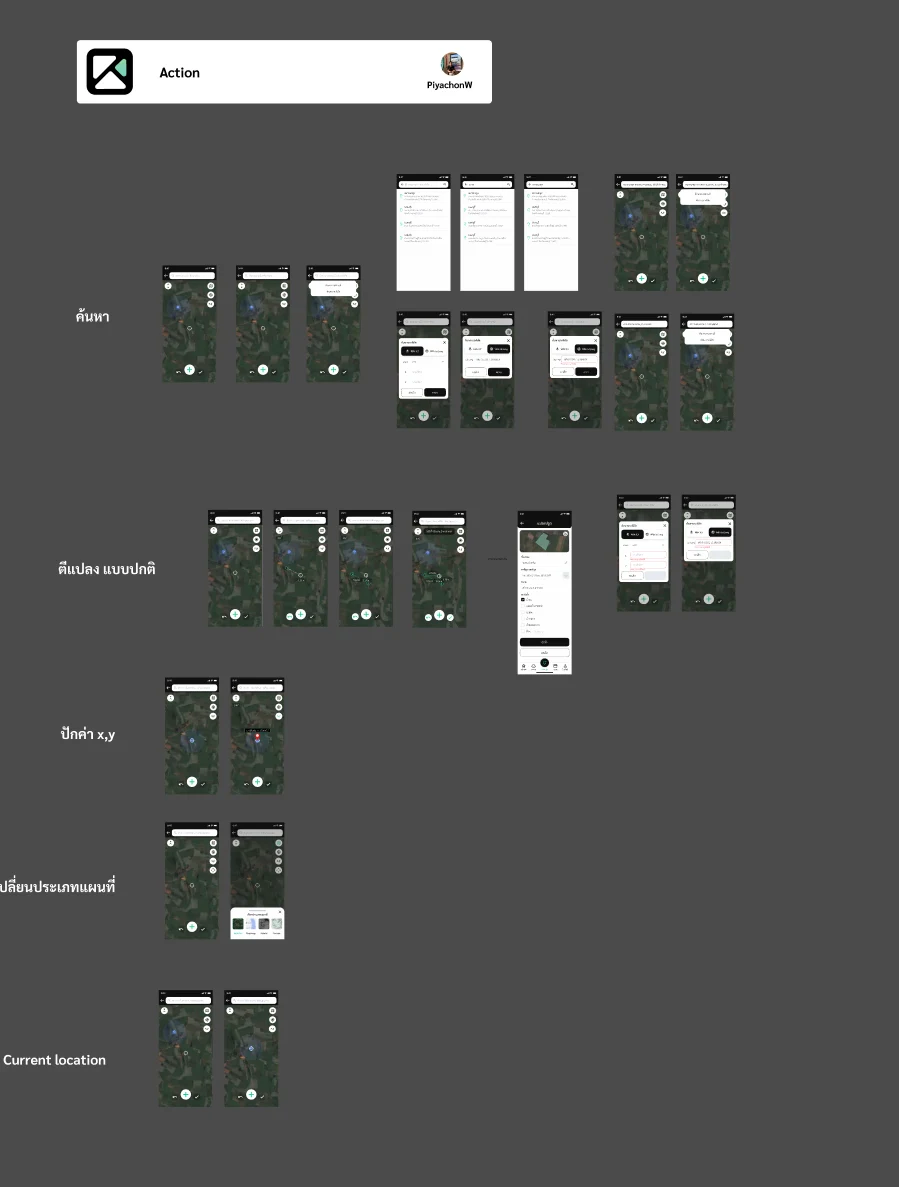
Drawing a Plot on the Map
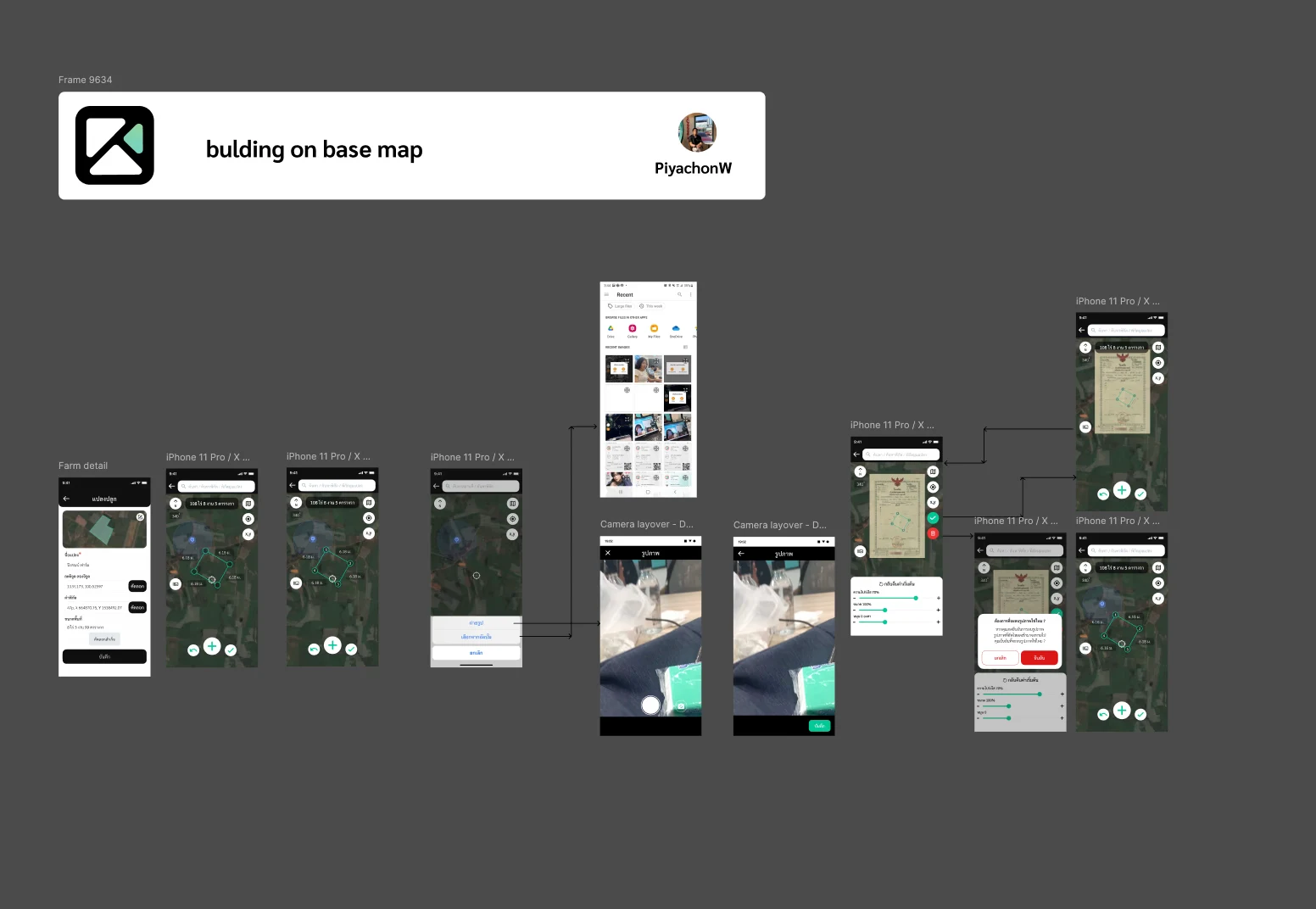
The core task is drawing a plot on the satellite map: the user taps its corners, sees the length of each side and the area in rai, ngan and square wa, and saves it with a name and its coordinates. Around it sit the map tools, place search, entering a point by its x and y values, switching the map type and returning to the current location. A second method lays a photo of the land title deed over the map, with its transparency, size and rotation adjustable, so the boundary can be traced along the document. Each saved plot then shows its basic data and advice for that plot, and a denied location permission has its own screen.
Step 06
Weather Forecast
Weather has its own icon set for day and night conditions and an air-quality scale, and the forecast was drawn for the home page, for each plot and by the hour. Notes on the board set what moves to the top as the forecast days run out, and there are screens for missing data and for location turned off.
Step 07
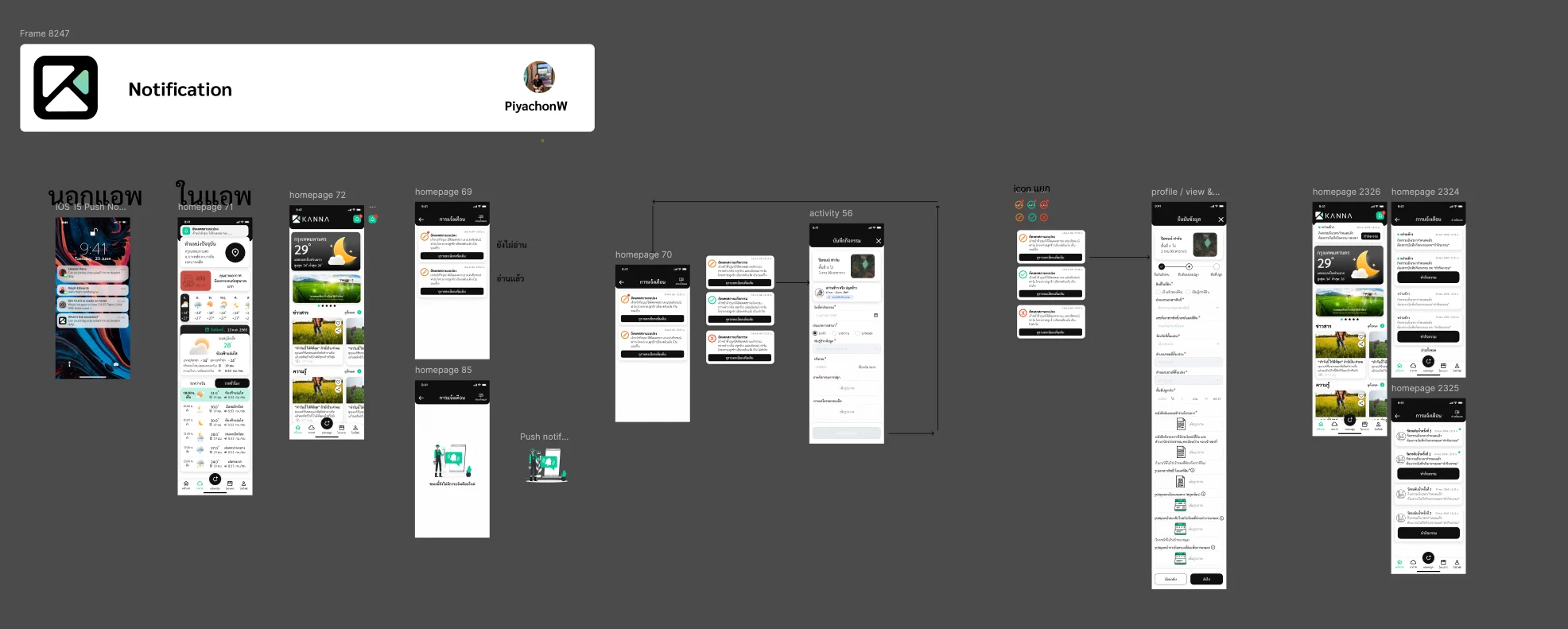
Notifications
Notifications were designed both outside the app, as iOS push messages, and inside it as a list with read and unread states, where each item opens the record it refers to. The empty list has its own illustration.
Step 08
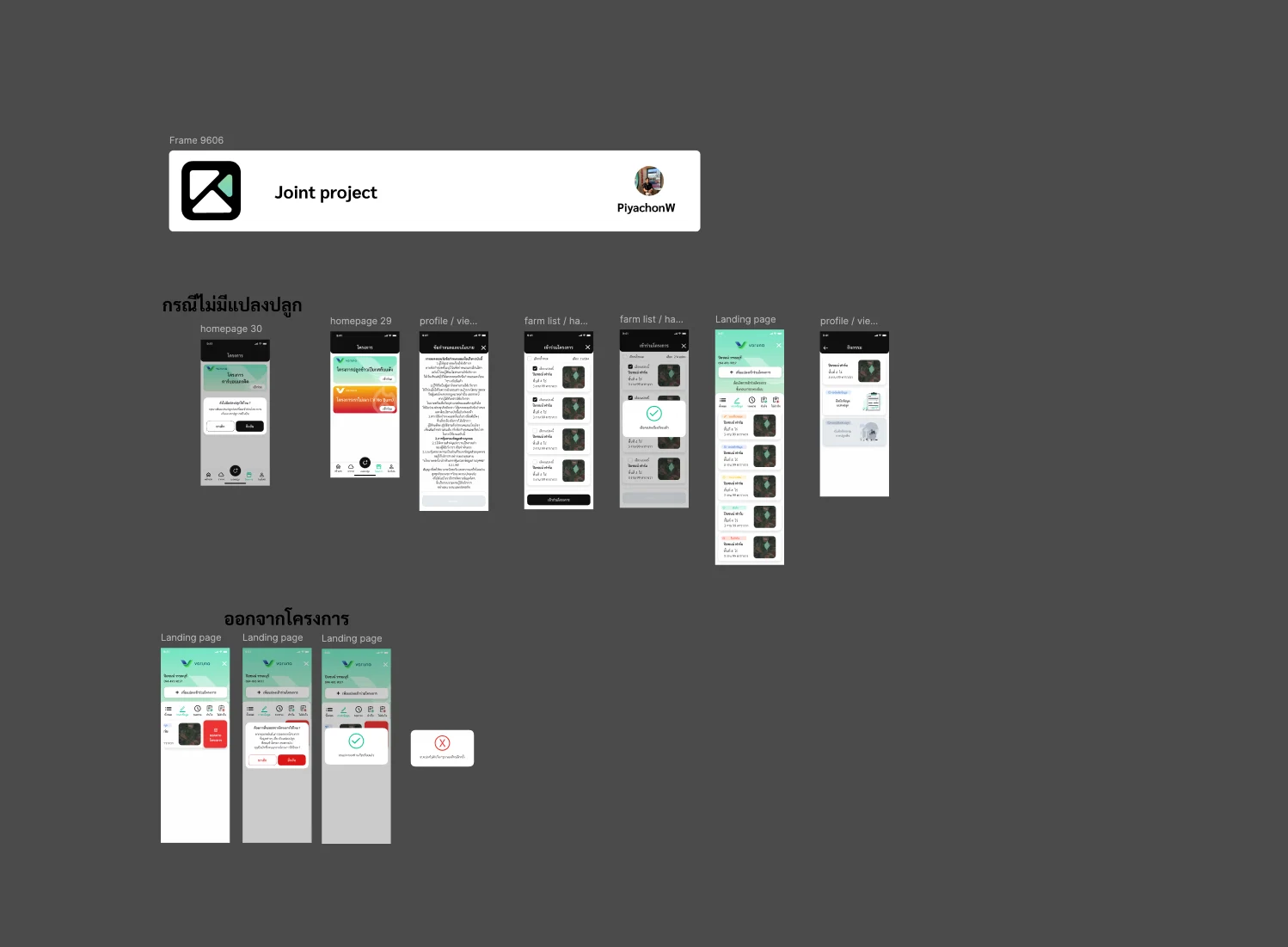
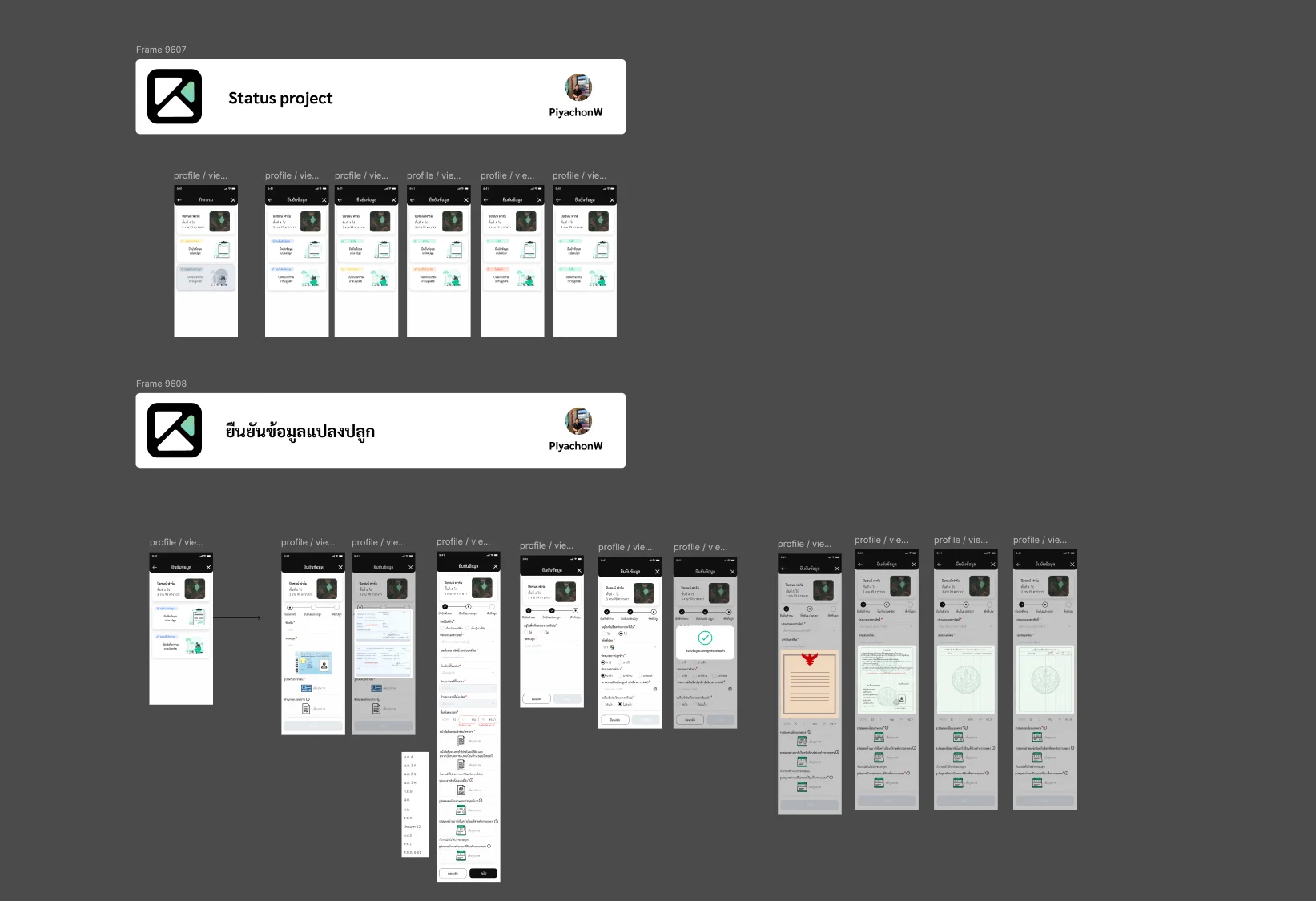
Projects and Plot Verification
Farmers join a project by accepting its terms and choosing which of their plots to enrol, and can leave it after confirming; someone with no plot yet is asked to add one first. Each enrolled plot shows its status in the project, and verifying a plot is a stepped form that takes the ID card, the type of land document and photos of it.
Step 09
Activities and Location-Stamped Photos
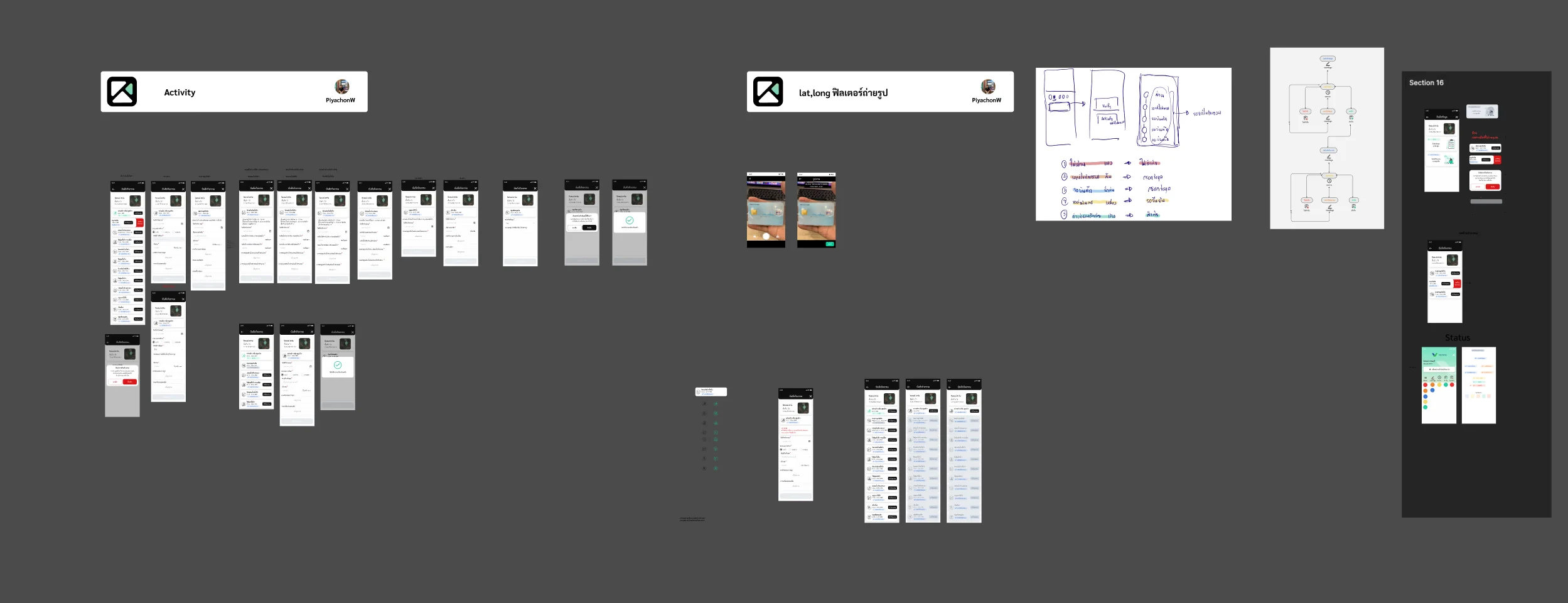
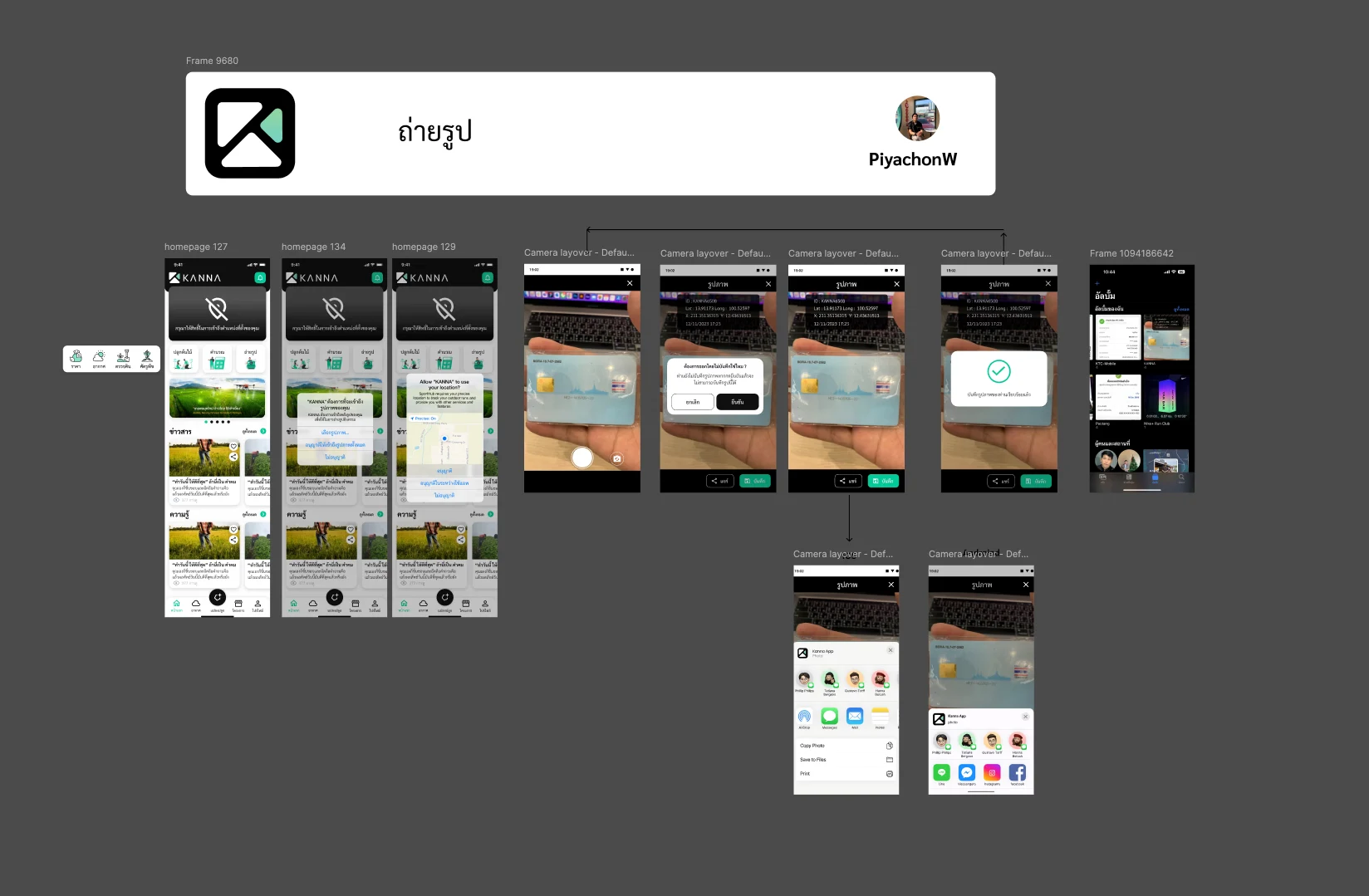
Cultivation activities are recorded against a plot, a flow worked out first in hand sketches and a flow diagram. The camera stamps each photo with the plot ID, latitude and longitude, x and y coordinates and the time, asks before saving, and shares through the iOS and Android share sheets, with the location and photo permission requests designed alongside.
Step 10
Trees, Carbon and Land Cover
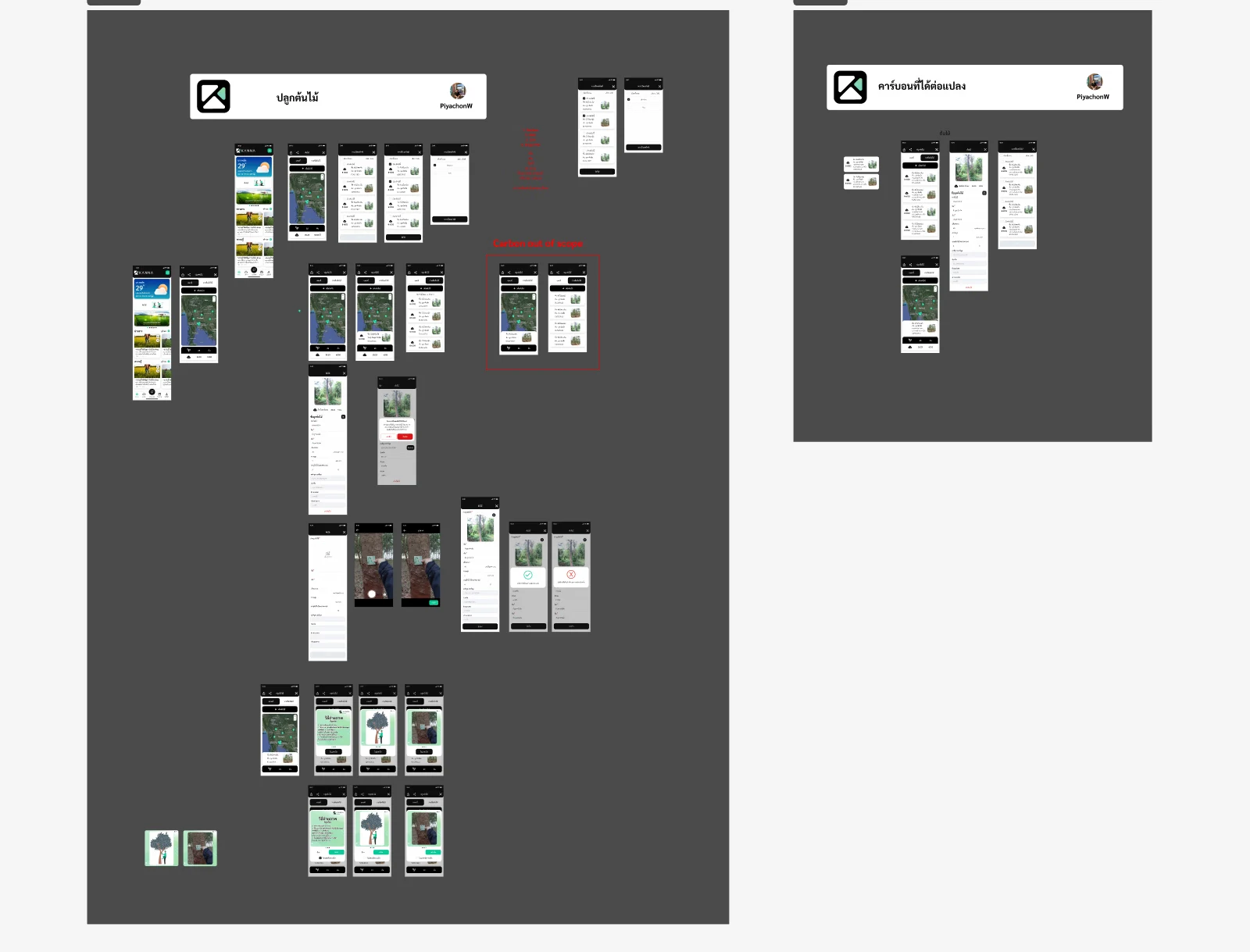
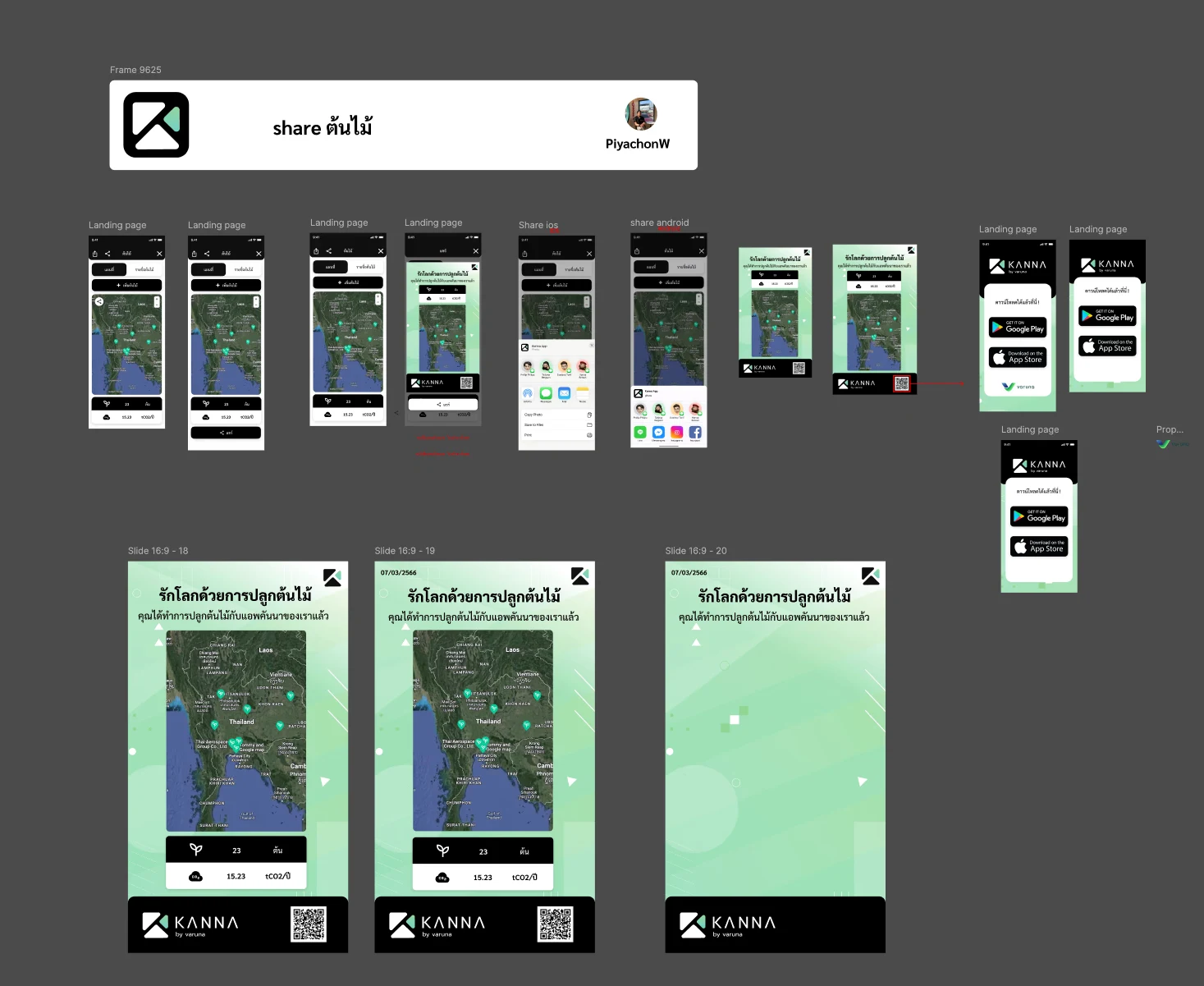
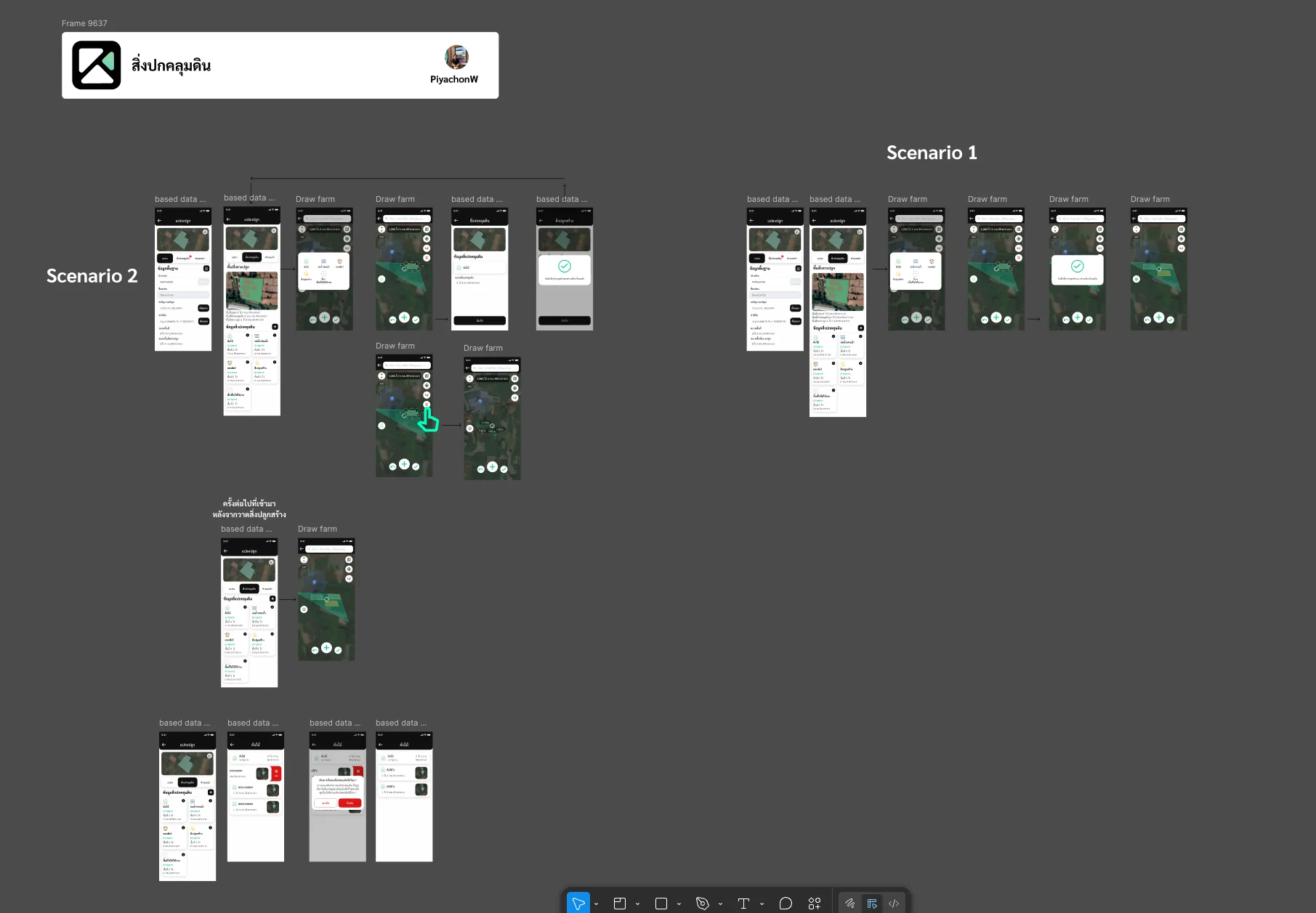
Trees planted on a plot are recorded with a photo and pinned on the map, and the plot shows the carbon they account for. A share card turns the tree count and the carbon figure into an image with a QR code that leads to the app. Land cover inside a plot, such as buildings, is drawn as areas of its own, in two scenarios depending on when it is added.
Step 11
Unit Conversion
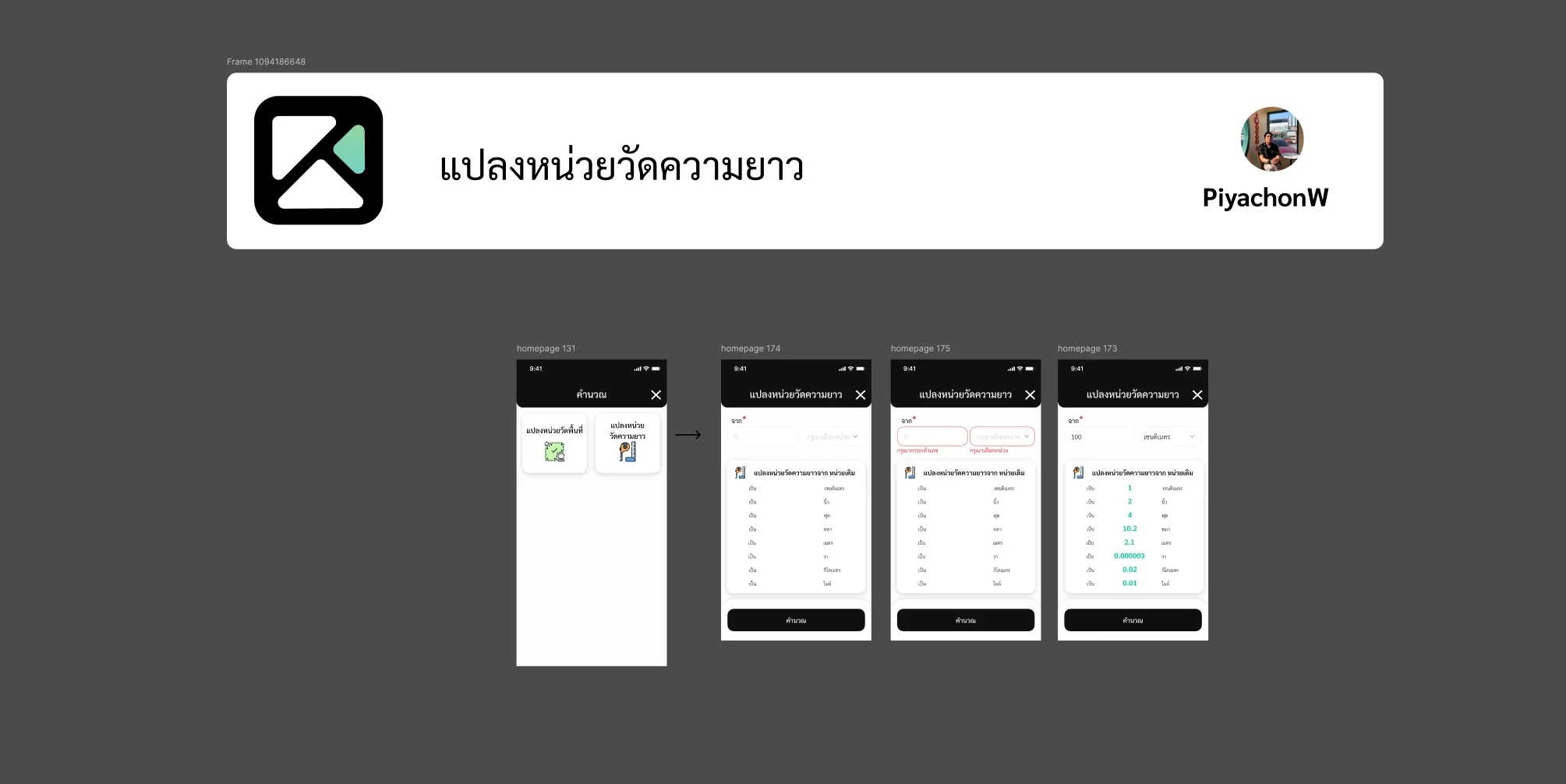
A calculator menu converts area and length between units, including Thai units such as the wa, and shows an error when the value or the unit is missing.
Step 12
Back-Office CMS
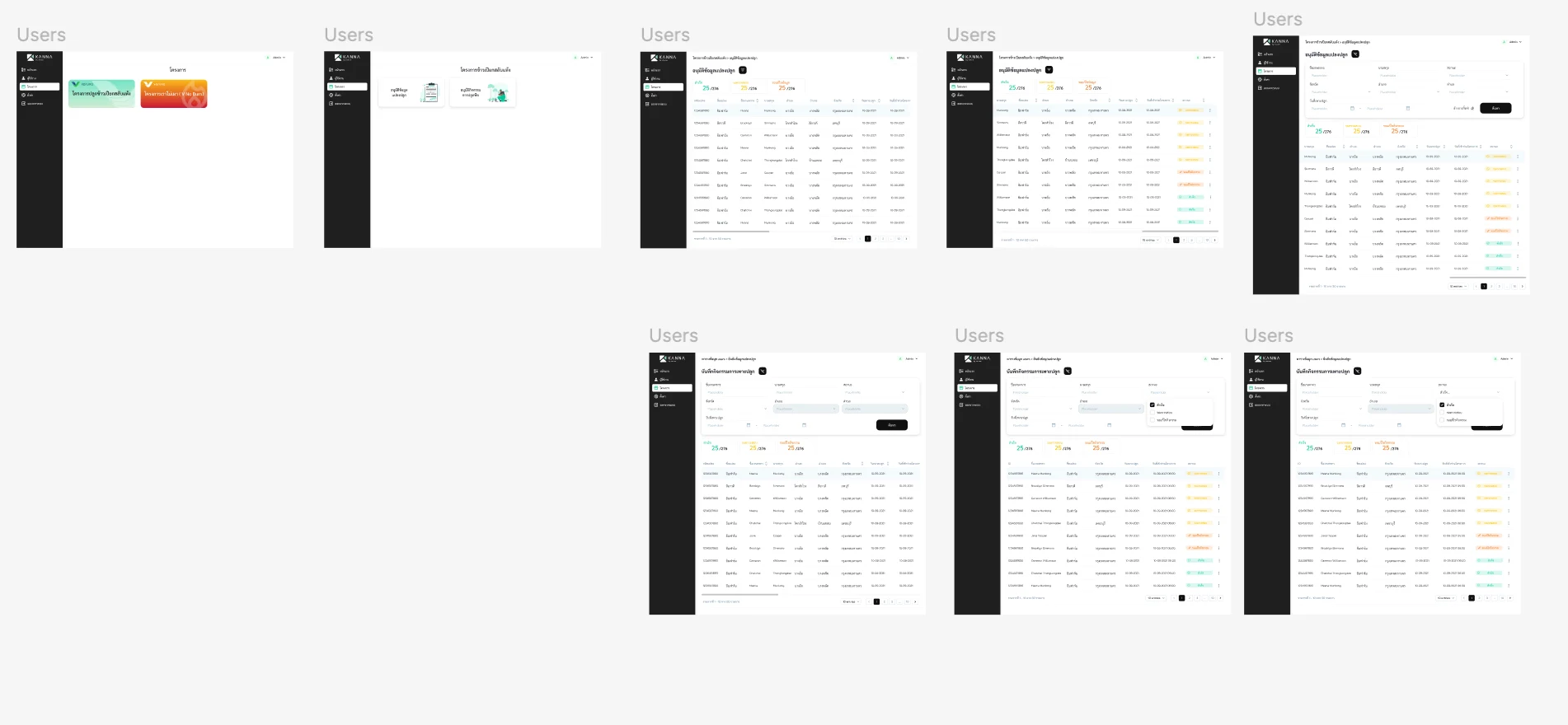
Behind the app, the web CMS lets the agricultural team open each project and work through two tables, plot data waiting for approval and recorded cultivation activities, each with counts by status and filters by province, district, sub-district, date and status.
Step 13
Launch
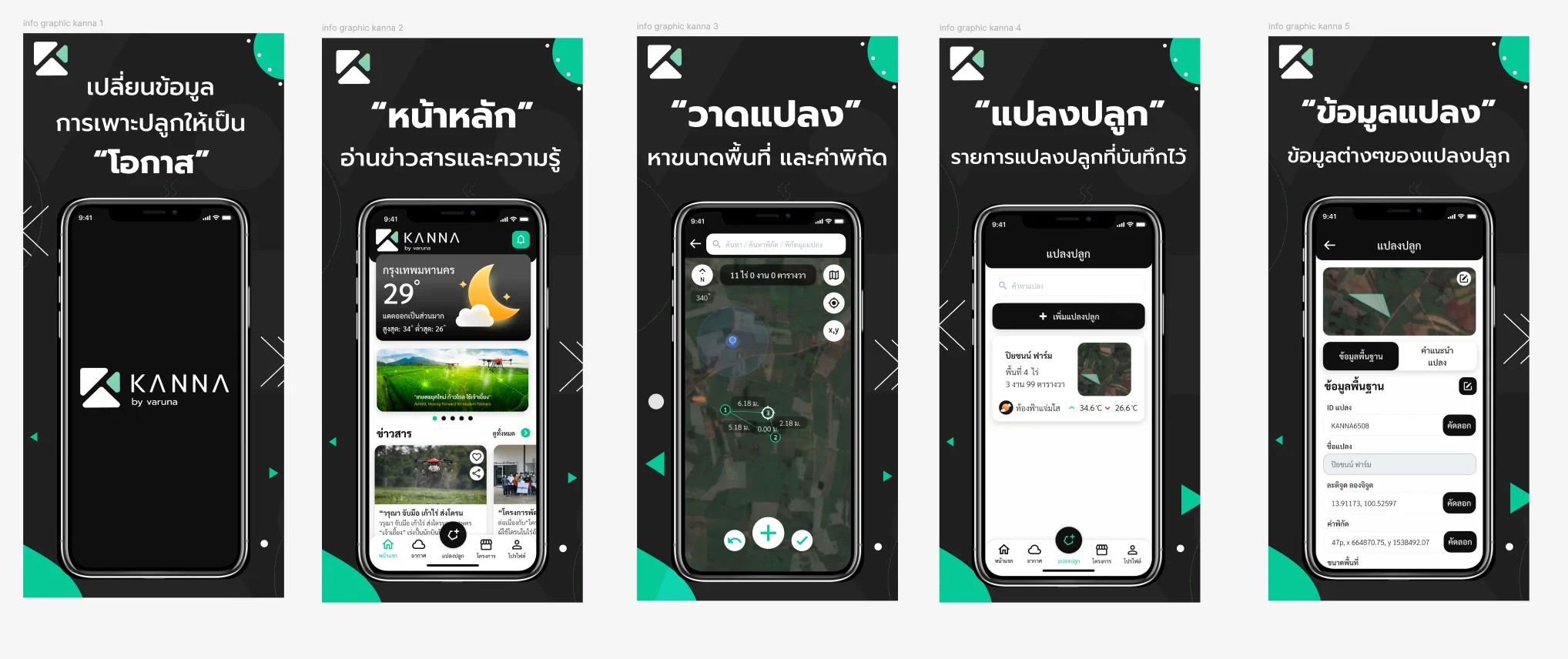
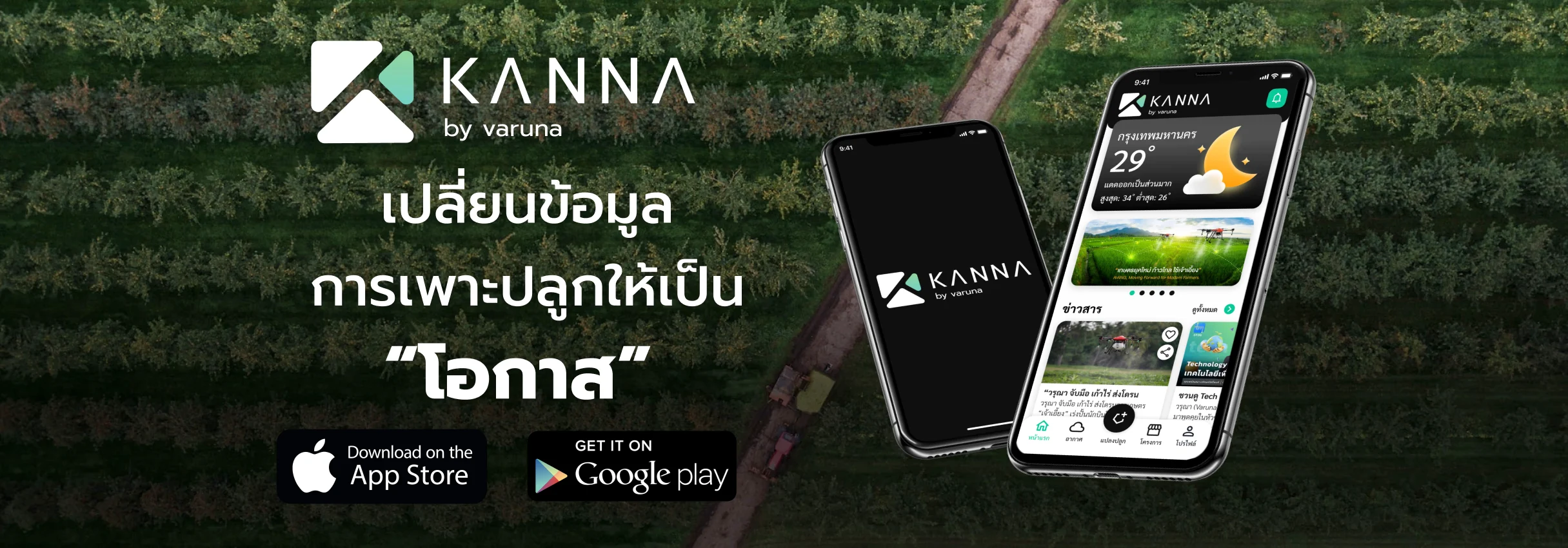
The app was released on the App Store and Google Play as KANNA by varuna, with store graphics walking through the home page, drawing a plot to find its area and coordinates, the list of saved plots and each plot's data.
Executive Summary & Impact
Plot Drawing
Area in Thai units
Tap a plot's corners on the satellite map, or trace it over a photo of the title deed, and get its area in rai, ngan and square wa.
Connected Projects
From the app to the CMS
Farmers join projects and verify their plots in the app; the agricultural team approves plots and reviews activities in the CMS.
Designed for Field Conditions
Practical mobile UX
Designed around real-world agricultural conditions, including outdoor use, limited connectivity, and users who may not be frequent smartphone users.
Kanna is a mobile app for farmers with a web CMS behind it, built from field research in Nakhon Phanom. Farmers draw a plot on the satellite map or trace it over a photo of the land title deed, read the weather and advice for each plot, join projects and verify their plots, and record activities with location-stamped photos, while the agricultural team approves plots and reviews activities in the CMS.
01 / Discovery & Context
Problem & Baseline
Field research in Na Wa, Nakhon Phanom followed farmers through the season, from preparing the land to selling the crop. The app had to work where they are: outdoors, often with a weak connection, for people who may not use a smartphone often. Plots had to be defined in the units farmers use and drawn from the paper title deeds they hold, and the work recorded in the field had to reach the agricultural team that runs the projects.
Plots in Thai units
Farmers measure land in rai, ngan and square wa, and their plot boundaries are on paper title deeds.
Limited connectivity
Field activities may take place in areas with unreliable connectivity, so important workflows needed to remain practical when network access was limited.
A season of records
Activities, trees and land cover had to be recorded plot by plot across the season, with evidence of where.
Connected field & back-office workflows
Mobile field activities and agricultural team workflows needed to work together through a connected CMS and geospatial view.
02 / Architecture & UX System
Key Design Decisions
01
Drawing a Plot on the Satellite Map
Farmers tap a plot's corners and see each side's length and the area in rai, ngan and square wa, or lay a photo of the title deed over the map, adjust its transparency, size and rotation, and trace the boundary along it.
02
Practical Offline Experience
Considered limited connectivity in the field and designed important interactions to remain understandable and usable when network access was unavailable or unreliable.
03
Weather and Advice per Plot
The home page leads with the local weather, and each plot carries its own forecast, an hourly view, an air-quality scale and advice for that plot.
04
Projects, Verification and Records
Farmers join a project and choose which plots to enrol, verify each plot with their ID card and land documents, and record activities with photos stamped with the plot ID, coordinates and time.
05
A CMS for the Agricultural Team
Behind the app, the CMS lets the team approve plot data and review recorded activities in tables with counts by status and filters by province, district, sub-district, date and status.
03 / Verification & Evidence
Outcomes
Area
Before
After
Outcome
Plot definition
Boundaries held on paper title deeds
Drawn on the satellite map or traced over a photo of the deed
On the map
Units
Areas reckoned in rai, ngan and square wa
Area shown in Thai units, with a unit converter
Familiar units
Connectivity
Field areas with unreliable connectivity
Key interactions stay usable without a connection, with clear no-internet and time-out screens
Practical
Field records
Activities needed proof of where they happened
Photos stamped with the plot ID, coordinates and time
Verifiable
Back office
Field data had to reach the project team
Plot approvals and activity reviews in the CMS
Better connected
04 / Retrospective
What I Learned
→
Designing for agricultural users taught me to consider the environment around the interface, not just the interface itself. Outdoor conditions, connectivity, device limitations, and user familiarity all affect how a product is experienced.
→
Meeting farmers in the units and documents they already use, rai, ngan and square wa, and the paper title deed, took a translation step out of the most important task.
→
Working across the app and the CMS reinforced that a field record is only useful once someone in the back office can approve it or act on it.