Portfolio Website Redesign
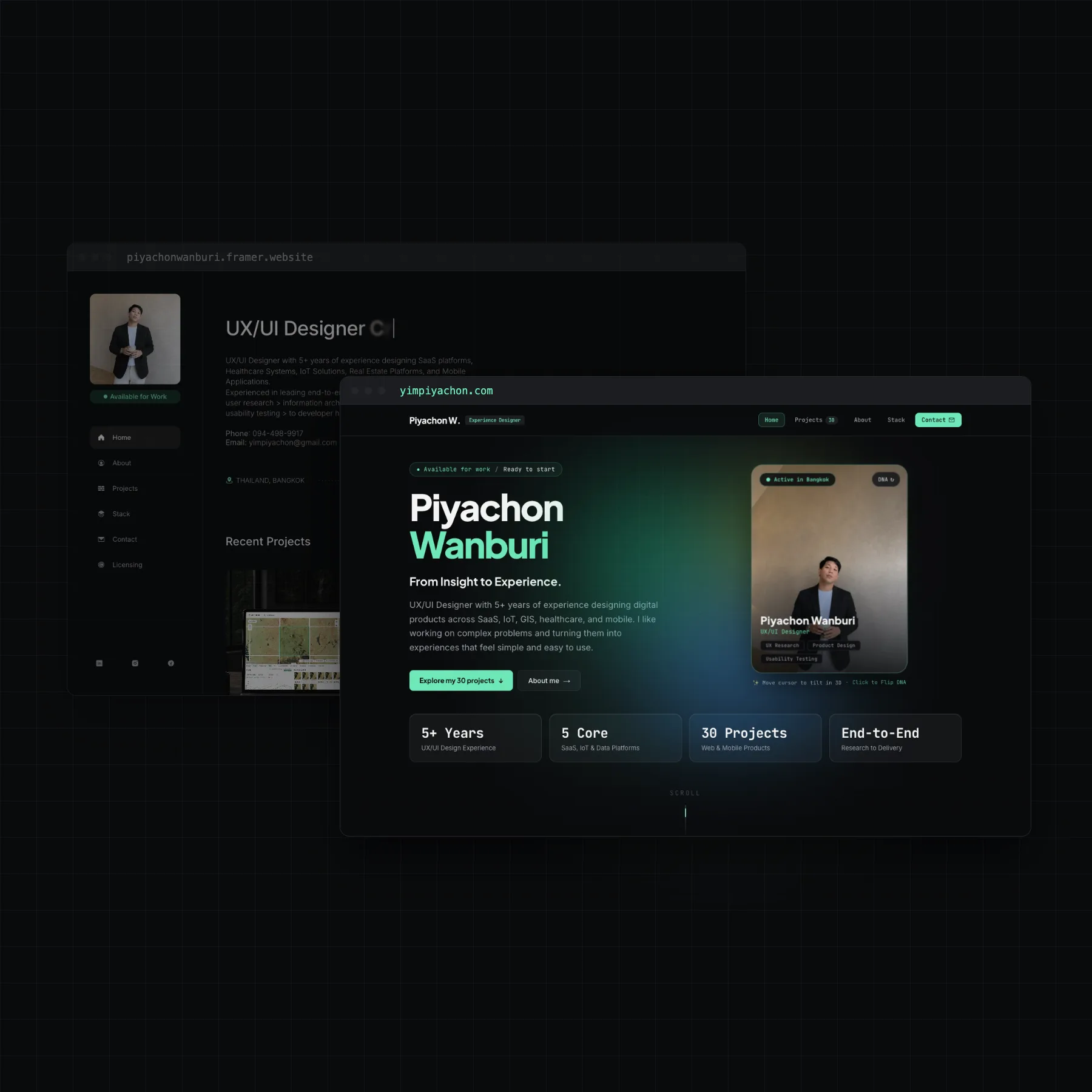
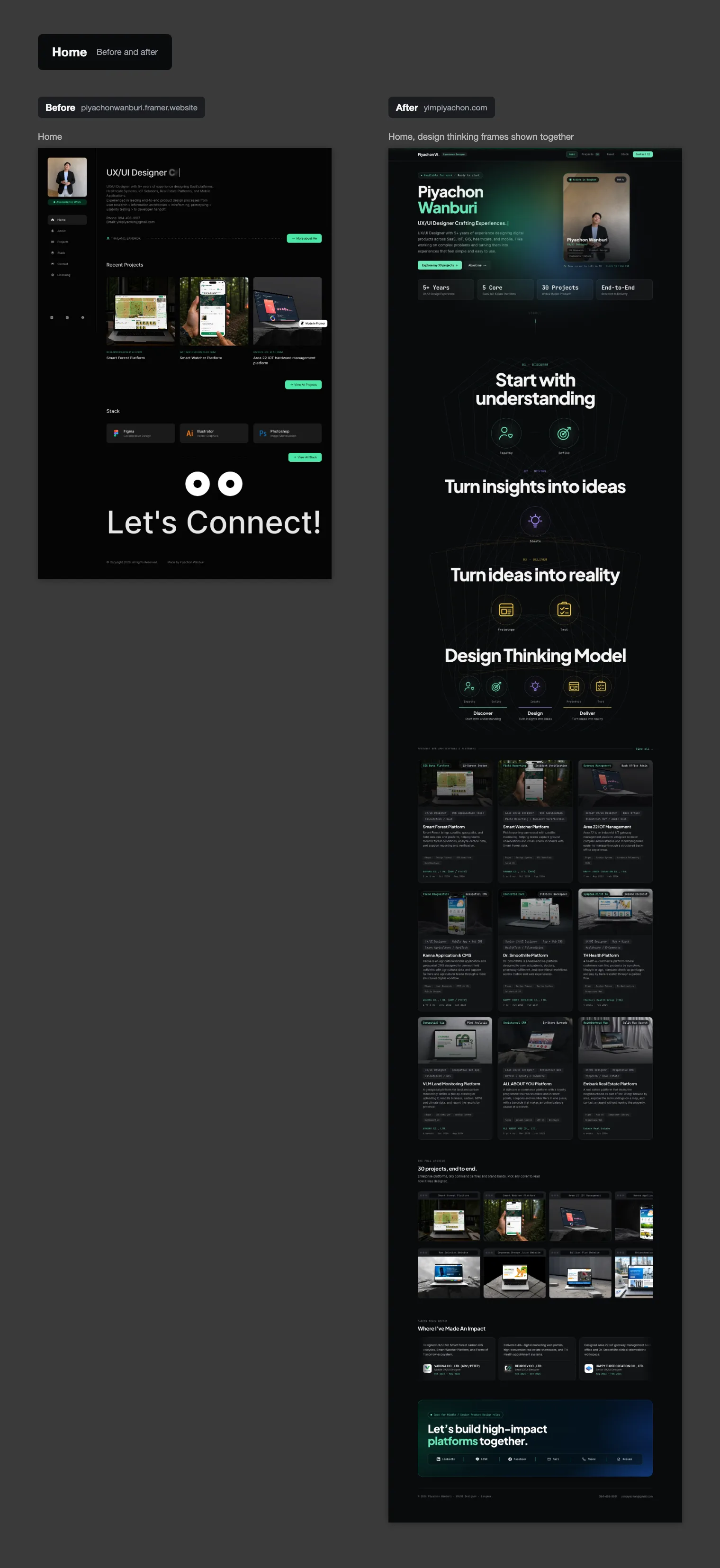
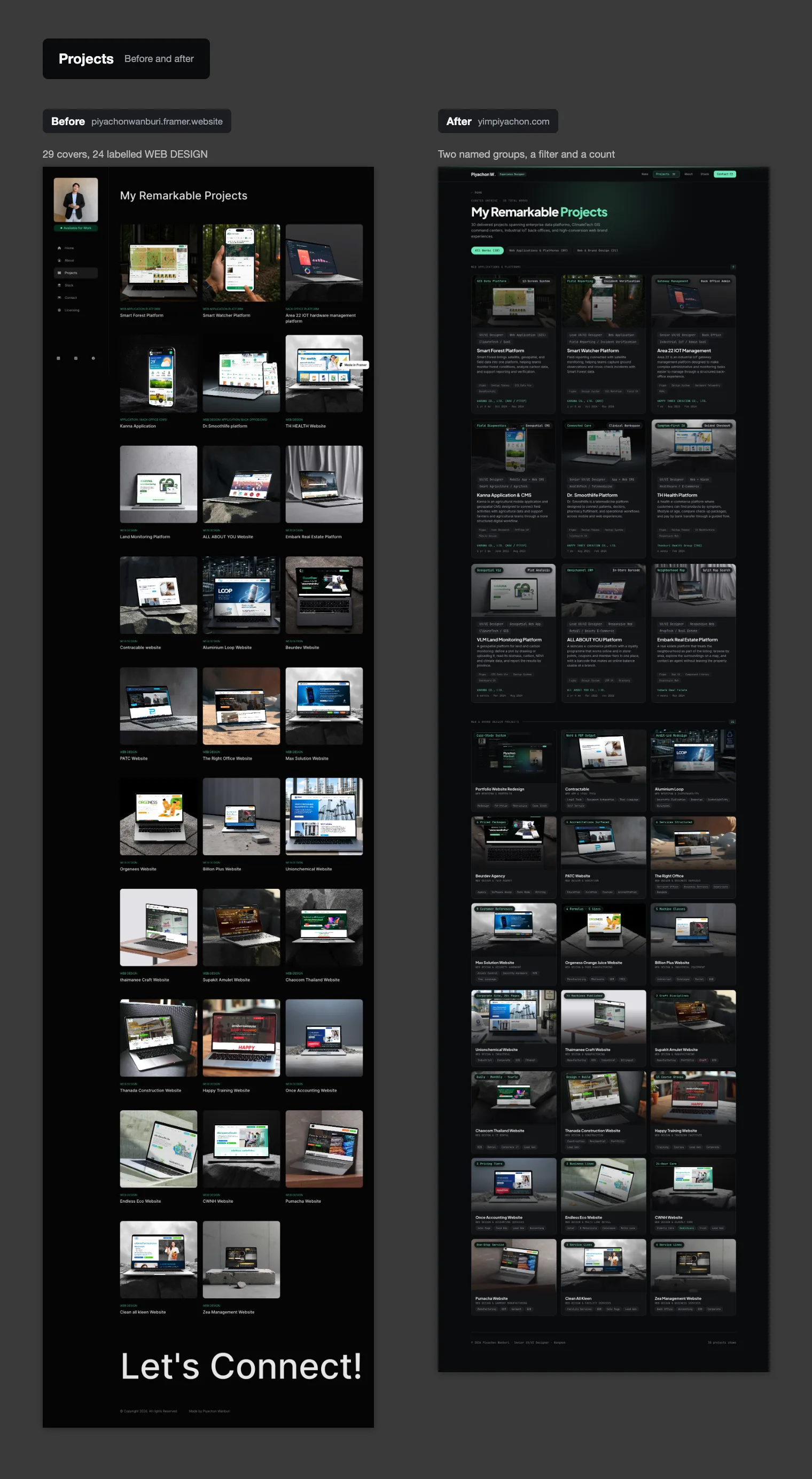
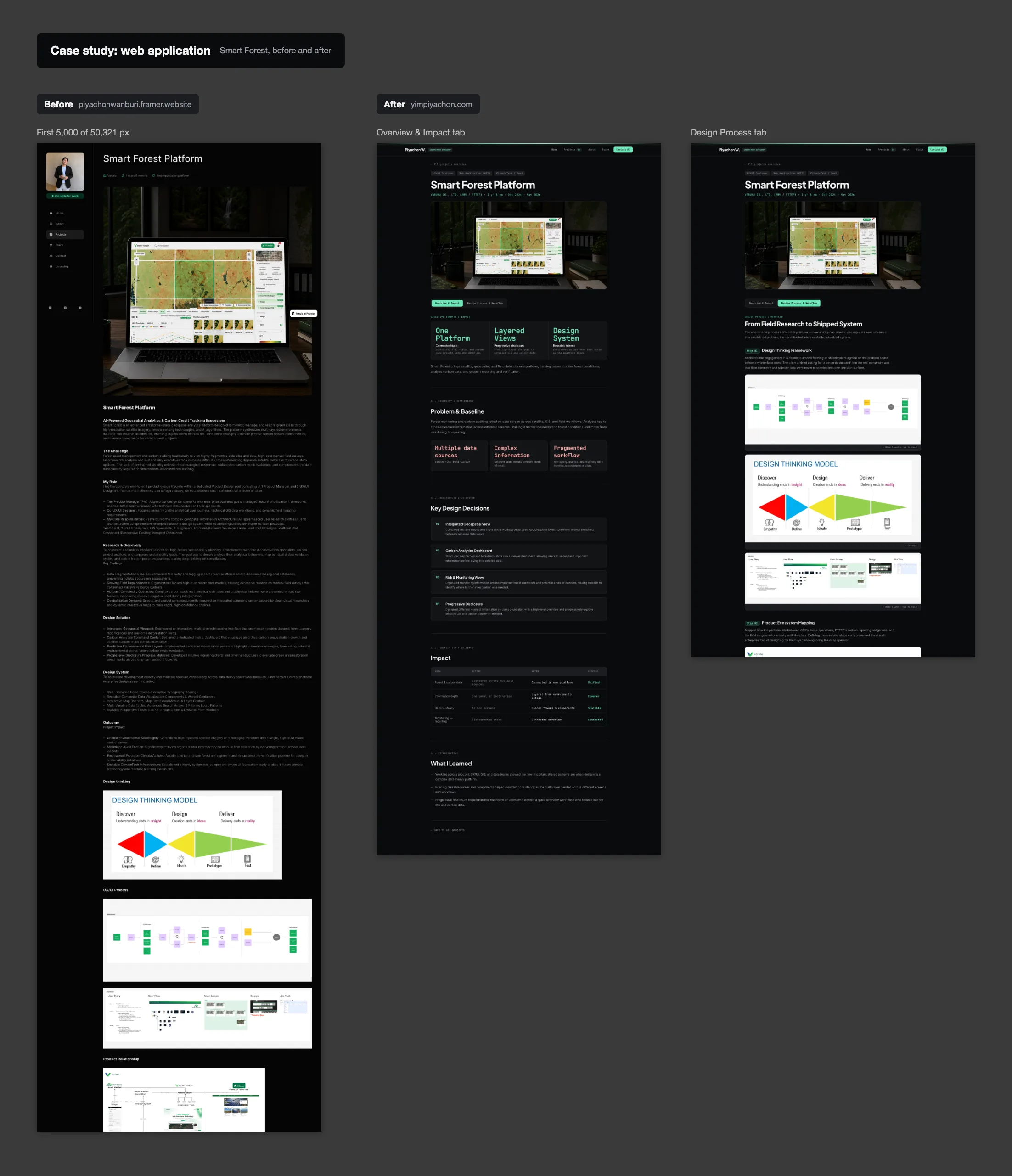
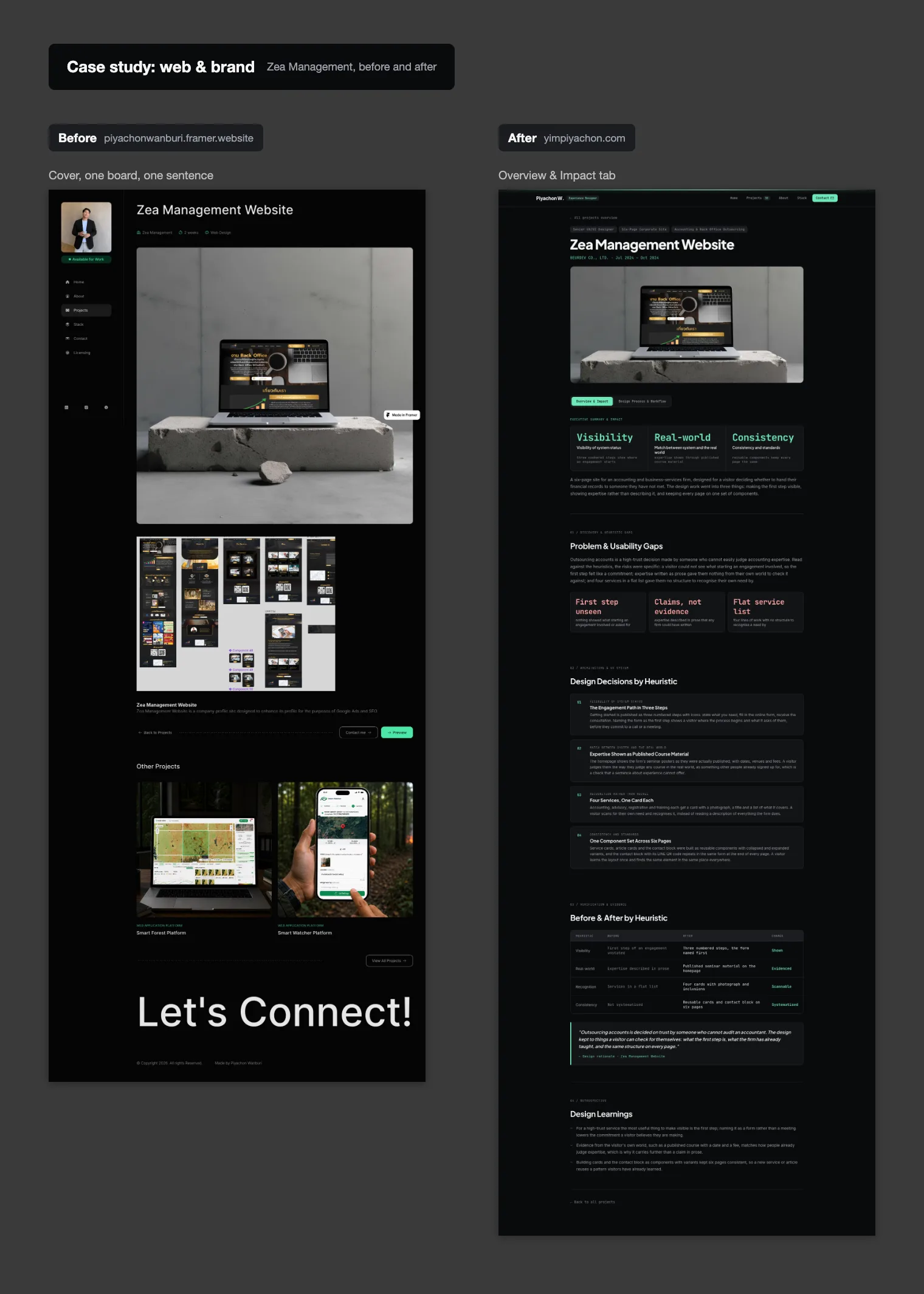
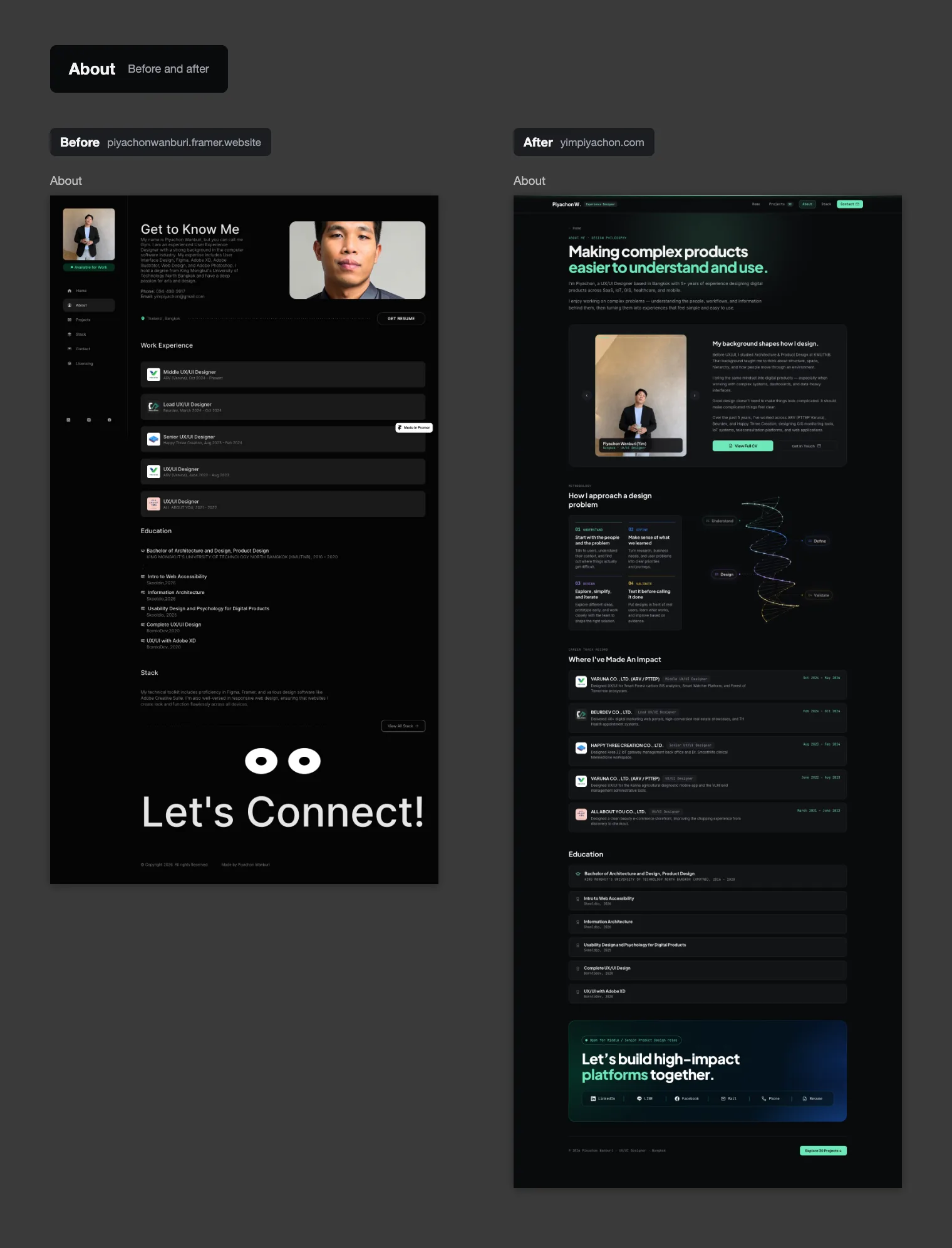
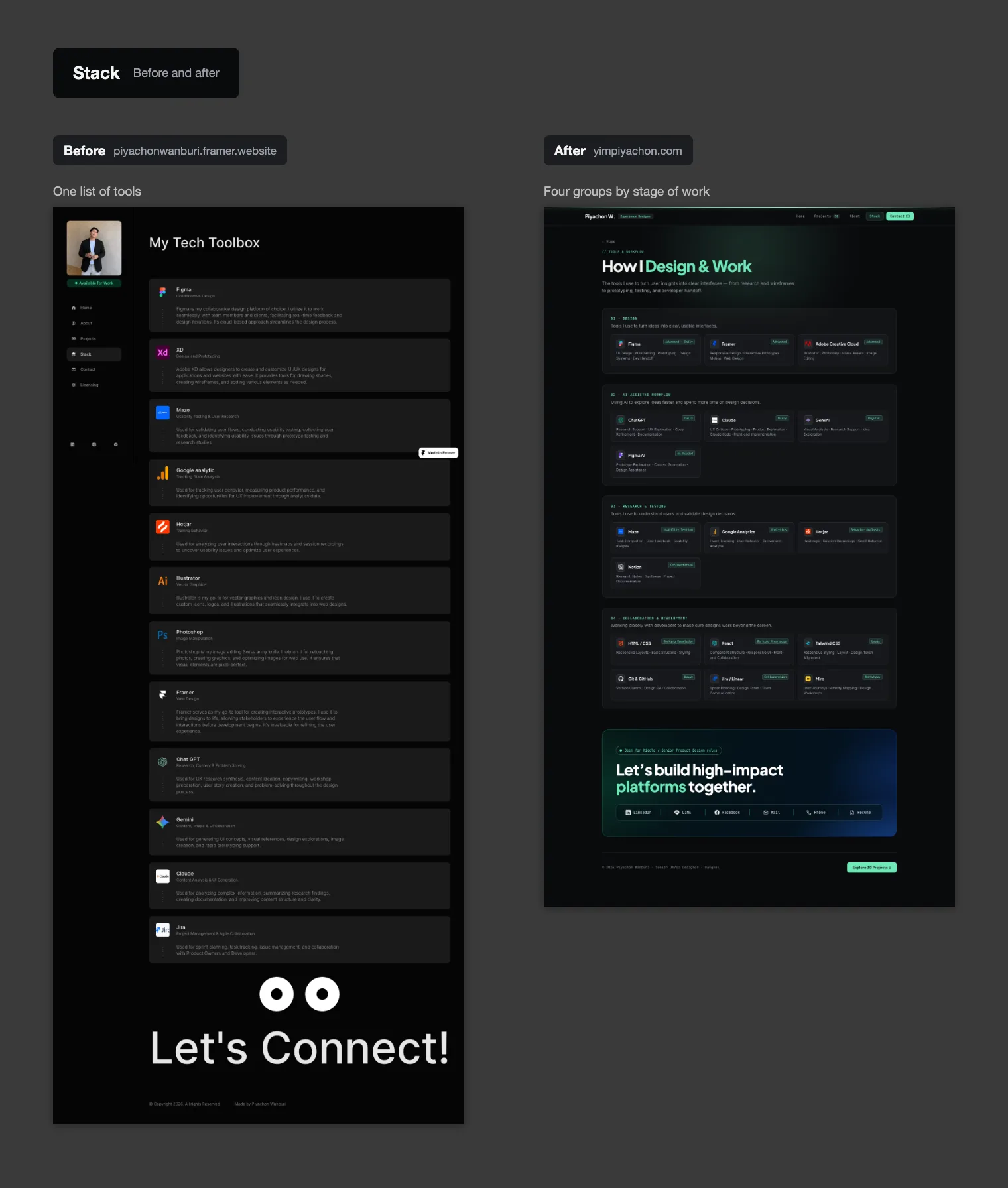
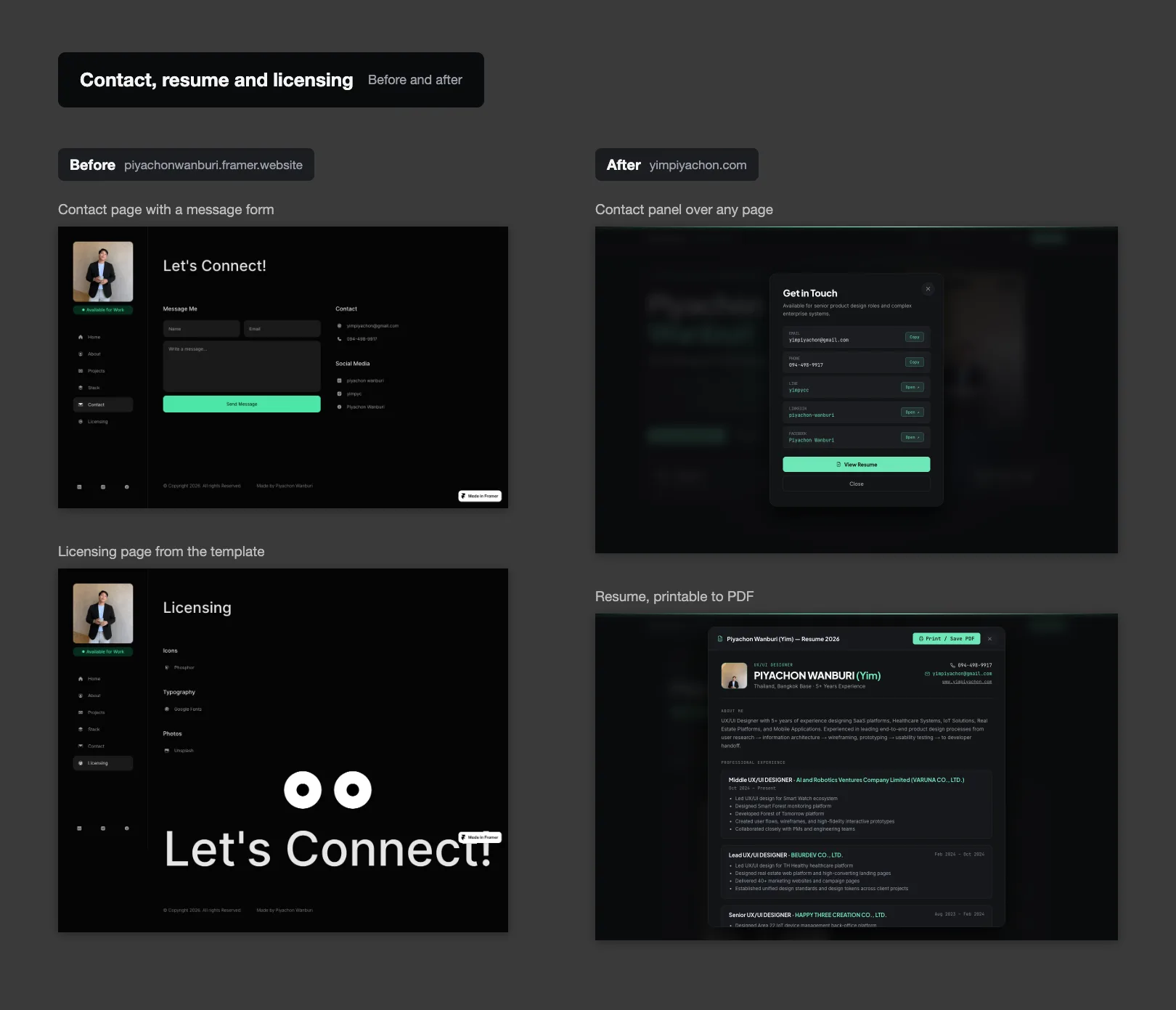
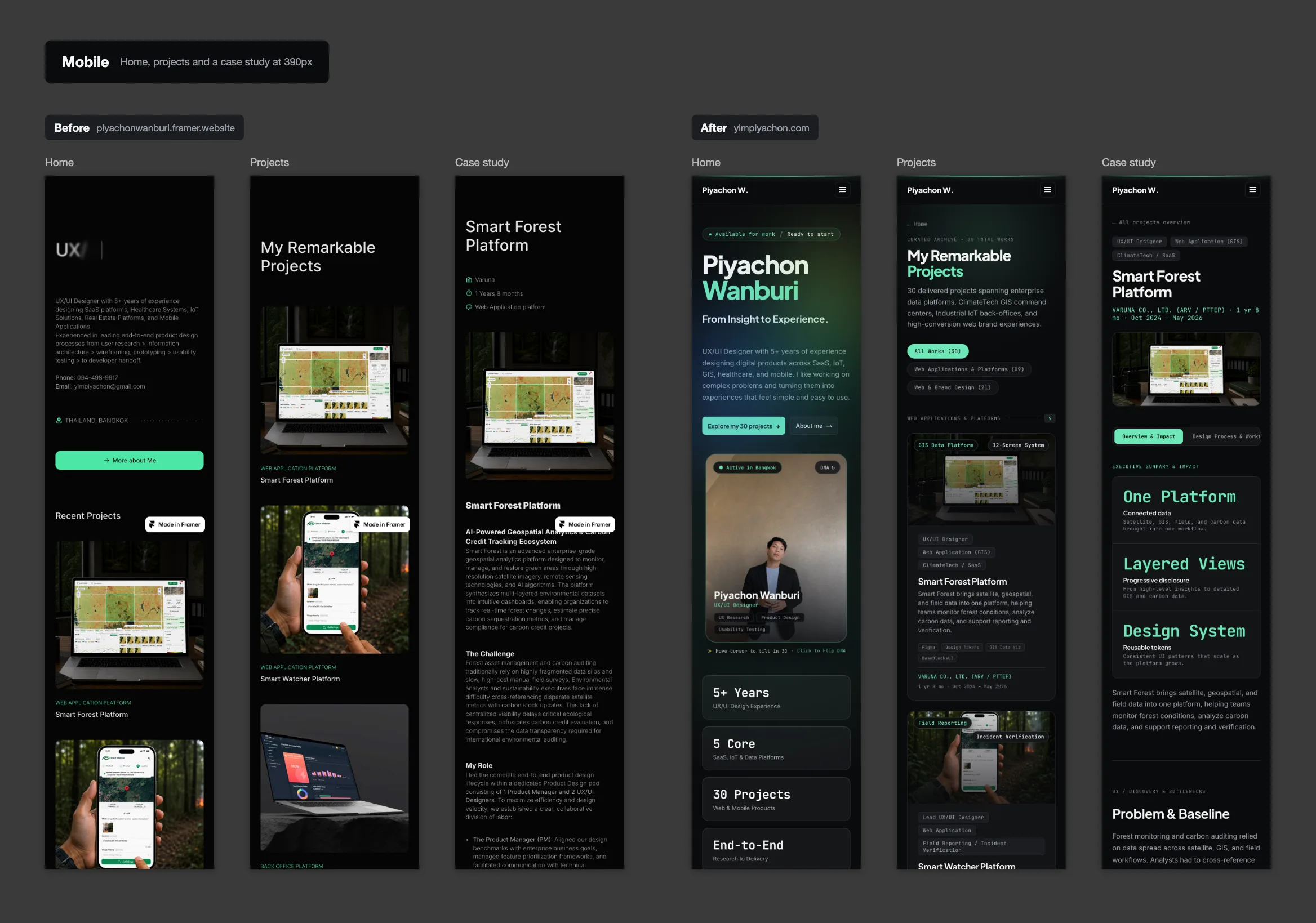
A redesign of this portfolio, from a site built on a Framer template into the custom build you are reading now. The earlier site showed 29 projects as covers with a category and a title, so a reviewer had to open each one to learn what it was. The redesign puts that answer on the card, gives every project the same case-study structure, opens each study on its overview rather than its process boards, and rebuilds the about, stack and contact pages around what a reviewer needs next.
Problem & Usability Gaps
The earlier site ran on a Framer template: a fixed left sidebar, a typewriter headline and a grid of project covers. Read against the heuristics, the projects page showed 29 covers with only a category label and a title, and 24 of those labels read the same 'WEB DESIGN', so nothing on a card helped a reviewer recall what the project was or what role was played. Application case studies were a single long column of text and process boards with no summary before them: measured at a 1440px desktop width, the Smart Forest, Smart Watcher and Area 22 pages ran 50,321, 26,248 and 15,319 pixels tall. Web and brand projects had the opposite problem: 17 of the 20 pages carried fewer than 70 words of text, and 13 of them used the same sentence about building a company profile for Google Ads and SEO.
Design Decisions by Heuristic
Before & After by Heuristic
| Heuristic | Before | After | Change |
|---|---|---|---|
| Recognition | Cover, category and title only | Role, platform, client and timeline on each card | Readable |
| Consistency | Process boards as the whole case study | One case-study template for every project | Standardised |
| Minimalism | Boards before any summary | Overview first, boards in their own tab | Focused |
| Real-world | One grid of 29 covers | Two named groups with a filter and a count | Grouped |
| Consistency | Web pages with a cover, a board and a sentence | The same case-study template as the applications | Documented |
| Control | Contact on its own page | Contact panel over any page, resume one click away | In place |
"A reviewer reads a portfolio in a hurry. The earlier site asked them to open every project to find out what it was; the redesign puts that answer on the card and the same structure behind every click."
— Design rationale · Portfolio Website RedesignDesign Learnings
Redesigning your own portfolio is the same problem as any client site: the reader is a stranger, and the cards have to answer their first question without a click.
A shared case-study template does more for credibility than any single polished page, because it makes every project comparable with the next.
Rewriting thirty case studies made one rule necessary: no number goes on a page unless it can be traced to a source.